
About
Studio One by PreSonus is a full-featured Digital Audio Workstation (DAW) built for musicians, producers, podcasters, and audio engineers of every skill level. First released in 2009, it has earned a reputation for its clean, intuitive interface centered around a drag-and-drop workflow that significantly reduces friction during the creative process. Studio One is available in multiple tiers: the free Studio One Prime edition provides a capable starting point for beginners, while Studio One Pro and the Pro+ subscription plan unlock unlimited tracks, advanced MIDI editing, the integrated Project mastering page, Scratch Pads for non-destructive arrangement experimentation, chord tracks, and a comprehensive suite of built-in instruments and effects. Studio One Pro+ adds cloud collaboration, continuous software updates, and exclusive content packs. The software supports VST, VST3, and AU plug-in formats and integrates tightly with PreSonus hardware such as AudioBox interfaces, StudioLive mixers, and ATOM pad controllers. An iOS companion app (Studio One Remote) allows wireless control from a tablet or phone. Key use cases include music recording and production, mixing and mastering, podcast and voiceover production, live performance, and film/video scoring. Its all-in-one approach—recording, editing, mixing, and mastering in a single application—makes it an efficient choice for modern creators who want a professional toolset without switching between multiple programs.
Key Features
- Drag-and-Drop Workflow: Streamlined interface allowing users to drag instruments, loops, effects, and clips directly onto tracks for fast, creative music production.
- Integrated Mastering Suite: Built-in Project page for professional mastering within the same application, eliminating the need for third-party mastering software.
- Scratch Pads: Non-destructive arrangement experimentation feature that lets producers try alternate song structures without affecting the main arrangement.
- Comprehensive Plugin Support: Full compatibility with VST, VST3, and AU plugin formats, plus a rich library of built-in instruments, effects, and virtual instruments.
- Studio One Pro+ Subscription: Subscription tier offering cloud collaboration, continuous feature updates, and exclusive content packs for professional and studio use.
Use Cases
- Recording, mixing, and mastering original music in a professional or home studio environment.
- Producing electronic music with built-in virtual instruments, loops, and effects chains.
- Recording and editing podcasts or voiceover content with multitrack audio tools.
- Composing scores for film, television, or video games using MIDI and audio tracks.
- Live performance setups leveraging Studio One's tight integration with PreSonus hardware controllers and interfaces.
Pros
- All-in-One Production Environment: Covers recording, editing, mixing, and mastering in a single application, reducing the need to switch between different tools.
- Free Tier Available: Studio One Prime offers a fully functional free version ideal for beginners or those wanting to try the DAW before committing.
- Intuitive, Modern Interface: Clean drag-and-drop design lowers the learning curve compared to older DAWs while still offering deep professional capabilities.
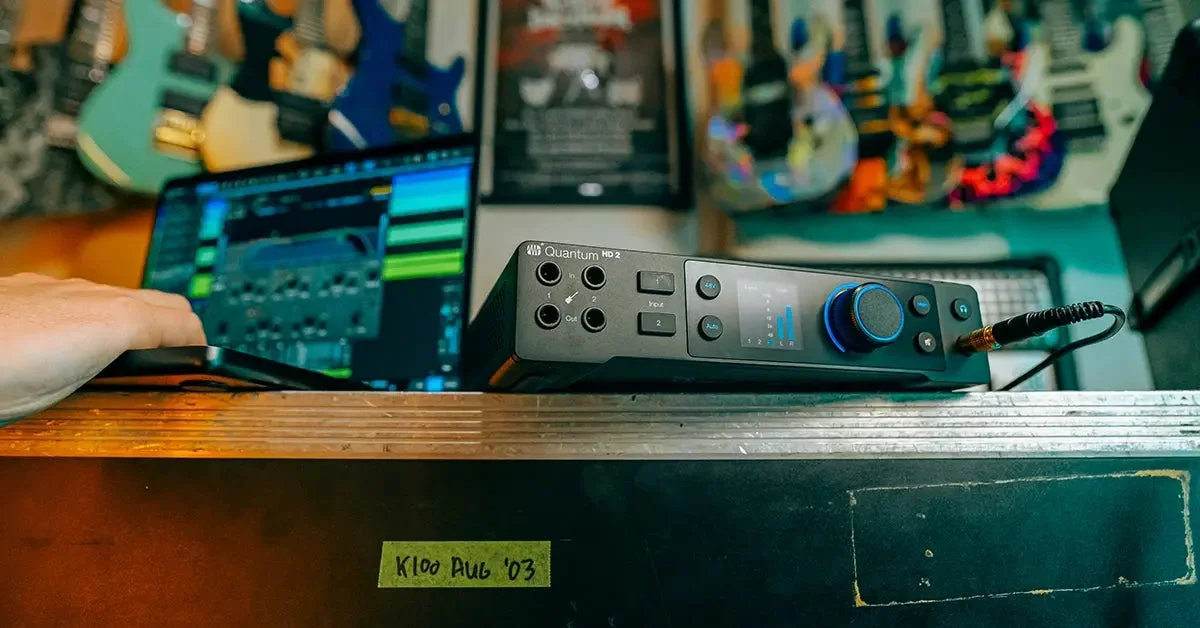
- Strong Hardware Integration: Works seamlessly with PreSonus interfaces, mixers, and controllers for a tightly integrated hardware-software studio experience.
Cons
- No Linux Support: Studio One is only available on macOS and Windows, leaving Linux-based audio professionals without an option.
- Advanced Features Behind Paywall: Key features like unlimited tracks, mastering, and Scratch Pads require purchasing the Pro or Pro+ tier, which can be costly.
- Smaller Third-Party Ecosystem: Compared to industry giants like Pro Tools or Ableton Live, Studio One has a smaller community and fewer third-party learning resources.
Frequently Asked Questions
What is Studio One?
Studio One is a professional Digital Audio Workstation (DAW) developed by PreSonus, used for music recording, editing, mixing, and mastering on macOS and Windows.
Is Studio One free to use?
Yes. Studio One Prime is a free version with core recording and editing features. Paid tiers (Studio One Pro and Pro+) unlock advanced capabilities like unlimited tracks, mastering tools, and cloud collaboration.
What is the difference between Studio One Pro and Pro+?
Studio One Pro is a perpetual license purchase, while Pro+ is a subscription plan that includes everything in Pro plus continuous software updates, cloud collaboration features, and exclusive content packs.
Can Studio One be used for podcasting?
Yes. Studio One supports multitrack audio recording, editing, and exporting, making it suitable for podcast production, voiceover recording, and audio post-production workflows.
What plugin formats does Studio One support?
Studio One supports VST, VST3, and AU (Audio Units) plugin formats, allowing users to extend their studio with a wide variety of third-party instruments and effects.