

About
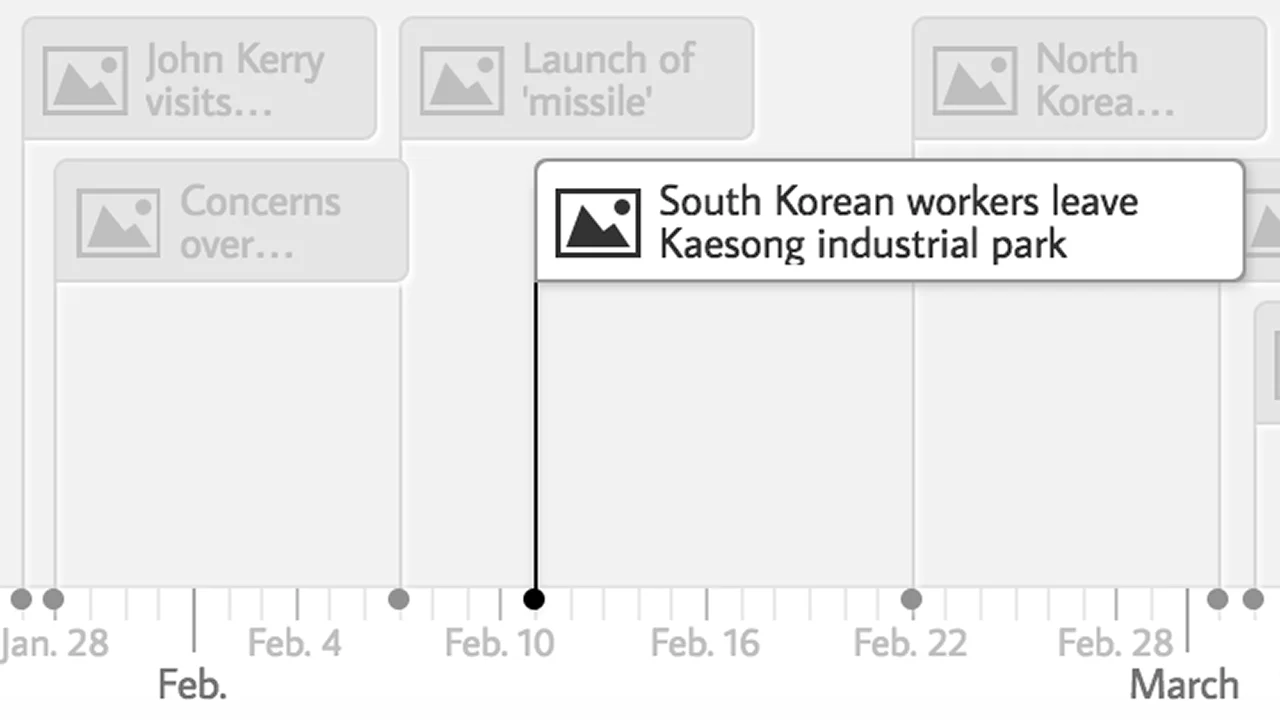
TimelineJS, developed by Northwestern University's Knight Lab, is a powerful open-source tool for creating interactive, media-rich timelines that work on any website or blog. Designed for both non-technical users and developers, it bridges the gap between storytelling and data visualization. Journalists, educators, historians, and content creators can build timelines in four simple steps: create a Google Spreadsheet using the provided template, drop in dates, text, and media links, publish it to the web, and paste the URL into TimelineJS to generate an embeddable timeline. For more advanced use cases, developers can craft fully custom timelines using JSON while still benefiting from TimelineJS's core rendering engine. The tool supports an extensive range of media sources including YouTube, Vimeo, Flickr, Twitter, SoundCloud, Google Maps, DocumentCloud, and Dailymotion, making timelines genuinely multimedia experiences. TimelineJS also offers multilingual support with over 50 languages, making it accessible to global audiences. Ideal for journalism projects, academic research, historical retrospectives, and educational curricula, TimelineJS has been used to tell stories ranging from the history of wine to the chronology of political races. It is completely free to use and open source, with no setup fees or subscriptions required.
Key Features
- Google Spreadsheet Integration: Build timelines directly from a Google Spreadsheet template — no technical skills needed. Just fill in dates, text, and media links and publish.
- Rich Media Support: Embed media from YouTube, Vimeo, Flickr, Twitter, SoundCloud, Google Maps, Wikipedia, DocumentCloud, and more directly into timeline slides.
- JSON Customization for Developers: Advanced users can bypass the spreadsheet and use JSON to create fully custom timeline installations while retaining the core TimelineJS engine.
- Multilingual Support: Supports over 50 languages including Arabic, Chinese, French, Hindi, Russian, and many more, enabling global accessibility.
- Embeddable on Any Site: Generated timelines are fully embeddable via iframe on any website, blog, or CMS with customizable width, height, fonts, and map types.
Use Cases
- Journalists creating interactive news timelines to illustrate the chronology of major events such as elections, trials, or crises.
- Educators building historical timelines for classroom use, covering topics like world history, scientific discoveries, or literary movements.
- Researchers and academics presenting the chronological development of a field, movement, or subject as part of a publication or course.
- Content creators and bloggers producing visually engaging timeline-based stories for their audience on topics like pop culture, sports, or entertainment.
- Nonprofits and organizations documenting their institutional history or the evolution of a cause or initiative for donors and stakeholders.
Pros
- Completely Free and Open Source: TimelineJS has no cost, no subscription, and no hidden fees. The full source code is publicly available for customization and self-hosting.
- No-Code Friendly: Non-technical users can create professional-looking timelines using only Google Sheets, making it accessible to journalists, educators, and storytellers.
- Broad Media Integration: Native support for a wide range of media platforms ensures timelines are visually engaging without requiring manual media hosting.
- Proven in Journalism and Education: Backed by Knight Lab and used by major newsrooms and educational institutions worldwide for high-profile storytelling projects.
Cons
- Limited to Chronological Stories: TimelineJS works best for linear, chronological narratives. It is not suited for non-linear or branching story structures.
- Recommended Slide Limit: The tool recommends no more than 20 slides per timeline, which may be restrictive for very detailed or complex historical projects.
- Depends on Google Sheets for No-Code Workflow: The beginner-friendly approach relies on Google Sheets, meaning users without a Google account must use the JSON method instead.
Frequently Asked Questions
Is TimelineJS free to use?
Yes, TimelineJS is completely free and open source. There are no subscription fees or usage limits.
Do I need coding skills to use TimelineJS?
No. Beginners can create a timeline using only a Google Spreadsheet. Developers who want full customization can use the JSON configuration option.
What types of media can I include in a timeline?
TimelineJS supports media from YouTube, Vimeo, Flickr, Twitter, SoundCloud, Google Maps, Wikipedia, DocumentCloud, Dailymotion, Vine, and more.
Can I embed a TimelineJS timeline on my website?
Yes. TimelineJS generates an embeddable iframe snippet that works on any website, blog, or CMS. You can customize the width, height, language, fonts, and starting slide.
How many slides should a TimelineJS timeline have?
Knight Lab recommends keeping timelines to 20 slides or fewer for the best reader experience. Timelines should follow a strong chronological narrative.