

About
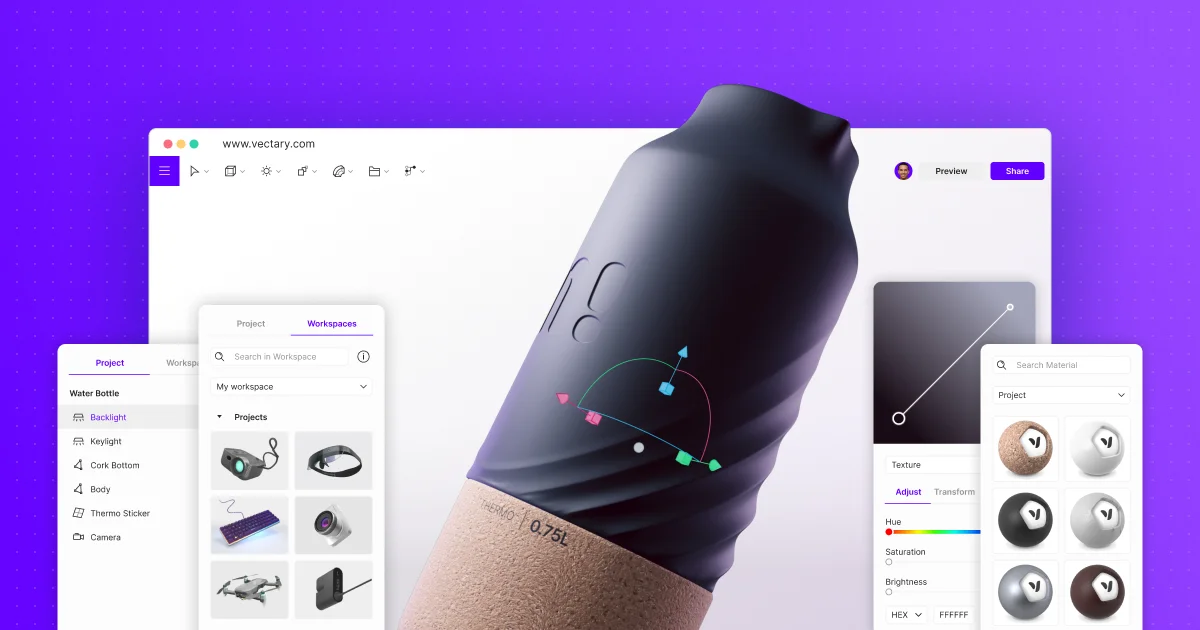
Vectary is a powerful online 3D design platform that redefines how teams create, manage, and share three-dimensional content. Built entirely in the browser with no downloads required, it provides a fully-featured 3D modeling environment complete with photorealistic real-time rendering, augmented reality (AR), interactive animations, and configurable UI components—all accessible via a no-code workflow. Designed for cross-functional teams, Vectary supports designers, engineers, product managers, and marketers working together in shared workspaces. Features like file cloning, in-design commenting, and one-click sharing make collaboration seamless. Projects can be embedded directly into presentations, productivity tools, or websites with a single link, making 3D content as easy to share as a document. Vectary's AR capabilities let users view and present models in real-world environments directly from desktop or mobile browsers without additional apps. The platform supports CAD file importing, 3D configurators, interactive product manuals, and spatial design for digital twins. Enterprise teams benefit from robust security controls, workspace-level role management, and a dedicated onboarding program. With over 4 million users across industries including transportation, consumer goods, and manufacturing, Vectary is the go-to solution for teams that need efficient, accessible 3D design workflows without the complexity of traditional desktop 3D software.
Key Features
- Browser-Based 3D Modeling: Full-featured 3D modeling, importing, and editing runs entirely in the browser with no downloads or installations needed.
- Augmented Reality Viewing: View and present 3D models in real-world AR environments directly from any desktop or mobile browser without additional apps.
- Interactive Animations & Configurators: Add interactions, animations, and UI controls to 3D scenes to create immersive product configurators, demos, and digital manuals.
- One-Click Sharing & Embedding: Generate a shareable link instantly and embed interactive 3D viewers into presentations, websites, or productivity tools with a single click.
- Team Workspaces & Collaboration: Organize projects into team workspaces with role-based access, in-design commenting, and file cloning for structured collaboration.
Use Cases
- Creating interactive 3D product configurators for e-commerce sites that let customers visualize customizations in real time
- Designing and presenting AR-enabled product prototypes to stakeholders without requiring specialized hardware or software
- Building 3D assembly and maintenance manuals for manufacturing and engineering teams
- Collaborating on spatial design and digital twin projects across geographically distributed teams via shared browser-based workspaces
- Embedding photorealistic 3D product demos into marketing presentations and landing pages to boost engagement
Pros
- Zero Installation Required: Runs entirely in the browser, making it instantly accessible to any team member on any device without software installations.
- No-Code 3D & AR Workflow: Powerful 3D modeling, AR, and interactive animations are achievable without writing a single line of code, lowering the barrier for non-technical users.
- Versatile Embedding & Sharing: 3D scenes can be embedded anywhere via a link, enabling seamless integration into sales presentations, documentation, and websites.
Cons
- Browser Performance Limits: Complex, high-polygon 3D models may face performance constraints compared to dedicated desktop 3D software like Blender or SolidWorks.
- Advanced Features on Paid Plans: Enterprise features such as advanced security controls, team workspaces, API access, and priority support require a paid subscription.
Frequently Asked Questions
Do I need to download software to use Vectary?
No. Vectary is entirely browser-based. You can create, edit, and share 3D designs from any modern web browser on desktop or mobile with no downloads required.
Can Vectary display augmented reality without a separate app?
Yes. Vectary's AR viewer works directly from your browser on desktop and mobile devices, so viewers don't need to install any additional application.
What file formats can I import into Vectary?
Vectary supports importing common 3D file formats including CAD files. Check the documentation for the full list of supported formats.
Is Vectary suitable for enterprise teams?
Yes. Vectary offers enterprise plans with dedicated workspaces, admin-controlled user roles, project access management, security features, and a dedicated onboarding program.
Can I embed a Vectary 3D scene into a website or presentation?
Absolutely. You can generate a shareable link or embed code in seconds, allowing interactive 3D viewers to be placed inside websites, slides, or productivity tools like Notion.