
About
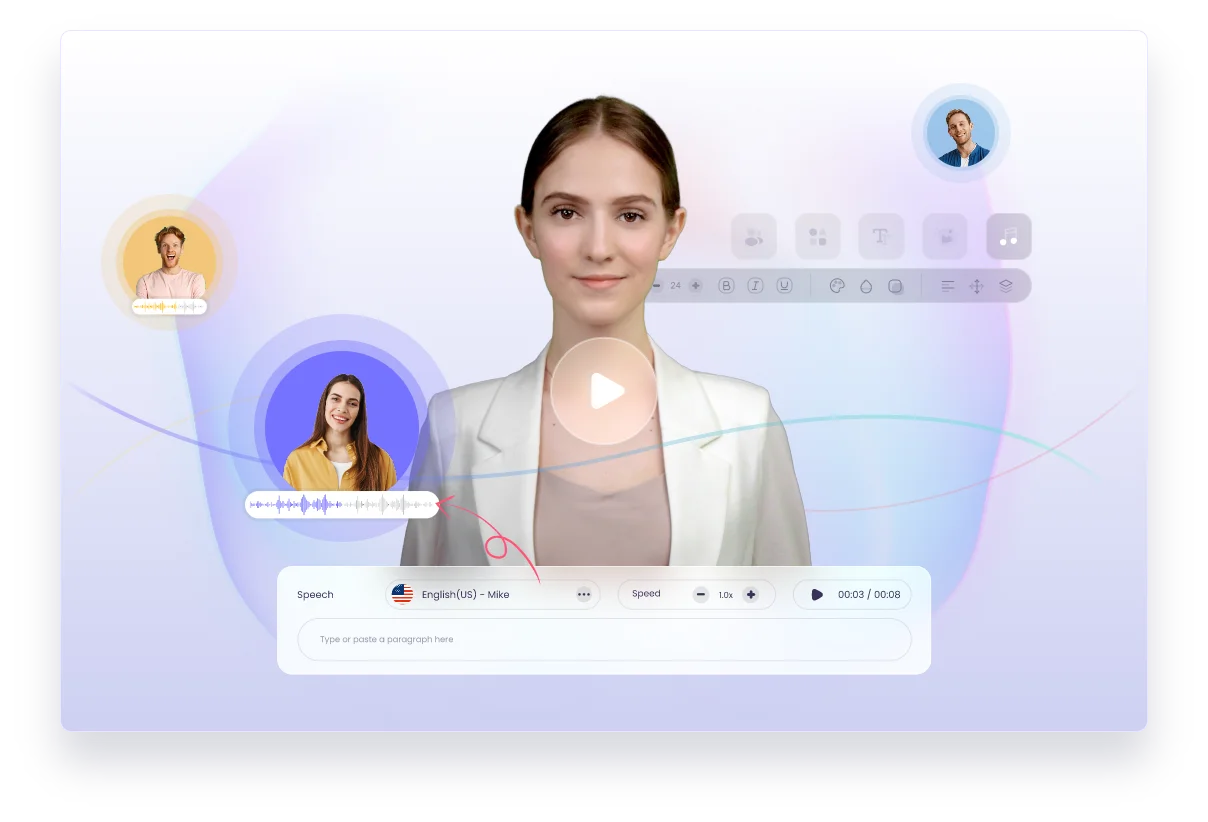
Vidnoz AI is a comprehensive, cloud-based AI video generation platform designed to help individuals, educators, marketers, and businesses create professional-quality videos rapidly and affordably. With access to over 1,900 realistic AI avatars, 2,800+ customizable video templates, and a full AI voice toolkit featuring text-to-speech, voice cloning, and voice changing, users can produce engaging content without any filming or editing expertise. The platform supports a wide range of use cases including corporate training and onboarding, e-learning course production, marketing and social media videos, explainer videos, sales presentations, and customer support tutorials. Advanced features like AI Video Translator, AI Lip Sync, and AI Video Dubbing make localization effortless for global audiences. Vidnoz AI also integrates leading AI models such as Google Veo, Kling, Sora, Seedance, and Hailuo, giving users access to cutting-edge generative capabilities. On top of video, the platform includes AI image tools—background removal, photo editing, AI image generation, and an AI clothes changer—making it a true all-in-one creative studio. A free tier with daily credits makes it accessible for casual users and students, while paid plans unlock higher output quotas and premium features for teams and enterprises. An API is available for developers looking to integrate Vidnoz AI capabilities into their own applications.
Key Features
- 1900+ Realistic AI Avatars: Choose from a massive library of lifelike AI avatars or generate a custom one from your own photo or video for personalized presentations.
- Text-to-Video & Image-to-Video: Convert written scripts or static images into polished videos using state-of-the-art AI models including Google Veo, Kling, and Sora.
- AI Voice Toolkit: Access 2000+ realistic AI voices, clone any voice, translate audio, and remove vocals — all within a single integrated platform.
- AI Video Translator & Lip Sync: Automatically translate and dub videos into multiple languages with accurate lip-sync, enabling effortless global content localization.
- All-in-One Image & Video Studio: Beyond video, edit photos with AI, remove backgrounds, generate images from text, change outfits, and animate pictures — no separate tools needed.
Use Cases
- Corporate HR teams creating onboarding and training videos at scale without hiring actors or video crews.
- E-learning instructors producing multilingual course content using AI avatars and automatic video translation.
- Digital marketers generating product demo videos and social media content quickly using pre-built templates.
- Sales teams building personalized video pitches using AI avatars and voice cloning to boost engagement.
- Universities and educators developing interactive virtual teaching environments with realistic AI avatars.
Pros
- Generous Free Tier: Users receive 60 free credits daily with no credit card required, making it accessible for casual creators, students, and small teams.
- Extensive Asset Library: Over 1,900 avatars and 2,800 templates give users a huge head start without needing design or acting resources.
- All-in-One Platform: Combining video generation, image editing, voice tools, and translation in one place eliminates the need for multiple subscriptions.
- Multi-Model AI Support: Integration with leading models like Google Veo, Kling, Sora, and Seedance ensures access to the latest generative AI capabilities.
Cons
- Daily Credit Limits on Free Plan: The free tier's 60 daily credits can be restrictive for heavy users or those producing long or multiple videos per day.
- Advanced Features Behind Paywall: Premium capabilities such as custom AI avatar training, higher-resolution exports, and bulk video generation require a paid subscription.
- Output Quality Varies by Model: Results can differ significantly depending on which underlying AI model is selected, which may require experimentation to find the best fit.
Frequently Asked Questions
Is Vidnoz AI really free to use?
Yes, Vidnoz AI offers a free tier that provides 60 credits daily with no credit card required. These credits can be used across video generation, image tools, and voice features. Paid plans are available for higher usage and premium capabilities.
What kinds of videos can I create with Vidnoz AI?
You can create training and onboarding videos, e-learning content, marketing and product videos, explainer videos, news videos, sales presentations, and customer support tutorials, among others.
Can I use my own face or voice in videos?
Yes. Vidnoz AI allows you to create a custom AI avatar from your own photos or videos, and it offers voice cloning so you can use your own voice (or any voice you have rights to) across your video content.
Does Vidnoz AI support multiple languages?
Yes. The AI Video Translator, AI Lip Sync, and AI Voice Translator tools support dubbing and translation into multiple languages, making it easy to localize content for global audiences.
Is there an API available for developers?
Yes, Vidnoz AI provides API credentials for developers who want to integrate its video generation and AI tools into their own applications or workflows.