

About
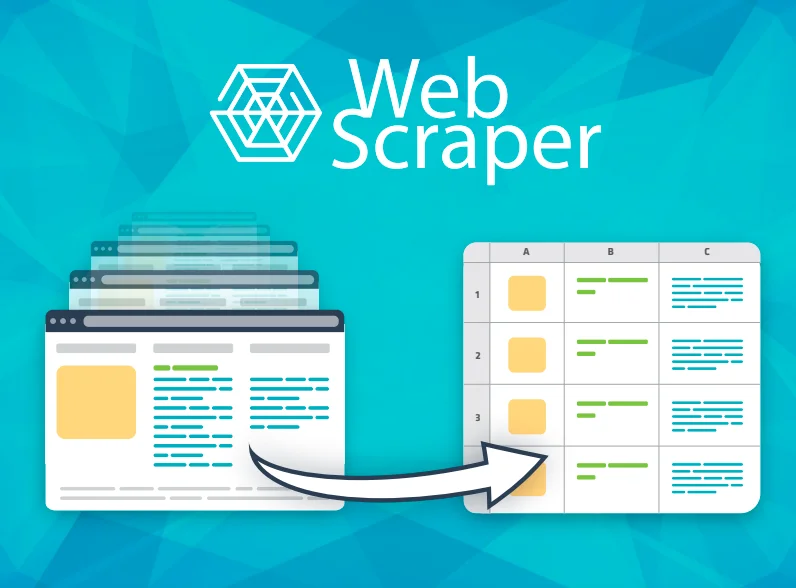
Webscraper.io is one of the most widely used web scraping tools, trusted by over 800,000 users worldwide. It comes in two forms: a free Chrome/Firefox browser extension for on-demand local scraping, and a full-featured Web Scraper Cloud for automated, scheduled, and large-scale data extraction — no software installation or coding required. The platform's intuitive point-and-click interface allows users to select page elements visually and build scraping sitemaps that navigate multi-level sites, handle pagination, and extract structured data from dynamic JavaScript-heavy pages with full Ajax support. Web Scraper Cloud extends these capabilities with a job scheduler (hourly, daily, weekly), proxy IP rotation to bypass bot protection and CAPTCHAs, an API for programmatic scraper management, webhooks for real-time data delivery, and a data parser for post-processing. Extracted data can be exported as CSV, XLSX, or JSON and pushed directly to Dropbox, Google Drive, Google Sheets, Google Cloud, Microsoft Azure, or Amazon S3. The built-in Marketplace offers pre-configured scrapers for popular websites such as Amazon, eBay, Zillow, Yelp, Trustpilot, and ZipRecruiter, dramatically reducing setup time. Webscraper.io is ideal for e-commerce teams tracking competitor prices, recruiters aggregating job listings, researchers collecting market data, and marketers monitoring reviews and leads — all without writing a single line of code.
Key Features
- Point-and-Click Scraper Builder: Visually select elements on any webpage to configure scrapers without writing a single line of code, supporting multi-level navigation and pagination.
- JavaScript & Ajax Support: Fully renders JavaScript-heavy pages and waits for Ajax requests to complete, ensuring accurate data extraction from modern dynamic websites.
- Cloud Scraper with Scheduler: Run automated scraping jobs on hourly, daily, or weekly schedules in the cloud with proxy rotation and built-in CAPTCHA bypass for reliable, unattended extraction.
- Multi-Format Export & Integrations: Export scraped data as CSV, XLSX, or JSON and push it directly to Google Sheets, Google Drive, Dropbox, Amazon S3, Microsoft Azure, or Google Cloud.
- Pre-Built Marketplace Scrapers: Access a library of ready-to-use scrapers for top websites like Amazon, eBay, Zillow, Yelp, and Trustpilot to start extracting data immediately.
Use Cases
- E-commerce teams extracting competitor product prices, descriptions, and availability from sites like Amazon and eBay to power pricing strategies.
- Real estate professionals aggregating property listings from Zillow or Rightmove to monitor market trends and inventory changes.
- Recruiters and HR teams collecting job listings from platforms like ZipRecruiter to analyze hiring trends or build talent pipelines.
- Marketers and brand managers scraping review sites like Trustpilot and Yelp to monitor brand sentiment and gather competitive intelligence.
- Researchers and analysts automating the collection of structured data from multiple websites for market research, academic studies, or business intelligence dashboards.
Pros
- No Coding Required: The visual point-and-click interface makes web scraping accessible to anyone, regardless of technical background.
- Massive User Base & Proven Reliability: With 800,000+ users and a 99.9% success rate, Webscraper.io is a battle-tested solution for both casual and enterprise-scale scraping.
- Rich Integration Ecosystem: Seamless connections to Google Sheets, S3, Azure, Dropbox, and more let teams plug scraped data directly into existing workflows.
- Marketplace Accelerates Setup: Pre-built scrapers for popular sites reduce configuration time from hours to seconds, especially useful for common e-commerce and listings use cases.
Cons
- Advanced Features Require Paid Cloud Plan: Scheduling, API access, proxy rotation, webhooks, and cloud integrations are locked behind a paid Web Scraper Cloud subscription after the 7-day trial.
- Limited to Browser Extension for Free Tier: The free Chrome/Firefox extension runs locally and lacks automation capabilities, making it unsuitable for large-scale or unattended data collection.
- Not Designed for Real-Time Streaming: Webscraper.io is optimized for scheduled batch extraction rather than real-time or event-driven data streaming scenarios.
Frequently Asked Questions
Is Webscraper.io free to use?
Yes, the Chrome and Firefox browser extensions are completely free and allow you to scrape websites locally. The Web Scraper Cloud, which adds scheduling, API access, proxies, and cloud storage integrations, requires a paid subscription with a free 7-day trial available.
Do I need coding skills to use Webscraper.io?
No coding is required. Webscraper.io uses a point-and-click interface where you visually select elements on a page to build your scraper. The Marketplace also offers pre-built scrapers for popular websites so you can start extracting data immediately.
Can Webscraper.io handle JavaScript and dynamic websites?
Yes. Webscraper.io supports full JavaScript execution and waits for Ajax requests to load before extracting data, making it compatible with modern single-page applications and dynamically rendered websites.
What file formats can I export scraped data in?
Data can be exported as CSV, XLSX (Excel), or JSON. With a Web Scraper Cloud plan, you can also automatically push data to Google Sheets, Google Drive, Dropbox, Amazon S3, Google Cloud Storage, or Microsoft Azure.
How does the Marketplace work?
The Webscraper.io Marketplace provides a collection of ready-made scrapers built for popular websites like Amazon, eBay, Zillow, Yelp, and ZipRecruiter. You can select a scraper, configure your start URLs, and begin extracting structured data without building the scraper from scratch.