

About
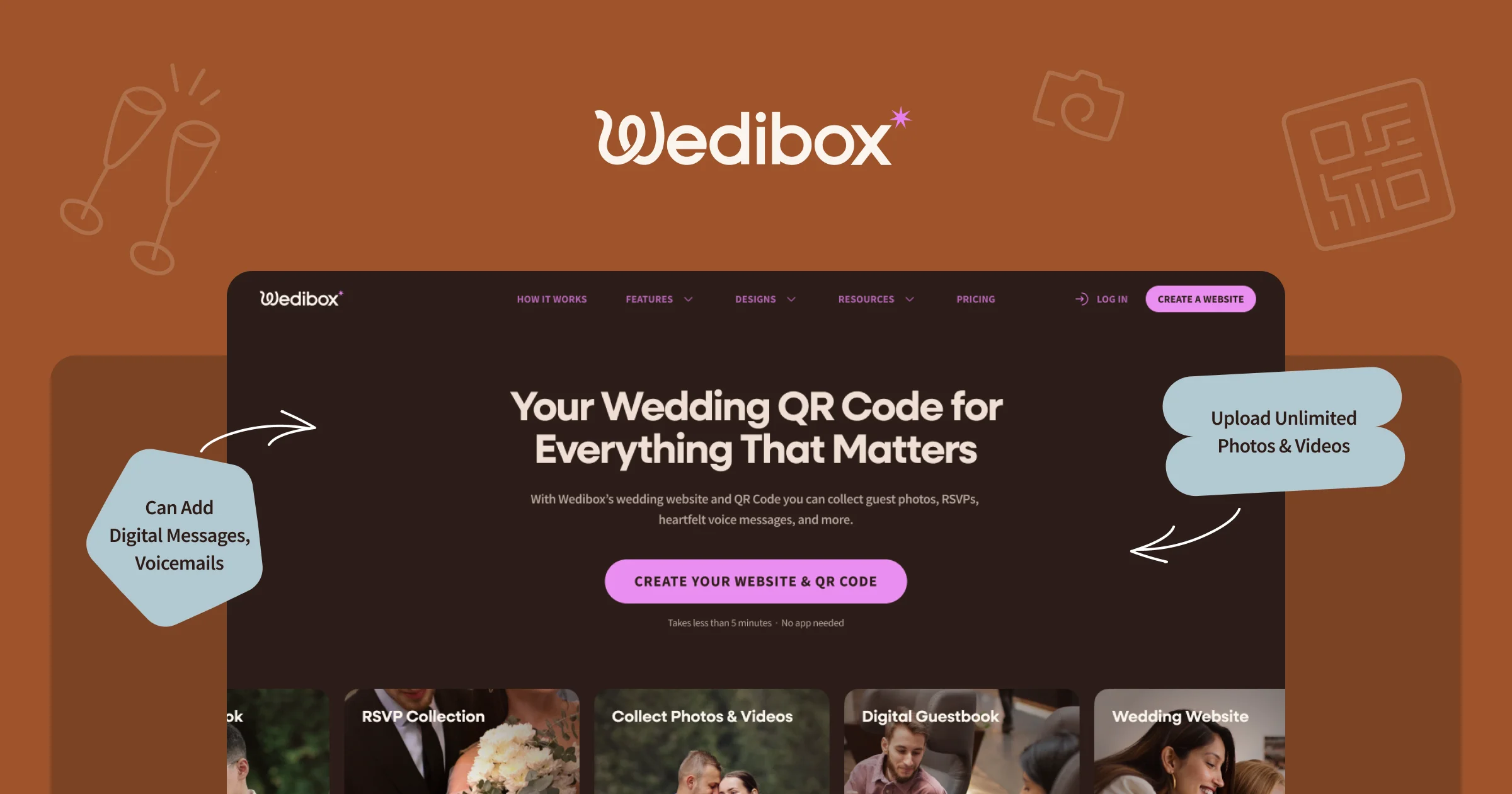
Wedibox is an all-in-one wedding platform that empowers couples to manage their entire guest experience through a single, scannable QR code. Trusted by over 100,000 couples worldwide and rated 4.9/5, Wedibox eliminates the need for multiple tools by combining photo sharing, RSVPs, digital guestbooks, audio messages, seating charts, and real-time slideshows in one place. Guests simply scan the QR code — no app download or login required — and instantly access everything they need for the big day. Couples can print the QR on table cards, signage, or invitations, making it effortless for every guest to participate. Key features include instant guest photo and video uploads, a voice-based audio guestbook to capture heartfelt messages, a drag-and-drop seating chart planner with a shareable 'Find My Seat' link, and RSVP forms with meal tracking and CSV export. A free mobile-first wedding website with a custom URL keeps photos, RSVPs, and guestbook entries all in one bookmarkable place. Wedibox integrates with leading wedding platforms including The Knot, Zola, WithJoy, Wix, Squarespace, and Minted, so couples can embed photo galleries into their existing sites. The platform is designed for modern weddings that want to maximize guest engagement before, during, and after the event. Free to start with premium plans available, Wedibox is ideal for couples, wedding planners, venues, and photographers looking to deliver a seamless and memorable experience.
Key Features
- All-in-One Wedding QR Code: A single QR code printed on table cards or signage gives guests instant access to photos, RSVPs, guestbook, seating charts, and more — no app or login required.
- Guest Photo & Video Sharing: Guests upload photos and videos instantly from any device without downloading an app, capturing every candid moment from the big day.
- RSVP & Guest List Management: Guests RSVP for every event, select meal preferences, and confirm attendance in seconds. Couples get real-time updates and can export data via CSV.
- Audio Guestbook: Guests record personalized voice messages that couples can replay for years, adding an emotional and personal layer to the wedding memory collection.
- Drag-and-Drop Seating Chart: An intuitive seating chart maker lets couples assign guests to tables and share a live 'Find My Seat' link so no guest gets lost on the day.
Use Cases
- Couples creating a single digital hub where all wedding guests can access photos, RSVPs, guestbook messages, and seating information with one QR scan.
- Wedding planners and coordinators managing guest RSVPs, meal selections, and seating arrangements in real time from a centralized dashboard.
- Capturing spontaneous guest photos and videos throughout the event without requiring guests to use a dedicated app or share files manually.
- Preserving heartfelt moments through an audio guestbook where family and friends record personal voice messages the couple can replay for years.
- Venues and photographers partnering with Wedibox to offer couples a branded, all-in-one guest engagement solution as part of their wedding packages.
Pros
- No App Required for Guests: Guests participate instantly via a browser scan — no downloads, no account creation, removing all friction for less tech-savvy attendees.
- Truly All-in-One Platform: Replaces multiple separate tools (photo sharing apps, RSVP forms, seating planners) with a single unified experience couples and guests can rely on.
- Free to Start: Couples can get started at no cost and activate premium features (like photo uploads) when the wedding day arrives, making budgeting flexible.
- Wide Integration Support: Works seamlessly with major wedding platforms including The Knot, Zola, WithJoy, Wix, and Squarespace via an embeddable photo gallery widget.
Cons
- Wedding-Specific Use Case Only: Wedibox is built exclusively for weddings, so it has no utility for other events like birthdays, corporate gatherings, or graduations.
- Full Feature Access Requires Paid Plan: While free to start, advanced features such as extended storage, live slideshows, and premium QR designs are likely gated behind paid tiers.
- Dependent on Guest Participation: The value of photo sharing and audio guestbooks relies entirely on guests actively scanning and contributing, which may vary by audience.
Frequently Asked Questions
How does Wedibox work?
Couples create a Wedibox account, set up their wedding profile with a custom URL, and receive a QR code they can print on invitations, table cards, or signage. Guests scan the QR code with any smartphone camera and are taken to the couple's wedding hub where they can upload photos, RSVP, record voice messages, and find their seat — all without downloading an app.
Do guests need to download an app to use Wedibox?
No. Wedibox is completely browser-based for guests. They simply scan the QR code and are taken directly to the wedding hub in their phone's browser. No app download, account creation, or login is required.
Is Wedibox free to use?
Yes, Wedibox is free to start. Couples can set up their wedding hub and activate key features like photo uploads on the morning of their wedding. A premium paid plan is available for couples who want additional storage, advanced designs, and extra features.
Can I add Wedibox to my existing wedding website?
Yes. Wedibox offers an Embed Widget that lets couples drop a photo gallery directly into an existing wedding website built on platforms like Wix, Squarespace, The Knot, WithJoy, Zola, or Minted.
When should I activate my Wedibox?
You can purchase and set up your Wedibox months in advance during wedding planning, then simply activate the photo upload feature the morning of your wedding. This lets you lock in your plan early without worrying about premature guest activity.