
About
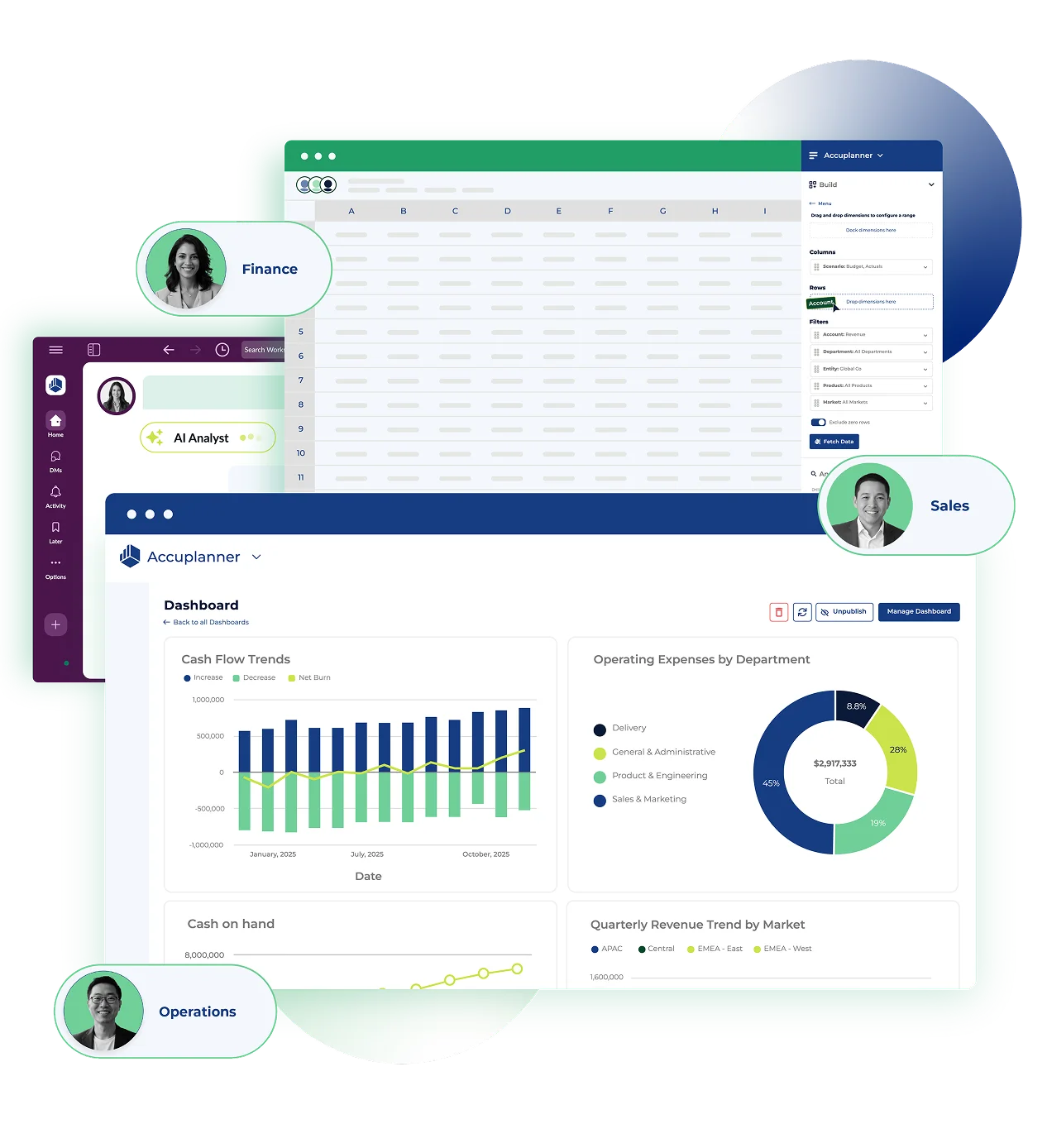
Cube is a comprehensive financial intelligence platform designed to transform how FP&A teams plan, analyze, and report. At its core is the FP&Ai Suite—a collection of purpose-built AI agents covering data integrity, forecasting, variance analysis, and more—each continuously working with your business's unique financial context. Unlike generic AI tools, Cube's agents are trained on structured financial data and embedded directly into the tools finance teams already use, including Excel, Google Sheets, Slack, and Microsoft Teams, ensuring zero workflow disruption. Cube's Data Engine powers structured, real-time planning by unifying data from disparate sources into a single, normalized model. Users can ask questions in plain English and receive cell-accurate insights rather than generic responses. The platform also features an enterprise-grade MCP Server for secure LLM integration, enabling developers to extend Cube's capabilities via API. Key workflows supported include annual planning, rolling forecasts, scenario and what-if analysis, financial close and consolidation, workforce planning, revenue planning, and board-level reporting. Cube delivers measurable ROI—users report an 82% reduction in reporting time, 31,267 minutes saved per year on data tasks, and a 34% faster payback period than competitors. It's ideal for finance teams in SaaS, healthcare, manufacturing, nonprofits, financial services, and more.
Key Features
- FP&Ai Agent Suite: Purpose-built AI agents for data integrity, forecasting, variance analysis, and more—continuously working with your unique business financial context.
- Spreadsheet-Native Intelligence: AI agents embedded directly in Excel and Google Sheets, delivering finance-specific insights without changing existing workflows.
- Real-Time Data Engine: Unifies structured and unstructured financial data into a single normalized model, enabling accurate, real-time planning across the organization.
- Multi-Channel Collaboration: Works across Slack, Microsoft Teams, browsers, and spreadsheets so finance teams can collaborate and surface insights wherever they work.
- Enterprise MCP Server: Secure, enterprise-grade LLM integration via a Model Context Protocol server, allowing developers to extend Cube's capabilities through a robust API.
Use Cases
- FP&A teams automating annual budgeting and financial planning cycles to reduce manual consolidation time by over 80%.
- Finance leaders running real-time scenario and what-if analyses to evaluate the impact of business changes before making strategic decisions.
- CFOs and finance teams preparing board and executive reports with AI-generated narratives that turn raw numbers into actionable strategy.
- Multi-department organizations consolidating financial data from disparate sources into a single normalized model for accurate variance analysis.
- SaaS and high-growth companies building rolling forecasts and revenue models that update automatically as new data flows into connected systems.
Pros
- Zero Workflow Disruption: Embeds directly into Excel, Google Sheets, Slack, and Teams so finance teams gain AI capabilities without learning new tools or changing existing processes.
- Dramatic Time Savings: Users report an 82% reduction in reporting time and over 31,000 minutes saved per year on data tasks, delivering clear, measurable ROI.
- Finance-Specific AI: Unlike generic AI tools, Cube's agents are trained on financial data and business context, producing cell-accurate insights rather than vague, general responses.
- End-to-End FP&A Coverage: Supports the full spectrum of FP&A workflows—annual planning, forecasting, scenario analysis, board reporting, and financial close—on a single platform.
Cons
- Enterprise-Focused Pricing: Cube is designed for mid-market to enterprise finance teams, making it potentially cost-prohibitive for small businesses or individual users.
- Steep Learning Curve for Full Adoption: Maximizing Cube's capabilities across data management, AI agents, and integrations may require significant onboarding time and change management.
- Limited Standalone Utility: Cube works best as a connected layer over existing financial data systems; organizations without structured data infrastructure may see limited immediate value.
Frequently Asked Questions
What is Cube and who is it for?
Cube is an AI-powered financial intelligence platform purpose-built for FP&A and strategic finance teams. It is designed for finance professionals in mid-market to enterprise companies across industries like SaaS, healthcare, manufacturing, financial services, and nonprofits.
Does Cube replace Excel or Google Sheets?
No. Cube is designed to enhance, not replace, the spreadsheet tools finance teams already use. Its AI agents are embedded directly within Excel and Google Sheets, adding intelligence to your existing workflows.
What types of financial workflows does Cube support?
Cube supports a wide range of FP&A workflows including annual planning, rolling forecasts, scenario and what-if analysis, variance analysis, workforce planning, revenue planning, financial close and consolidation, and board or executive reporting.
How does Cube's AI differ from general-purpose AI tools like ChatGPT?
Cube's AI agents are purpose-built for finance and trained on normalized financial data with your specific business context. They deliver cell-accurate insights rather than generic responses and integrate seamlessly into finance workflows without requiring new tools or data exports.
Does Cube offer an API for custom integrations?
Yes. Cube provides a Developer Center and an enterprise-grade MCP (Model Context Protocol) Server for secure LLM integration, allowing developers to build custom extensions and connect Cube to other business systems via its API.