

About
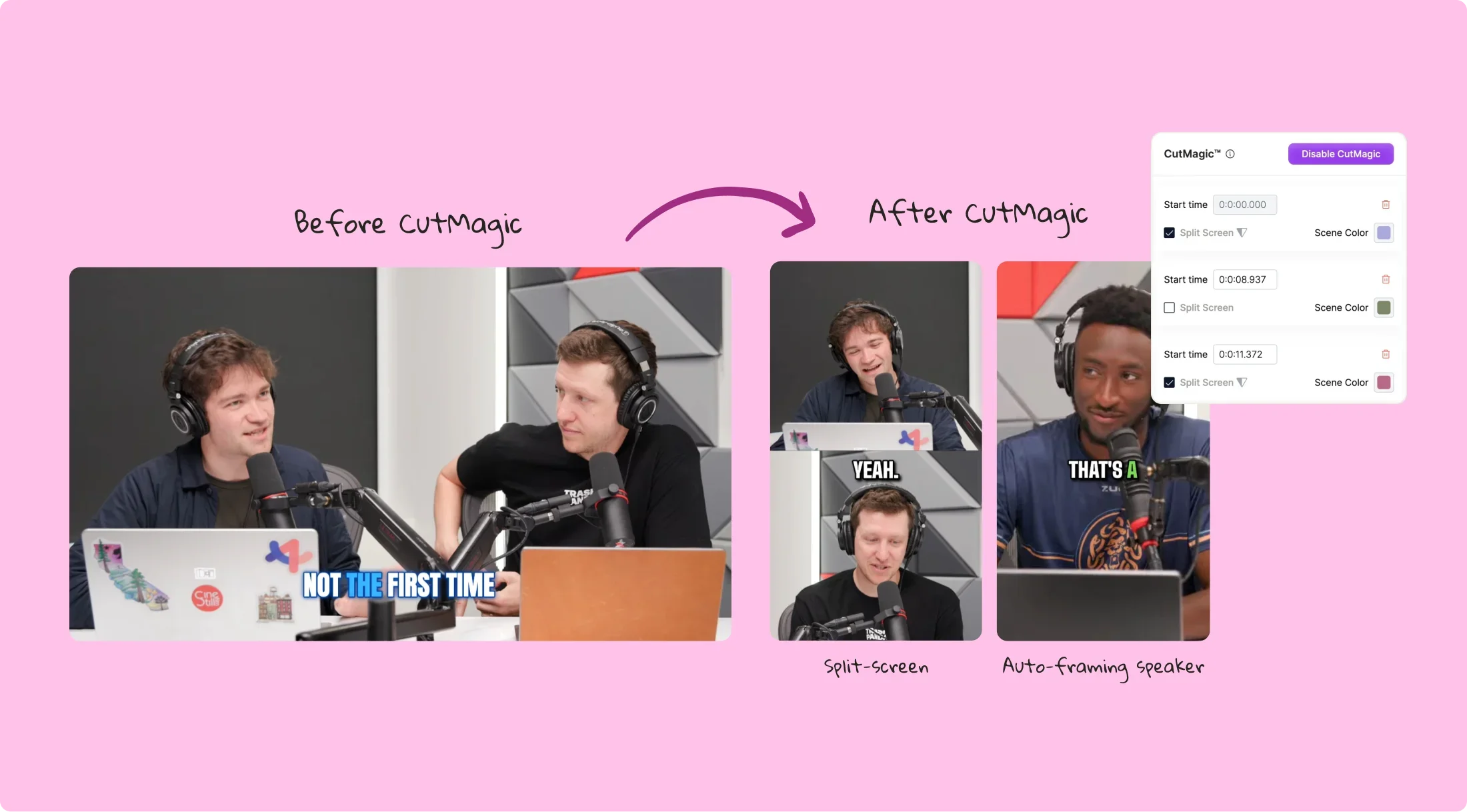
CutMagic is a specialized AI video editing feature from Quso.ai that leverages advanced machine learning to automatically detect scene changes in raw footage. Instead of manually scrubbing through hours of video to find natural cut points, editors and content creators can let CutMagic analyze their clips and flag every transition, dramatically speeding up the post-production workflow. Built into the broader Quso.ai dashboard — which also includes an AI Clip Maker, AI Subtitle Generator, Social Media Scheduler, and Content Repurposing tools — CutMagic fits seamlessly into an end-to-end content pipeline. Users can detect scenes, trim and arrange clips, add captions, and schedule posts across platforms like YouTube, TikTok, Instagram, LinkedIn, and Facebook, all without switching tools. CutMagic is ideal for coaches, educators, podcasters, real estate professionals, agencies, and social media teams who produce long-form video and need to quickly repurpose it into shorter, platform-ready clips. The tool helps maintain video quality by identifying precise cut points, resulting in cleaner, more professional edits. Whether you're converting a webinar into bite-sized reels or cleaning up raw interview footage, CutMagic reduces repetitive editing tasks so creators can focus on storytelling and strategy.
Key Features
- Automatic Scene Detection: AI analyzes raw footage and instantly identifies scene change points, eliminating the need for manual scrubbing.
- Seamless Integration with Quso.ai Suite: Works alongside AI Clip Maker, Subtitle Generator, and Social Media Scheduler for a complete content production pipeline.
- Multi-Platform Publishing: Edited clips can be scheduled and published directly to YouTube, TikTok, Instagram, LinkedIn, Facebook, Pinterest, and X.
- Cleaner, Professional Cuts: Precise scene detection produces clean cut points that result in polished, professional-quality video edits.
- Filler Word & B-Roll Support: Pairs with AI Filler Word Removal and B-Rolls Library tools to further refine and enhance edited video content.
Use Cases
- A podcaster uploads a 90-minute interview and uses CutMagic to automatically identify scene and topic transitions, then exports individual highlight clips for social media.
- A marketing team processes product demo videos, letting CutMagic detect cut points to quickly assemble short-form ads for TikTok and Instagram Reels.
- An online coach records long webinar sessions and uses CutMagic to break them into lesson-sized segments for a course platform, saving hours of manual editing.
- A real estate agency edits property tour footage automatically with CutMagic to create polished listing videos ready for YouTube and Facebook within minutes.
- A content agency managing multiple client brands uses CutMagic to speed up raw footage review and scene segmentation across high volumes of video projects.
Pros
- Major Time Savings: Automates one of the most tedious parts of video editing, allowing creators to process long footage in a fraction of the time.
- All-in-One Platform: CutMagic is part of the full Quso.ai ecosystem, so users can edit, caption, and schedule content without leaving the dashboard.
- Accessible to Non-Editors: No advanced video editing skills required — the AI handles the technical detection so anyone can produce clean videos.
Cons
- Platform Dependency: CutMagic is tied to the Quso.ai platform and cannot be used as a standalone desktop application or plugin for editors like Premiere Pro.
- Feature Depth vs. Pro Editors: Advanced editing needs (color grading, complex timelines) still require dedicated professional video editing software.
Frequently Asked Questions
What is CutMagic?
CutMagic is an AI-powered tool within the Quso.ai platform that automatically detects scene changes in video footage, allowing creators to skip manual cut-point searching and edit faster.
Who is CutMagic best suited for?
CutMagic is ideal for content creators, podcasters, coaches, marketers, and social media managers who regularly produce long-form video and need to repurpose it quickly into shorter clips.
Does CutMagic work with all video formats?
CutMagic is a web-based tool on the Quso.ai platform; users can upload footage directly through the dashboard. Supported formats are determined by the Quso.ai upload specifications.
Is CutMagic free to use?
Quso.ai operates on a freemium model, offering a free tier with access to core features and paid plans with expanded capabilities. Specific CutMagic availability per plan is outlined on the Quso.ai pricing page.
Can I publish edited videos directly after using CutMagic?
Yes. After editing with CutMagic, you can use Quso.ai's built-in social media scheduler to publish clips directly to platforms like YouTube, TikTok, Instagram, LinkedIn, and Facebook.