
About
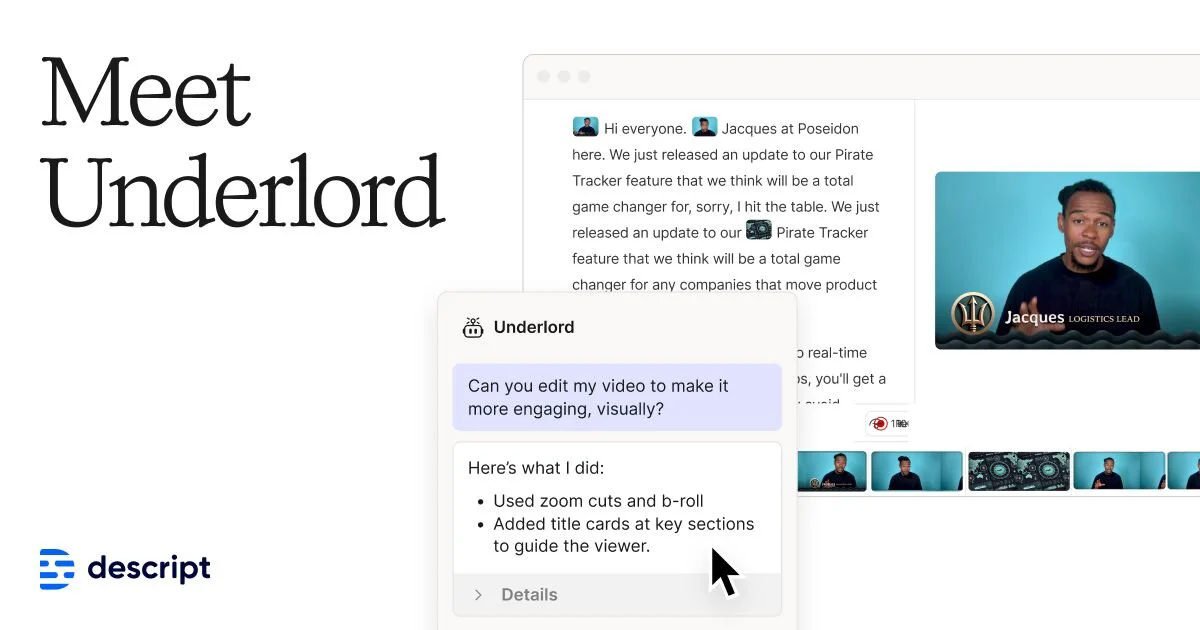
Descript Underlord is the AI engine powering Descript's all-in-one video and podcast editing platform. Designed to work like a skilled video producer, Underlord understands natural language instructions and can execute complex editing tasks autonomously—trimming footage, adding zooms to hide jump cuts, restructuring content for tone, generating clips from longer recordings, and even building complete videos from scratch using a text prompt. Built on top of Descript's industry-leading transcription technology, Underlord lets users edit video and audio by editing text—making it as intuitive as working in a document. Beyond basic editing, it supports AI-generated media, voice cloning and stock AI voices, AI avatar creation, eye contact correction, green screen, automatic multicam switching, filler word removal, and studio-quality audio enhancement. Underlord is ideal for content creators, marketers, sales teams, and learning & development professionals who need to produce polished video content at scale without deep technical expertise. The platform includes templates, a brand studio, collaboration tools for enterprise teams, and support for use cases ranging from YouTube content and podcast episodes to product demos and internal training videos. With Underlord, users simply direct—and the AI delivers.
Key Features
- Natural Language Video Editing: Give Underlord plain-English instructions—like 'edit this down to 2 minutes focusing on the Freud section'—and it executes complex edits automatically.
- Prompt-to-Video Generation: Type a prompt and Underlord generates a complete video, ready to refine and finalize within Descript's editor.
- Transcription-Based Editing: Edit video and audio by editing the auto-generated transcript—delete words to cut footage, restructure paragraphs to re-order scenes.
- AI Avatars & Voice Cloning: Create a realistic voice clone of yourself or use stock AI voices, and produce avatar-hosted videos from a gallery or a custom uploaded photo.
- Studio-Quality Audio & Video Cleanup: Automatically remove filler words, silence retakes, fix eye contact, apply Studio Sound enhancement, and add green screen or multicam layouts.
Use Cases
- Repurposing long webinar recordings into short promotional highlight clips for social media.
- Creating avatar-hosted explainer or onboarding videos without appearing on camera.
- Editing podcast episodes by deleting filler words and retakes directly from the transcript.
- Transforming a CEO's raw speaking footage into a polished thought leadership video with proper pacing and structure.
- Producing marketing videos, product demos, and training content at scale without a dedicated video editing team.
Pros
- All-in-One Production Platform: Combines video editing, podcasting, screen recording, transcription, AI generation, and collaboration tools in a single workflow.
- No Technical Expertise Required: The text-based and natural language editing model makes professional video production accessible to non-editors and teams without dedicated video staff.
- Powerful AI Automation: Underlord handles time-consuming tasks like filler word removal, jump cut correction, clip generation, and repurposing content automatically.
- Enterprise-Ready Collaboration: Supports team workflows, brand studios, and cross-functional use cases including marketing, sales enablement, L&D, and customer success.
Cons
- Advanced Features Locked Behind Paid Plans: Key capabilities like AI voice cloning, AI avatars, and higher export quality require a paid subscription.
- Internet-Dependent Workflow: Most AI features require an active internet connection and cloud processing, which may be a limitation for users with bandwidth constraints.
- Can Feel Overwhelming for Simple Tasks: The breadth of Underlord's features and the AI-first interface may feel like overkill for users who only need basic trimming or simple edits.
Frequently Asked Questions
What is Descript Underlord?
Underlord is Descript's AI video editing assistant. It acts as a creative collaborator that can execute complex video edits, generate videos from prompts, repurpose long-form content into clips, and automate production tasks based on natural language instructions.
Can Underlord generate a video from scratch?
Yes. You can type a text prompt and Underlord will generate a complete video. You can then add finishing touches using Descript's full editing suite.
Does Descript support podcast editing?
Absolutely. Descript was originally built for podcast editing and supports multitrack audio editing, automatic transcription, filler word removal, Studio Sound enhancement, and one-click publishing.
Is there a free plan available?
Yes, Descript offers a free tier that includes access to core editing and transcription features. Advanced AI capabilities like voice cloning and AI avatars require a paid subscription.
What platforms does Descript Underlord run on?
Descript is available as a desktop application for macOS and Windows, as well as through a web browser. It also offers API access for developers and enterprise integrations.