
About
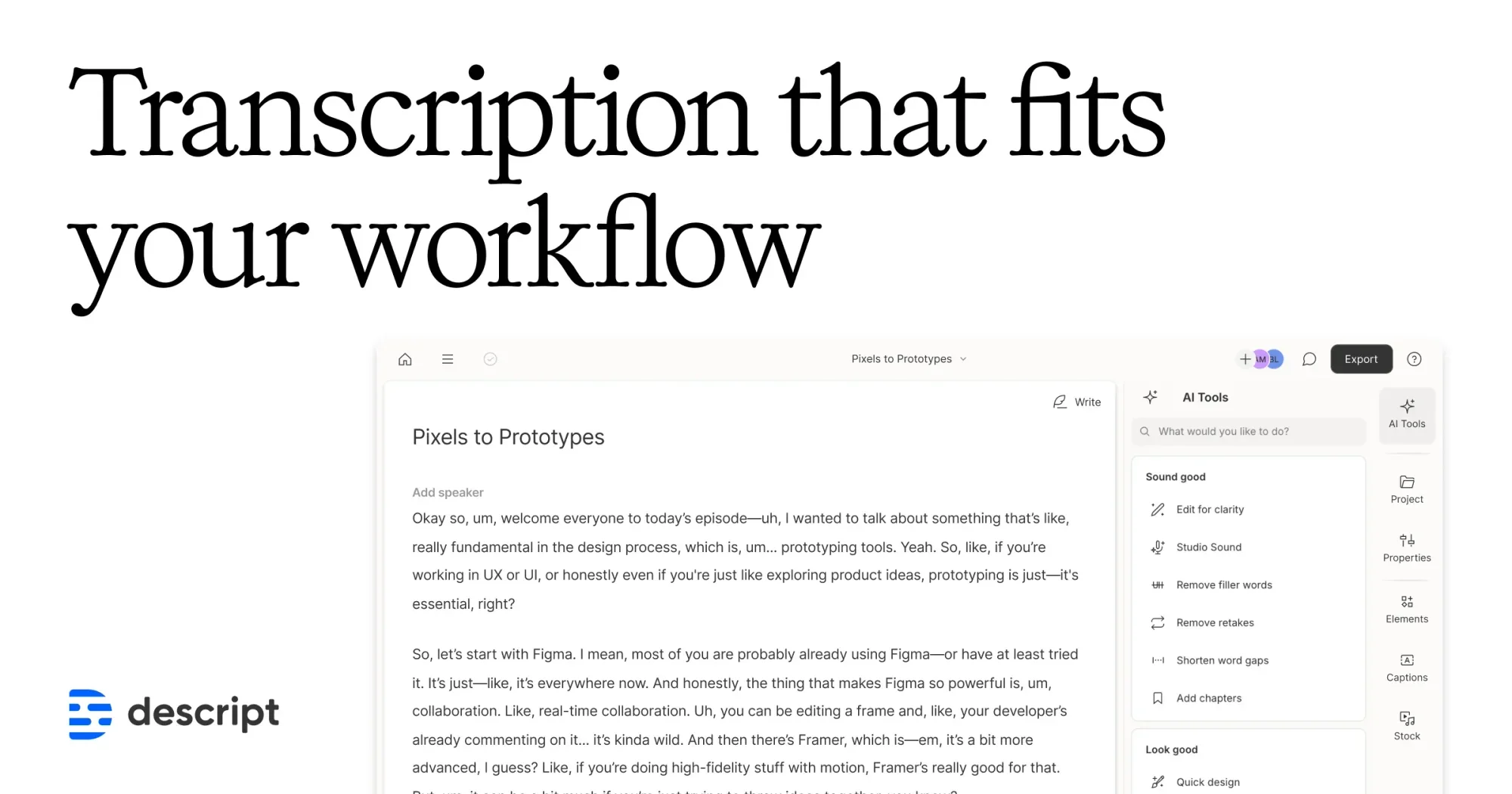
Descript is an all-in-one AI audio and video platform built around a core innovation: text-based media editing. Upload any audio or video file and Descript's AI transcription engine converts it to editable text in seconds with up to 95% accuracy. From there, editing your media is as intuitive as editing a Google Doc—remove words, rearrange sentences, or cut sections and your video or podcast updates automatically. Beyond transcription, Descript offers a comprehensive suite of AI-powered tools. Automatically generate captions and subtitles with a single click to boost accessibility and audience reach. Studio Sound enhances audio quality, while Remove Filler Words and Remove Retakes clean up recordings effortlessly. AI Speech lets you create realistic voice clones or pick from stock AI voices. The platform also includes a screen recorder, Rooms for remote recording, AI avatar generation, and the ability to generate entire videos from a text prompt via its Underlord AI co-editor. Descript is ideal for podcasters, YouTube creators, marketers, corporate L&D teams, and anyone who regularly produces audio or video content. Its freemium model offers a free tier with 1 media hour per month, making it accessible for beginners, while paid plans scale up to 4K export, unlimited AI tools, and team collaboration for professional workflows.
Key Features
- AI Transcription with 95% Accuracy: Automatically converts audio and video files into clean, editable text in seconds with industry-leading transcription accuracy.
- Text-Based Media Editing: Edit video and podcast audio by editing the transcript—delete words or move sentences and your media updates instantly, like editing a document.
- Automatic Captions & Subtitles: Generate and add captions to any video in a single click to improve accessibility and extend audience reach across platforms.
- AI Speech & Voice Cloning: Create realistic custom voice clones or select from a library of stock AI voices to regenerate or fix spoken audio without re-recording.
- Studio Sound & Filler Word Removal: Enhance audio quality with Studio Sound and automatically detect and remove filler words, retakes, and awkward pauses to polish recordings.
Use Cases
- Podcasters transcribing, editing, and cleaning up episode recordings by simply editing text
- YouTube creators auto-generating accurate captions and subtitles to increase accessibility and watch time
- Marketing teams producing polished product demos, tutorial videos, and webinar recordings faster with AI editing tools
- Corporate learning and development teams creating training video content with automated filler word removal and sound enhancement
- Content creators repurposing long-form video or podcast content into short clips using the AI-powered Create Clips feature
Pros
- Industry-Leading Transcription Accuracy: Up to 95% accuracy means less time manually correcting transcripts, making the editing workflow significantly faster.
- Intuitive All-in-One Workflow: Combines transcription, editing, captions, voice AI, and video generation in a single app, eliminating the need for multiple separate tools.
- Generous Free Tier: The free plan includes 1 media hour per month and watermark-free 720p exports, making it accessible for individuals just getting started.
- Powerful AI Automation: Features like Remove Filler Words, Studio Sound, and Create Clips automate time-consuming post-production tasks with one click.
Cons
- Limited Media Hours on Lower Plans: The free plan caps at just 1 media hour per month and the Hobbyist plan at 10 hours, which can be restrictive for prolific creators.
- Advanced AI Features Require Paid Plans: Key tools like 4K export, full Underlord AI access, voice cloning, and video generation are locked behind the Creator tier or higher.
- Learning Curve for New Users: Despite its document-like interface, the breadth of features can feel overwhelming for users new to audio/video production.
Frequently Asked Questions
What is Descript's AI transcription?
Descript's AI transcription automatically converts audio or video files into editable text in seconds. It uses advanced AI to achieve up to 95% accuracy, producing clean transcripts that you can immediately edit or use as the basis for text-based media editing.
How accurate is Descript's transcription?
Descript delivers up to 95% transcription accuracy, which is among the highest in the industry. This means minimal manual corrections are needed, saving significant time in post-production workflows.
Can I edit my video or podcast by editing text?
Yes. Descript's core feature is text-based editing—once your media is transcribed, you can delete words, cut sections, or rearrange content directly in the transcript and the audio/video updates to match instantly.
What pricing plans does Descript offer?
Descript offers a Free plan ($0/month, 1 media hour), a Hobbyist plan ($16/person/month, 10 media hours), and a Creator plan ($24/person/month, 30 media hours) with full AI tool access and 4K export. Enterprise plans are also available.
What other AI features does Descript include beyond transcription?
In addition to transcription, Descript includes AI voice cloning, filler word removal, Studio Sound audio enhancement, automatic captions, screen recording, AI avatar generation, AI-generated video from text prompts, and its Underlord AI video co-editor.