
About
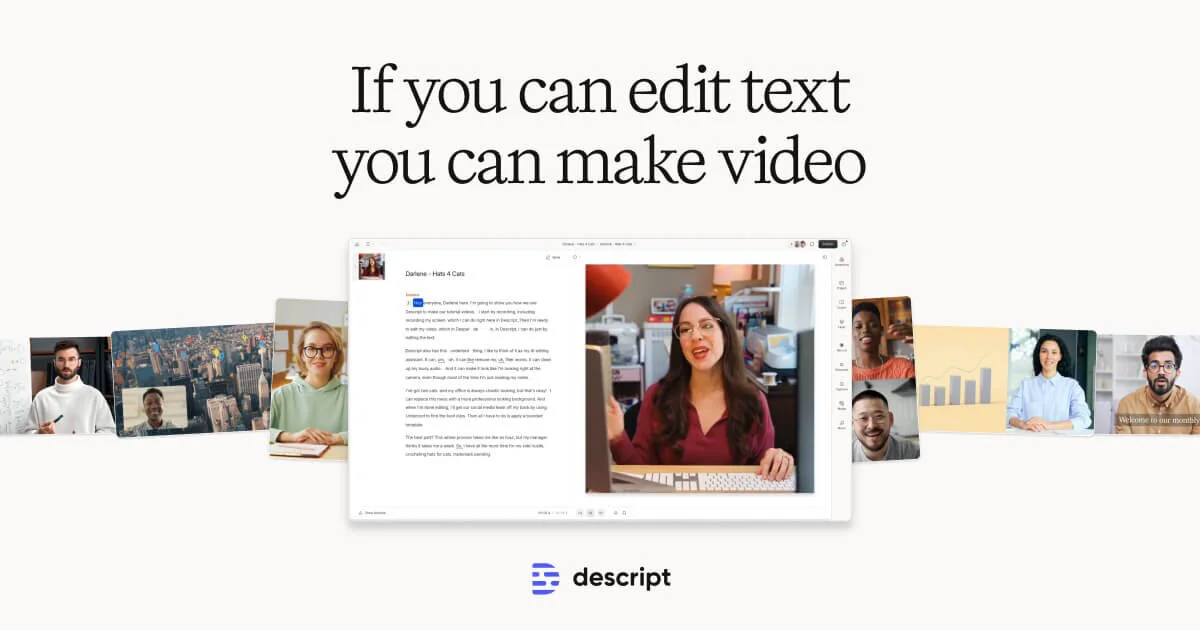
Descript is a revolutionary AI-powered video and podcast editing platform that transforms the editing experience by letting users edit audio and video the same way they edit a text document. At its core, Descript auto-transcribes any imported media with industry-leading accuracy, then allows editors to cut, rearrange, or delete content simply by editing the text. This dramatically reduces production time for creators, marketers, educators, and business teams. Beyond text-based editing, Descript packs a full suite of AI features under its 'Underlord' AI assistant: Studio Sound removes background noise and enhances voice quality without expensive microphones; Eye Contact correction makes speakers appear to look directly at the camera even while reading a script; Green Screen automatically removes backgrounds; and Remove Filler Words instantly strips out 'ums,' 'uhs,' and other verbal crutches. Additional capabilities include AI voice cloning (Regenerate) to fix audio mistakes by retyping, AI avatar generation, B-roll video generation from text prompts, one-click captions with branding, and translation for global audiences. Descript also includes a built-in screen recorder and a remote recording studio (Rooms) for crystal-clear podcast and video sessions with guests. With templates, quick design automation, and enterprise collaboration tools, Descript is built for solo creators and large teams alike — from marketing and sales enablement to learning and development.
Key Features
- Text-Based Video & Audio Editing: Edit your video or podcast by editing the auto-generated transcript — delete a word in the text and it's cut from the media instantly.
- AI Underlord Assistant: An AI co-editor that handles tasks like removing filler words, enhancing audio, correcting eye contact, replacing backgrounds, and generating B-roll from prompts.
- AI Voice Cloning & Regenerate: Fix audio mistakes or update spoken content by simply retyping — Descript clones your voice and syncs mouth movement to match the new audio.
- Studio Sound & Audio Enhancement: Removes background noise and enhances voice quality using regenerative AI, eliminating the need for expensive microphones or soundproofing.
- One-Click Captions, Translation & Avatars: Automatically generate branded captions, translate content into multiple languages, or create an AI avatar to present your script without appearing on camera.
Use Cases
- A podcaster records a multi-guest episode remotely via Rooms, then edits the transcript to remove filler words and awkward pauses, exporting a polished episode in a fraction of the usual time.
- A marketing team creates product demo videos, using Eye Contact correction so the presenter looks engaged and Studio Sound to clean up office background noise — no studio required.
- A learning & development manager produces internal training videos using AI avatars and pre-written scripts, keeping employees off camera while maintaining a professional look.
- A solo YouTube creator uses Descript to auto-generate captions with custom branding, translate videos into Spanish and French, and create B-roll clips from text prompts.
- A sales enablement team records and edits product walkthroughs and demo videos, using Regenerate to fix any misspoken product names without re-recording.
Pros
- Radically Simplified Editing Workflow: Text-based editing makes video production accessible to non-editors, saving hours of traditional timeline editing.
- All-in-One Platform: Combines recording, transcription, editing, AI enhancements, captions, avatars, and publishing so teams never need to switch tools.
- Powerful AI Features for Professional Results: Studio Sound, Eye Contact correction, and voice regeneration deliver polished, professional-quality output without expensive gear or studios.
- Free Tier Available: A generous free plan lets creators get started without any upfront cost, with scalable paid plans for teams and enterprises.
Cons
- Advanced Features Locked Behind Paid Plans: Key AI capabilities like voice cloning, translation, and AI avatars require a paid subscription, which can become costly for heavy users.
- Not Ideal for Complex Video Productions: While great for talking-head videos and podcasts, Descript lacks the advanced timeline and color grading features of professional video editors like Premiere Pro.
- AI Accuracy Can Vary: Transcription and voice regeneration work best with clear audio and standard accents; heavy accents or noisy environments may reduce accuracy.
Frequently Asked Questions
What is Descript and how does it work?
Descript is an AI-powered video and podcast editor. It automatically transcribes your audio or video, then lets you edit the media by editing the text transcript — cutting words from the transcript removes them from the recording.
Is Descript free to use?
Yes, Descript offers a free plan that lets you get started with basic editing and transcription. More advanced AI features and higher usage limits are available on paid plans.
Can Descript clone my voice?
Yes. Descript's 'Regenerate' feature creates a realistic AI clone of your voice. You can fix mistakes or add new lines simply by typing — Descript will generate matching audio and sync lip movement in the video.
Does Descript work for podcast editing?
Absolutely. Descript was built with podcasters in mind, offering multitrack audio editing, automatic transcription, filler word removal, remote recording via Rooms, and one-click show notes generation.
Who is Descript best suited for?
Descript is ideal for content creators, podcasters, marketers, sales teams, educators, and any business professional who needs to produce video or audio content without dedicated video editing expertise.