

About
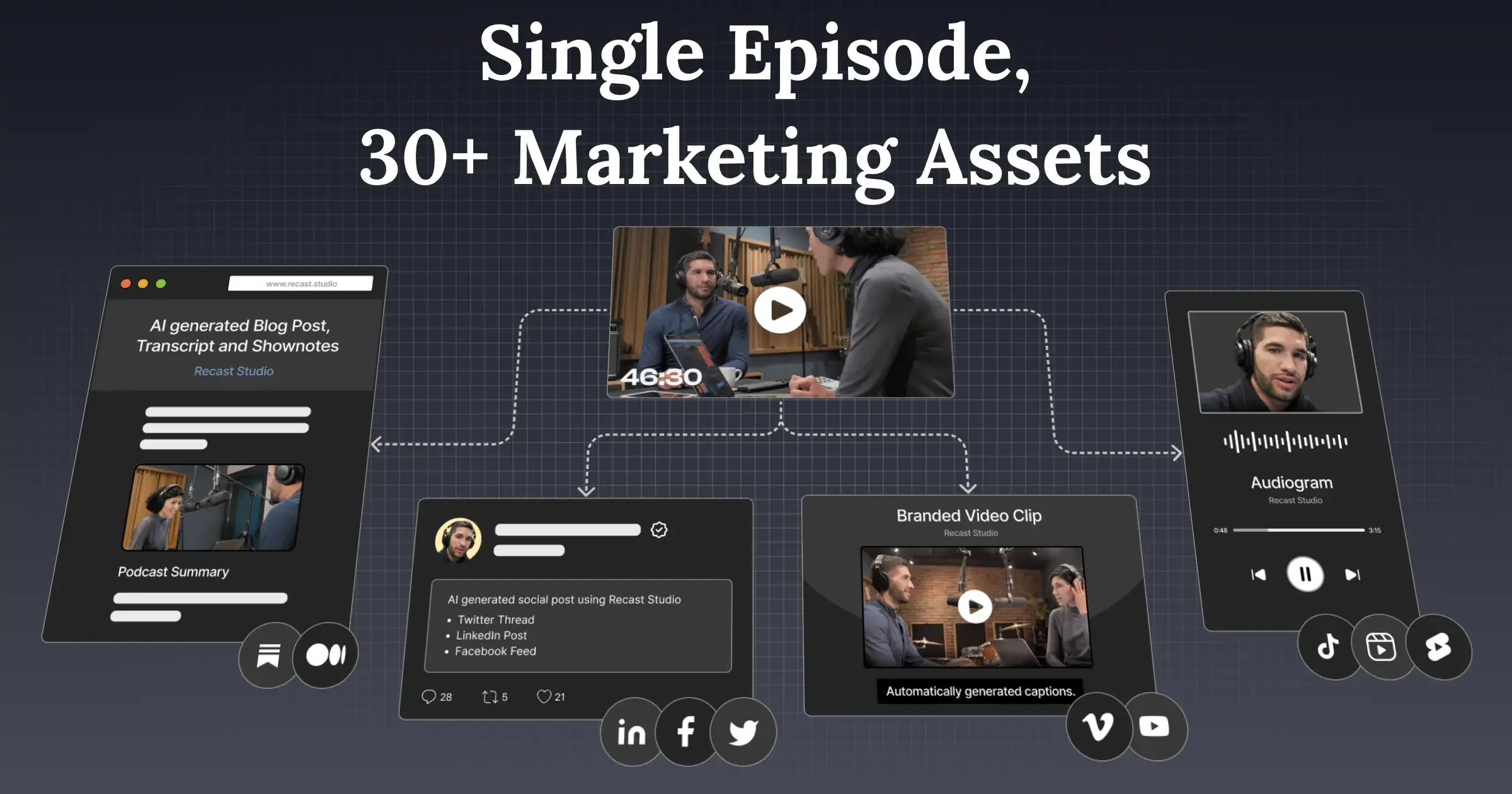
Recast Studio transforms long-form recordings—webinars, podcasts, Zoom calls, interviews—into polished, channel-ready content without requiring any video editing skills. Upload a recording and the AI automatically identifies the strongest moments, generating clips optimized for TikTok, Instagram Reels, YouTube Shorts, LinkedIn, Facebook, and Twitter. Editing is done by manipulating a transcript: highlight text to trim footage, delete filler words, and keep captions perfectly in sync—no complex timelines needed. Once clips are ready, Recast's AI Writing tools generate blog drafts, show notes, LinkedIn posts, and email copy directly from the same transcript, creating a full content engine from a single source. The built-in social publishing scheduler lets teams post or queue content to all major platforms without downloading, re-uploading, or switching between tools. Brand styles and templates can be applied in one click for consistency across channels. Recast positions itself as a replacement for the traditional 4–6 day video production workflow—reducing turnaround to roughly 10 minutes and production costs from thousands of dollars to a starting price of $20. It is ideal for podcast producers, marketing managers, content strategists, and any team that regularly needs to extract ROI from long-form video content.
Key Features
- AI Clip Detection: Automatically identifies the strongest, most shareable moments from long-form recordings, saving hours of manual review.
- Transcript-Based Editing: Edit video by editing text—highlight to trim, delete filler words, and keep captions automatically in sync without touching a timeline.
- AI Writing Tools: Generate blog posts, show notes, LinkedIn posts, and email copy directly from the video transcript inside the editor.
- Built-In Social Publishing & Scheduling: Connect TikTok, Instagram, YouTube, Facebook, LinkedIn, and Twitter to post or schedule content without leaving Recast.
- Brand Style Templates: Apply brand colors, fonts, and layouts to clips and audiograms in one click, ensuring consistent visual identity across every channel.
Use Cases
- Marketing teams repurposing a 60-minute webinar into a week's worth of short social media clips without hiring a video editor.
- Podcasters automatically generating audiograms, show notes, and promotional posts from each episode immediately after recording.
- Content strategists extracting blog posts and newsletter content from interview recordings to fuel a full content calendar.
- Businesses scheduling and distributing video clips across TikTok, Instagram, YouTube, and LinkedIn simultaneously from one dashboard.
- Solo creators and startups reducing video production costs by replacing expensive freelance editors with an automated AI workflow.
Pros
- Drastic Time Savings: Reduces a traditional 4–6 day video production workflow to approximately 10 minutes by automating clip selection, captioning, and publishing.
- No Editing Skills Required: The transcript-based interface and simple template system allow anyone on a marketing team to produce professional clips without video editing experience.
- All-in-One Content Workflow: Replaces multiple fragmented tools by handling video editing, written content generation, and social media scheduling from a single platform.
- Direct Multi-Platform Publishing: Eliminates the tedious cycle of downloading, re-uploading, and managing separate scheduling apps for each social channel.
Cons
- Free Tier May Be Limited: Full access to publishing, AI writing, and advanced templates likely requires a paid plan; the scope of the free tier is not detailed publicly.
- AI Clip Selection Can Miss Context: Automated highlight detection may not always capture nuanced or brand-specific moments that require human editorial judgment.
- Primarily Video-Centric: The platform is optimized for repurposing existing recordings and may not suit teams that need to create original video content from scratch.
Frequently Asked Questions
What types of recordings can I upload to Recast Studio?
You can upload webinars, podcast recordings, interviews, Zoom calls, live events, and any other long-form video or audio recordings to repurpose into shorter content.
How does transcript-based editing work?
Recast Studio automatically transcribes your recording. You can highlight and delete words in the transcript to trim the video, remove filler words, and add captions—all of which stay in sync automatically without using a traditional video timeline.
Which social media platforms can I publish to directly?
Recast supports direct publishing and scheduling to TikTok, Instagram, YouTube, Facebook, LinkedIn, and Twitter (X), all from within the platform.
Can Recast Studio create written content from my recordings?
Yes. Once a recording is uploaded, the AI Writing tools can generate blog post drafts, podcast show notes, LinkedIn posts, and email copy directly from the video's transcript.
Is there a free plan available?
Yes, Recast Studio offers a free sign-up option. Paid plans start from $20 and unlock additional features such as advanced publishing, more AI writing credits, and extended storage.