H
About
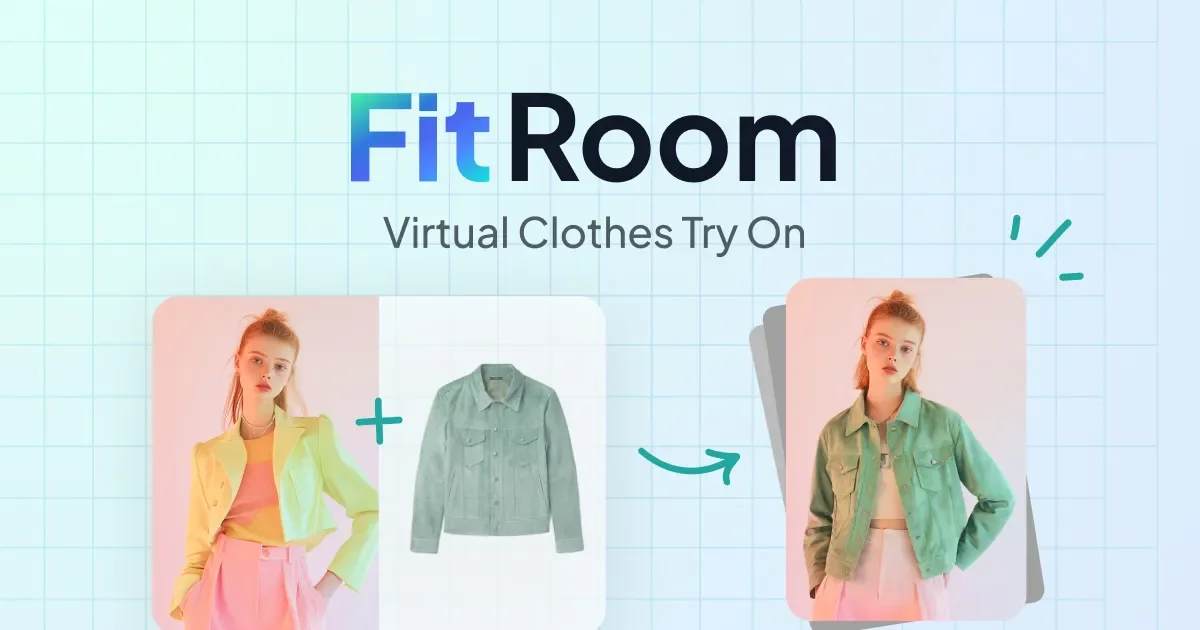
FitRoom is an AI-powered virtual fitting room that enables anyone to change clothes in photos online quickly and realistically. Using advanced computer vision and generative AI, the tool renders clothing onto model photos with impressive accuracy — capturing fabric textures, creases, shadows, and material sheen to produce natural-looking results in just 10–15 seconds. Users can upload their own outfit images or choose from FitRoom's pre-made clothing library, then apply them to their own photos or a curated collection of model portraits. The platform supports women's, men's, kids', and elderly model categories, making it versatile for diverse fashion lines. For e-commerce businesses and clothing store owners, FitRoom significantly cuts product photography costs by enabling high-quality sample images without expensive photoshoots. For individual buyers, it offers a risk-free way to experiment with new styles before purchasing. Images can be downloaded in HD resolution, ready to share on social media or e-commerce platforms. FitRoom also offers a developer-friendly API for brands and app builders wanting to embed virtual try-on functionality into their own platforms. Privacy is prioritized — all uploads are encrypted and automatically deleted after processing. The mobile iOS app extends the experience for on-the-go use. Whether you're a fashion retailer, content creator, or everyday shopper, FitRoom makes outfit experimentation fast, affordable, and visually compelling.
Key Features
- AI Virtual Try-On: Automatically fits uploaded clothing onto model photos with realistic rendering of fabric textures, shadows, and creases in 10–15 seconds.
- Realistic Fabric Rendering: Captures the distinctive look of different materials — from the sheen of silk to the texture of wool — for natural, high-quality output images.
- Diverse Model Library: Choose from a curated collection of portrait models across women, men, kids, and elderly categories, or upload your own photos.
- HD Download & Social-Ready Output: Download generated images in high resolution, ready for use on e-commerce platforms and social media without additional editing.
- Developer API: Integrate FitRoom's virtual try-on engine into any app or website via a clean, well-documented API to enhance user engagement and sales.
Use Cases
- E-commerce clothing brands generating product model photos without expensive photoshoots
- Online shoppers previewing how a new outfit would look on their own photo before purchasing
- Fashion content creators mixing and matching styles for social media lookbooks
- App developers integrating virtual try-on features into retail or fashion platforms via the API
- Fashion stylists and designers visualizing outfit combinations on different body types and demographics
Pros
- Fast and effortless: No photo editing skills required — outfit changes are processed in 10–15 seconds with a simple 3-step workflow.
- Significant cost savings for retailers: Eliminates expensive product photoshoots by generating professional clothing imagery on multiple models instantly.
- Privacy-first design: All uploaded images are encrypted and automatically deleted after processing, ensuring user data is never stored or misused.
- Flexible for multiple audiences: Useful for individual shoppers, fashion brands, content creators, and developers via both the web app and API.
Cons
- Strict model photo requirements: Best results require full-body photos with a plain background, specific posing, and no crowd — limiting use of casual or candid photos.
- Fashion-only use case: The tool is purpose-built for clothing try-on and is not suitable for other photo editing or generative image needs.
- Free tier limitations: Usage on the free plan is likely restricted in the number of generations or resolution, requiring a paid plan for heavy or commercial use.
Frequently Asked Questions
How does FitRoom's AI virtual try-on work?
You upload a clothing image and a portrait photo (or choose from FitRoom's library), and the AI fits the garment onto the model photo. The system renders realistic textures, shadows, and fabric details to produce a natural-looking result in about 10–15 seconds.
Do I need photo editing skills to use FitRoom?
No. FitRoom is designed to be fully automated — just follow three simple steps to upload your outfit and model photo, and the AI handles all the rendering and compositing.
Can fashion retailers use FitRoom for product photography?
Yes. Retailers can upload their clothing items and apply them to a variety of model photos to create professional product images, significantly reducing the cost and time of traditional photoshoots.
Is there an API available for developers?
Yes. FitRoom offers a virtual try-on API that developers can integrate into their own apps or e-commerce websites to add clothing try-on features for their users.
Is my uploaded photo data kept private?
Yes. FitRoom encrypts all uploaded files and automatically deletes images after processing, complying with global data protection standards.