
About
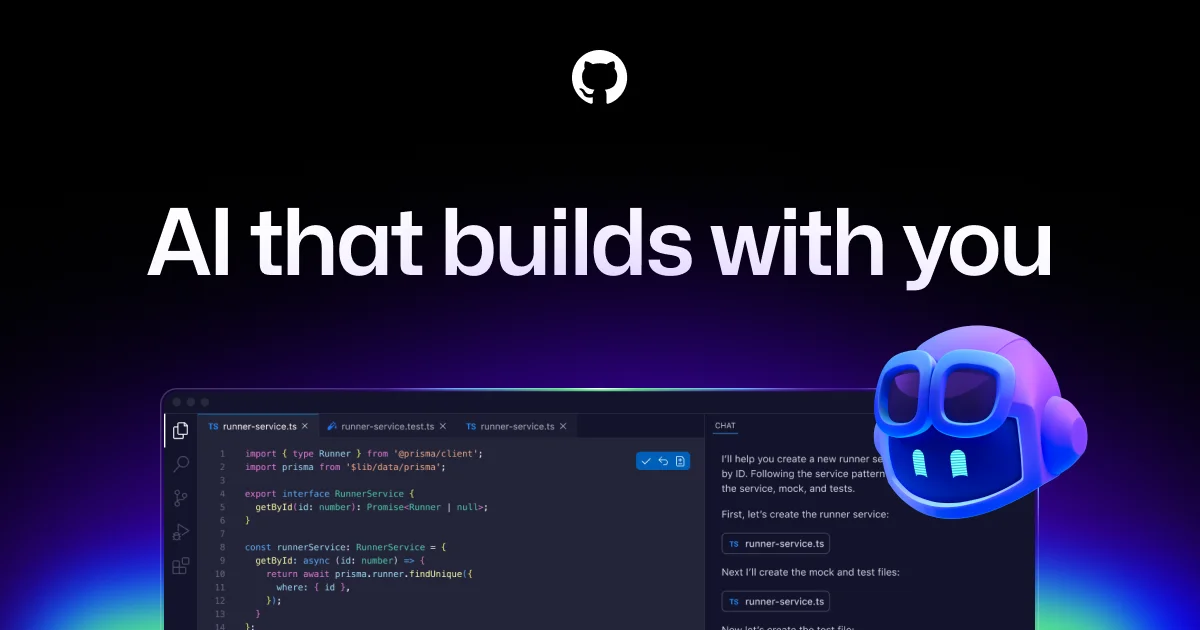
GitHub Copilot is an AI accelerator for every stage of the software development lifecycle, from writing code in the editor to deploying via GitHub Actions. Powered by leading large language models, Copilot suggests whole lines, functions, and entire files as you type, dramatically reducing repetitive work and helping developers stay in flow. Beyond inline completion, Copilot supports an agent mode that can autonomously plan, write, and validate code, create pull requests, and respond to review feedback—all in the background. Copilot CLI brings natural-language commands to the terminal, letting developers direct complex workflows using plain English. Teams can choose from multiple LLMs optimized for speed, accuracy, or cost, and integrate custom or third-party agents alongside Copilot's built-in capabilities. With deep integrations across GitHub, VS Code, JetBrains, Neovim, and MCP servers, Copilot works wherever developers work. Enterprise plans include enhanced security, policy controls, and compliance features, while a free tier makes it accessible to individual developers. Copilot is used by organizations of all sizes to boost developer productivity, accelerate onboarding, and modernize legacy code.
Key Features
- Inline Code Completion: Suggests whole lines, functions, and files as you type, supporting dozens of programming languages and popular frameworks.
- Agentic Coding Mode: Assigns issues to Copilot or third-party agents like Claude or OpenAI Codex, which autonomously write code, open pull requests, and respond to feedback.
- Copilot CLI: Lets developers direct complex terminal workflows using natural language, powered by GitHub context and project knowledge.
- Multi-LLM Support: Choose from multiple leading language models optimized for speed, accuracy, or cost, giving teams flexibility for different use cases.
- Deep IDE & GitHub Integration: Works natively in VS Code, JetBrains, Neovim, GitHub.com, and custom MCP servers, keeping AI assistance close to where code is written.
Use Cases
- Accelerating day-to-day coding by auto-completing functions, classes, and boilerplate code directly in the IDE.
- Automating pull request creation by assigning GitHub issues to an AI coding agent that writes and refines code autonomously.
- Using natural language in the terminal to plan and execute complex build, test, and deployment workflows.
- Onboarding new developers faster by letting Copilot explain unfamiliar code and suggest idiomatic implementations.
- Modernizing legacy codebases by having Copilot refactor, document, and add test coverage to existing code.
Pros
- Broad Editor Support: Integrates seamlessly with VS Code, JetBrains, Neovim, and GitHub.com, covering most popular developer environments.
- Agentic Automation: Agent mode can handle entire tasks end-to-end—writing code, opening PRs, and iterating on feedback—freeing developers for higher-level work.
- Flexible LLM Choice: Teams can select models from multiple providers, balancing cost, speed, and accuracy based on their specific needs.
- Free Tier Available: Individual developers can get started at no cost, making it accessible for open-source contributors and learners.
Cons
- Subscription Cost for Teams: Business and Enterprise plans can be costly for smaller teams, especially when rolling out to all developers.
- Suggestion Accuracy Varies: Code suggestions may require review and correction, particularly for complex logic, niche languages, or legacy codebases.
- Requires Internet Connection: Copilot relies on cloud-based models, so offline or air-gapped development environments are not supported.
Frequently Asked Questions
Is GitHub Copilot free to use?
Yes, GitHub Copilot offers a free tier for individual developers with limited monthly usage. Paid plans for individuals, businesses, and enterprises provide expanded features and higher usage limits.
Which editors does GitHub Copilot support?
GitHub Copilot supports Visual Studio Code, JetBrains IDEs (IntelliJ, PyCharm, etc.), Neovim, Visual Studio, and GitHub.com itself. It also works via the CLI and MCP servers.
What is Copilot agent mode?
Agent mode allows you to assign a GitHub issue directly to Copilot (or a third-party agent like Claude or OpenAI Codex), which will autonomously write code, create a pull request, and iterate based on review feedback.
Can I choose which AI model powers Copilot?
Yes, GitHub Copilot supports multiple leading LLMs. You can select models optimized for different trade-offs such as speed, output accuracy, or cost efficiency.
Is GitHub Copilot suitable for enterprise use?
Yes. Copilot for Business and Enterprise plans include enhanced security controls, IP indemnity, audit logs, policy management, and compliance features designed for large organizations.