About
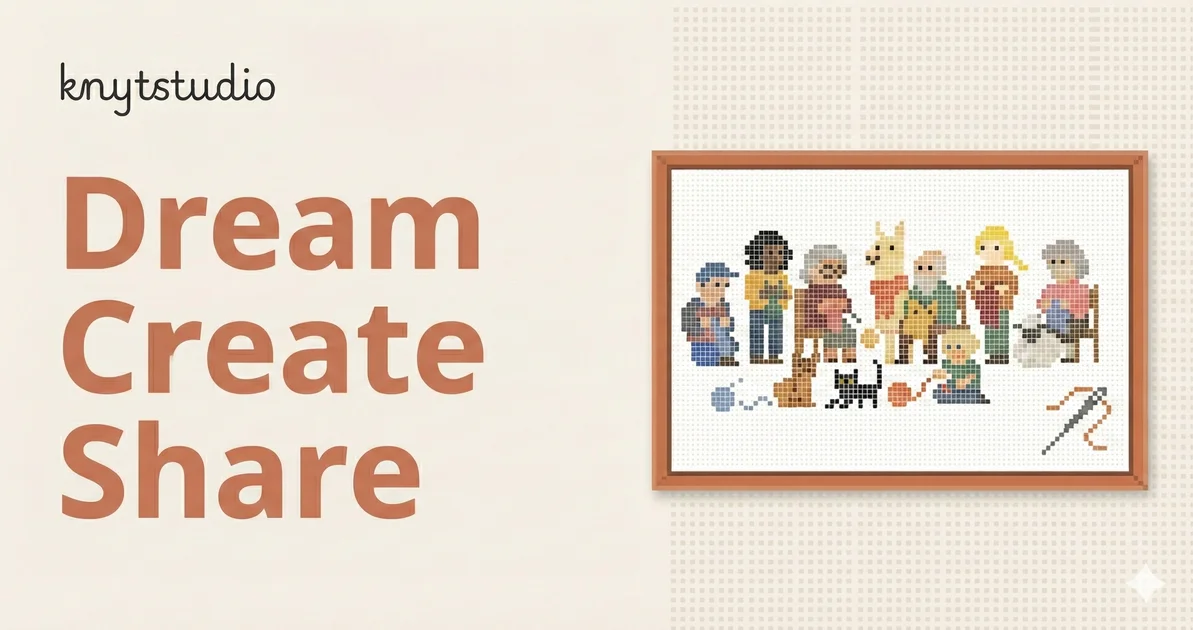
Knytstudio is a browser-based cross stitch pattern design tool built for crafters of all skill levels. Users can upload a photo and have it automatically converted into a pixel-grid pattern with thread colors matched to real DMC or Anchor floss swatches, or they can describe a design in plain text and generate a pattern from scratch using AI. The built-in editor lets stitchers work on a blank canvas, choose between color, symbol, or combined views, and fine-tune every detail before exporting. Once a pattern is ready, Knytstudio generates a print-ready PDF complete with a symbol key, color legend, and a shopping list for the craft store. For stitchers who prefer to work paperlessly, patterns can be opened on mobile and rows can be marked off as progress is made directly in the browser. The platform also features a community discovery section where users can browse patterns created by others, fork them, swap colors, and publish their own remixes. A free tier allows up to three pattern generations with cloud sync and basic export, while the Pro plan (€4/month) unlocks unlimited patterns, advanced export options, and priority support. Knytstudio is ideal for hobbyist stitchers, crafters looking to immortalize photos as needlework, and pattern designers who want a simple, professional-grade tool without installing any software.
Key Features
- Photo-to-Pattern Conversion: Upload any image and Knytstudio automatically converts it into a pixel-grid cross stitch pattern with thread colors matched to real DMC or Anchor floss.
- AI-Powered Pattern Generation: Describe your idea in text and receive a stitchable pattern in seconds, powered by generative AI — no design skills required.
- Real Thread Color Matching: Built-in DMC and Anchor color libraries let you auto-match or manually pick thread colors that you can actually buy at a craft store.
- Print-Ready PDF Export: Download a formatted chart with symbols, a color key, and a floss shopping list — ready to take to the craft store or print at home.
- Community Patterns & Remixing: Browse patterns created by other stitchers, fork any design, customize colors, and publish your own versions for the community.
Use Cases
- Converting a cherished family or pet photo into a personalized cross stitch pattern for a handmade gift.
- Generating custom cross stitch designs from a text description using AI, without any drawing or design skills.
- Browsing community patterns for inspiration and remixing existing designs with new color palettes.
- Tracking stitching progress directly on a mobile device without needing to print or carry a paper chart.
- Creating professional-quality cross stitch charts with full color keys and floss shopping lists for sale or distribution.
Pros
- No Account Required to Start: Visitors can begin designing immediately with three free generations and no sign-up, lowering the barrier to entry significantly.
- Authentic Thread Color Libraries: Automatic matching to DMC and Anchor floss codes means patterns translate directly to purchasable materials without manual lookup.
- Works on Mobile Without Printing: The built-in progress tracker lets stitchers mark off rows on their phone, eliminating the need to print and carry a paper chart.
- Affordable Pro Tier: At just €4/month, the Pro plan is very competitively priced for unlimited patterns and advanced exports compared to similar niche tools.
Cons
- Free Tier Limited to 3 Patterns: The free plan only allows three pattern generations, which may not be enough for prolific crafters or those wanting to experiment freely.
- Niche Craft Focus: Knytstudio is purpose-built for cross stitch only, so it has no utility for other embroidery styles like needlepoint, tapestry, or knitting.
- No Desktop App: Being entirely browser-based, it requires an internet connection and offers no offline design capability.
Frequently Asked Questions
Is Knytstudio really free to use?
Yes. You can start designing immediately with no account required. The free plan includes up to 3 pattern generations, cloud sync, basic PDF export, and community support. A Pro plan at €4/month unlocks unlimited patterns and advanced features.
Which thread color brands are supported?
Knytstudio includes built-in color libraries for DMC and Anchor — two of the most widely available embroidery floss brands. Patterns are auto-matched to real purchasable color codes.
Can I turn a photo of my pet or family into a cross stitch pattern?
Yes. Simply upload a photo and Knytstudio will convert it into a pixel-grid pattern with thread colors matched to real floss. It works with any image, including pet portraits, landscapes, and custom artwork.
Can I use Knytstudio on my phone while stitching?
Yes. Patterns can be opened in a mobile browser and include a built-in progress tracker so you can mark off rows as you stitch — no printing needed.
Can I remix or use patterns made by other users?
Yes. The community discovery section lets you browse publicly shared patterns, fork any design, change colors, and publish your own variations.