

About
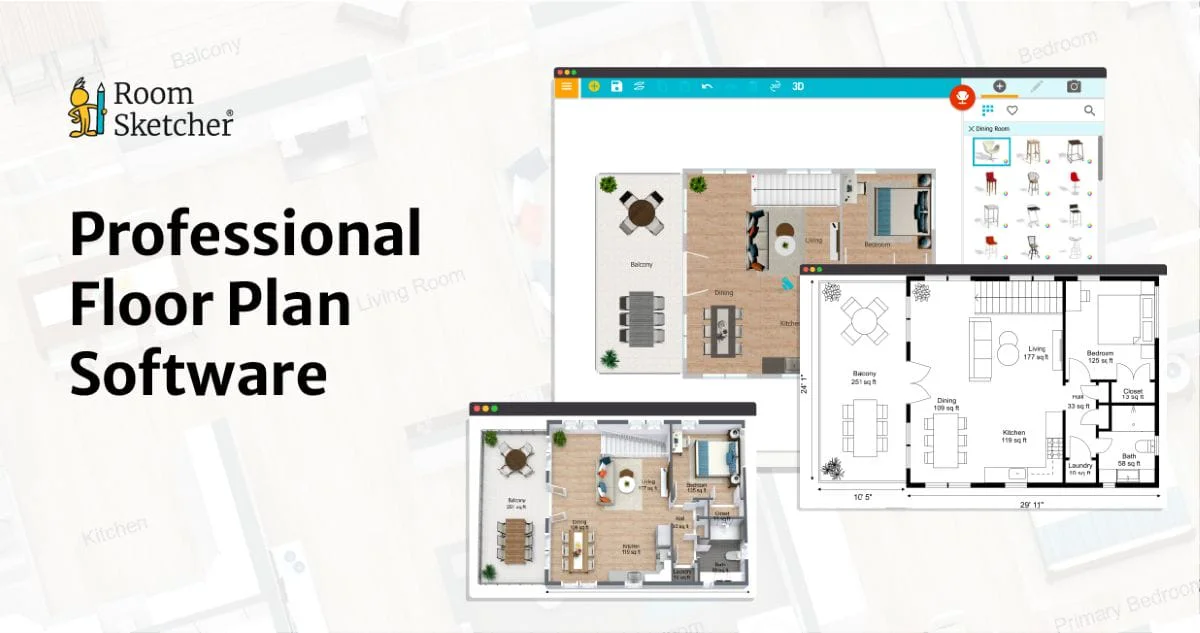
RoomSketcher is a versatile, cloud-based floor plan platform designed to make professional-grade space visualization accessible to everyone — from seasoned interior designers to first-time homeowners. Users can create floor plans through five distinct methods: drawing from scratch, capturing spaces with LiDAR technology, uploading a hand-drawn sketch for redrawing, tracing an existing plan image, or using AI to automatically convert existing floor plan images into editable layouts. Once a floor plan is created, RoomSketcher offers a rich set of visualization tools including detailed 2D diagrams, high-quality 3D floor plan views, immersive Live 3D walkthroughs, and 360-degree interactive views that are easy to share and embed. Users can add precise room and wall measurements in a single click, customize layouts with preferred colors, materials, and branded letterheads, and save styles for consistency across projects. The platform works seamlessly across devices — Mac, Windows, iPad, and Android tablets — and supports offline editing with automatic cloud sync. Its drag-and-drop interface requires no CAD knowledge, making it approachable for beginners while still delivering polished, client-ready results. RoomSketcher is widely used in real estate listings, home renovation planning, construction projects, and interior design presentations. A free tier is available with basic features, and paid subscriptions unlock the platform's full power.
Key Features
- Multiple Floor Plan Creation Methods: Create floor plans by drawing from scratch, using LiDAR capture, uploading a sketch, tracing an existing image, or converting plans automatically with AI.
- 2D & 3D Visualization: Generate detailed 2D diagrams, high-quality 3D floor plan models, Live 3D walkthroughs, and interactive 360-degree views — all from one project.
- Customization & Branding: Personalize floor plans with custom colors, materials, and branded letterheads. Save preferred styles for consistent presentation across all projects.
- Cross-Device & Offline Support: Work on Mac, Windows, iPad, and Android tablets. Edit plans offline and sync changes to cloud storage automatically when back online.
- One-Click Measurements: Instantly add precise room and wall measurements to any floor plan with a single click for client-ready, professional output.
Use Cases
- Real estate agents creating polished 2D and 3D floor plans for property listings to attract more buyers.
- Interior designers visualizing and presenting room layouts and material choices to clients before renovation begins.
- Homeowners planning home renovations or furniture arrangements using an intuitive drag-and-drop interface.
- Architects and contractors quickly converting sketches or site captures into accurate digital floor plans for project planning.
- Property managers and co-working space operators creating shareable, interactive 360-degree views of their spaces for marketing.
Pros
- Beginner-Friendly Interface: Drag-and-drop functionality and an intuitive UI mean no CAD experience or technical background is needed to produce professional results.
- Versatile Creation Options: Five distinct methods to create floor plans — including AI conversion and LiDAR capture — cater to a wide range of workflows and use cases.
- Cross-Platform Flexibility: Available on all major platforms with offline support and cloud sync, making it easy to work from anywhere on any device.
- Free Tier Available: A free subscription lets new users explore core features and create basic floor plans without any upfront cost.
Cons
- Advanced Features Require Paid Plans: Key capabilities like 3D Photos, Live 3D walkthroughs, and branding options are locked behind paid subscription tiers.
- Not a Full CAD Replacement: While excellent for general floor planning and visualization, RoomSketcher may lack the technical precision required for detailed architectural or engineering workflows.
- Limited Mobile Support: The app is optimized for tablets (iPad and Android) rather than smartphones, which may limit on-the-go usability for some users.
Frequently Asked Questions
Is RoomSketcher free to use?
Yes, RoomSketcher offers a free subscription that provides access to basic floor plan creation features. For more advanced capabilities like 3D Photos, Live 3D, and branding tools, paid subscription plans are available.
Do I need CAD experience to use RoomSketcher?
No. RoomSketcher is designed to be beginner-friendly with a drag-and-drop interface and a short learning curve, so anyone can create professional floor plans without prior CAD knowledge.
What devices does RoomSketcher support?
RoomSketcher works on Mac, Windows, iPad, and Android tablets. Projects are stored in the cloud and can be accessed from any supported device, with offline editing and automatic sync.
Can RoomSketcher convert existing floor plans using AI?
Yes, RoomSketcher includes an AI-powered conversion feature that can turn existing floor plan images into editable digital layouts, saving time on data entry and redrawing.
Who is RoomSketcher best suited for?
RoomSketcher is ideal for real estate professionals listing properties, interior designers presenting concepts, homeowners planning renovations, and builders or architects needing quick, accurate floor plan visuals.