
About
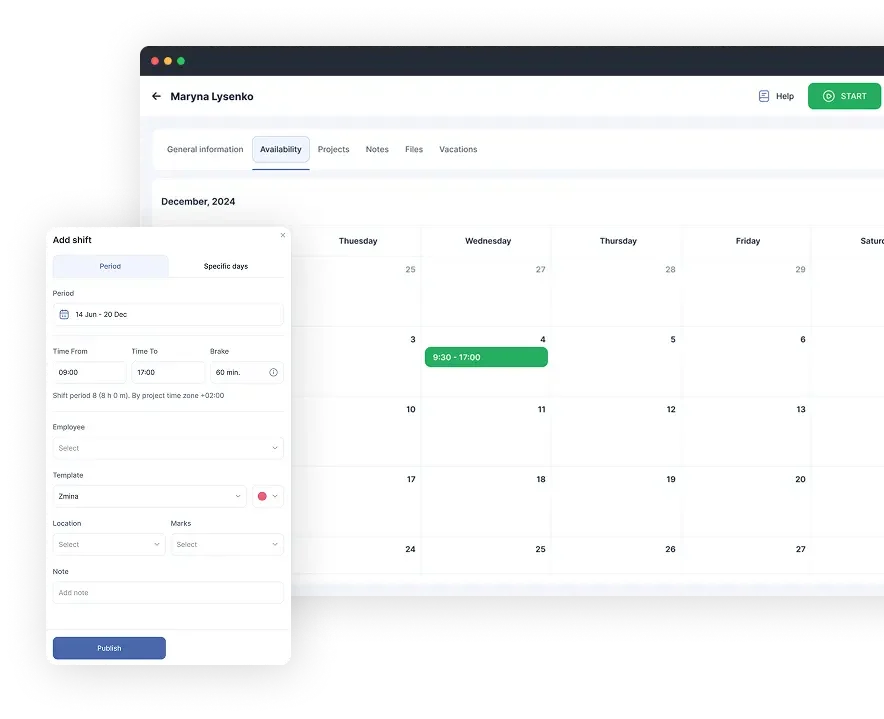
Shifton is an all-in-one workforce management software built to simplify operations for shift-based businesses across more than 100 industries. Whether you run a restaurant, hospital, hotel, call center, or construction company, Shifton provides the tools needed to manage your entire workforce lifecycle from a single platform. At its core, Shifton offers powerful shift scheduling that lets managers create, publish, and adjust employee schedules with ease. The time tracking module records employee clock-ins and clock-outs, ensuring accurate attendance data. Time off and leave requests can be submitted and approved directly within the platform, reducing administrative back-and-forth. Beyond scheduling, Shifton includes task management to assign and prioritize work, team management to organize roles and permissions, and payroll management to automate wage calculations based on hours worked. A work location feature helps businesses manage multiple sites, while an activity monitor provides visibility into employee performance. The platform supports a mobile app for iOS and Android, enabling on-the-go access for both managers and employees. Shifton also offers enterprise solutions for large organizations and tailored tools for small and growing teams. With multilingual support across 30+ languages, it's built to serve global workforces. A free plan is available to get started, with paid tiers unlocking advanced features.
Key Features
- Shift Scheduling: Create, publish, and manage employee shift schedules with drag-and-drop simplicity, supporting complex rotation patterns for teams of any size.
- Time Tracking & Attendance: Track employee clock-ins, clock-outs, and attendance in real time, with mobile access via iOS and Android apps.
- Payroll Automation: Automatically calculate wages based on tracked hours, shifts, and overtime rules, reducing manual payroll errors.
- Time Off & Leave Management: Allow employees to submit vacation and leave requests digitally, with manager approval workflows built in.
- Task & Team Management: Assign and prioritize tasks across teams, manage roles and permissions, and monitor employee activity and performance from one dashboard.
Use Cases
- A restaurant manager creates and publishes weekly shift schedules for kitchen and front-of-house staff, reducing scheduling conflicts and last-minute changes.
- A hospital HR team tracks nurse attendance, manages leave requests, and automatically calculates overtime pay across multiple departments.
- A retail chain with several store locations assigns employees to specific work sites, monitors clock-ins in real time, and generates payroll reports at month end.
- A field service company dispatches technicians using the task management module, tracking job assignments and completion status across mobile teams.
- A call center operations manager monitors employee activity and performance metrics to optimize staffing levels during peak hours.
Pros
- Comprehensive All-in-One Platform: Combines scheduling, time tracking, payroll, task management, and attendance in a single tool, eliminating the need for multiple software solutions.
- Broad Industry Coverage: Purpose-built for 100+ industries including healthcare, hospitality, retail, construction, and field services, with tailored workflows for each.
- Mobile Accessibility: Native iOS and Android apps let managers and employees access schedules, clock in, and manage requests from anywhere.
- Multilingual Support: Available in 30+ languages, making it an ideal choice for global or multilingual workforces.
Cons
- Feature Depth May Overwhelm Small Teams: The breadth of features can feel excessive for very small businesses with simple scheduling needs.
- Advanced Features Behind Paid Plans: Key automation and enterprise features require a paid subscription, which may increase costs as the team grows.
- Learning Curve for Complex Setups: Organizations with highly customized workflows or multi-location operations may need time to fully configure the platform.
Frequently Asked Questions
Is Shifton free to use?
Yes, Shifton offers a free plan to get started. Paid plans unlock additional features such as advanced payroll automation, analytics, and enterprise-grade tools.
Which industries is Shifton designed for?
Shifton supports 100+ industries including healthcare, restaurants, hotels, retail, construction, airlines, call centers, security services, and more.
Does Shifton have a mobile app?
Yes, Shifton offers native mobile apps for both iOS and Android, allowing managers and employees to manage schedules, clock in/out, and submit requests on the go.
Can Shifton handle multiple work locations?
Yes, the Work Location feature allows businesses to manage and assign employees across multiple sites or offices from a single dashboard.
How does Shifton handle payroll?
Shifton automates payroll calculations based on tracked employee hours, shifts worked, and applicable overtime or leave rules, reducing manual effort and errors.