

About
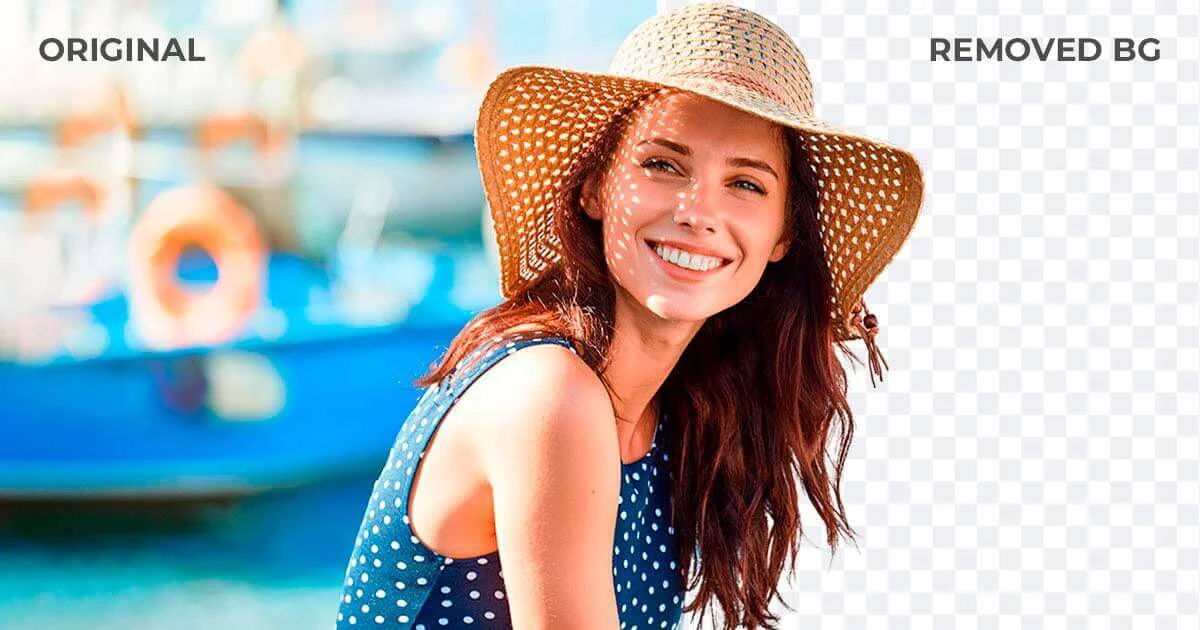
Slazzer is an all-in-one AI photo editing solution built around its flagship background removal technology. Using advanced computer vision, it automatically detects subjects — including people, products, cars, animals, and graphics — and produces clean, high-quality cutouts in seconds, even handling complex edges like hair and fur with precision. Beyond background removal, Slazzer offers a comprehensive suite of AI tools: AI Enhance fixes blurry or dull photos with one click; AI Shadow adds realistic drop shadows to make products pop on screen; AI Upscale sharpens and enlarges images to print-ready 4K quality; AI Background generates realistic, studio-quality backgrounds instantly; AI Sky Replacement swaps skies in outdoor shots; and AI De-oldify breathes life back into old photographs. Designed for multiple workflows, Slazzer supports bulk processing through its desktop app for Windows, Mac, and Linux, allowing users to drag and drop thousands of images at once. Developers and enterprises can integrate background removal at scale via a simple API. Ready-made plugins further simplify integration into existing design pipelines. Slazzer's target audience ranges from Amazon and Shopify sellers boosting product photo conversions, to photographers and media agencies cutting production time, to creative studios replacing expensive manual retouching. A free tier with credit-based and subscription-based paid plans makes it accessible to solo creators and large enterprises alike.
Key Features
- Automatic Background Removal: Instantly detects and removes backgrounds from any photo — including complex edges like hair and fur — in under 5 seconds with no manual selection required.
- AI Photo Enhancement Suite: A full toolkit including AI Upscale (up to 4K), AI Enhance (color and clarity correction), AI Shadow (realistic drop shadows), AI Sky Replacement, and AI De-oldify.
- AI Background Generation: Generate realistic, studio-quality backgrounds automatically — eliminating the need for expensive photo shoots or professional staging setups.
- Bulk Desktop Processing: Desktop app for Windows, Mac, and Linux lets users drag and drop thousands of images at once for automated batch background removal.
- Developer API & Integrations: A simple API enables background removal at scale for developers and enterprises, with ready-made plugins for popular design and ecommerce platforms.
Use Cases
- Ecommerce sellers removing backgrounds from product photos to create clean, conversion-optimized listings on Shopify, Amazon, or other platforms.
- Photographers and media agencies batch-processing hundreds of images to speed up post-production workflows.
- Dropshippers and advertisers adding realistic AI-generated shadows and backgrounds to make product images look professionally staged.
- Developers and enterprises integrating automated background removal at scale via the Slazzer API for image-heavy applications.
- Content creators and social media managers enhancing blurry or dull photos with one-click AI improvements for a polished, professional look.
Pros
- Blazing Fast Results: Delivers clean, high-quality cutouts in approximately 5 seconds, dramatically reducing time spent on manual photo editing tasks.
- All-in-One AI Editing Platform: Combines background removal with upscaling, enhancement, shadow generation, sky replacement, and more — removing the need for multiple separate tools.
- Scales for Enterprise and Bulk Use: Bulk desktop processing and a developer API make it equally viable for a solo seller processing dozens of images or an enterprise handling millions.
- Free Tier Available: Users can try background removal and other AI tools for free without committing to a paid plan, lowering the barrier to entry.
Cons
- Credit-Based Model Can Add Up: Heavy users processing large volumes of images may find that credit costs accumulate quickly beyond the free tier allowance.
- Output Quality May Vary on Complex Scenes: While AI handles most cases well, highly intricate backgrounds or semi-transparent subjects may still require manual touch-up in some scenarios.
- Advanced Editing Requires Sign-Up: Accessing HD downloads and full editing features requires creating an account and potentially purchasing credits or a subscription.
Frequently Asked Questions
Is Slazzer free to use?
Yes, Slazzer offers a free tier that allows you to remove backgrounds and try other AI tools without a subscription. For higher-volume use or HD downloads, paid credits or a subscription plan are required.
What types of images does Slazzer support?
Slazzer supports a wide range of subjects including people, products, cars, animals, graphics, and real estate photos. Its AI handles complex edges like hair and fur with high accuracy.
Can I use Slazzer to process images in bulk?
Yes. Slazzer offers a desktop application for Windows, Mac, and Linux that lets you drag and drop thousands of images at once for automated batch processing.
Does Slazzer have an API for developers?
Yes, Slazzer provides a developer API that allows you to integrate background removal and other AI editing features into your own applications or workflows with just a few lines of code.
What AI tools does Slazzer offer beyond background removal?
In addition to background removal, Slazzer offers AI Upscale, AI Enhance, AI Shadow, AI Background generation, AI Sky Replacement, and AI De-oldify — making it a comprehensive AI photo editing platform.