

About
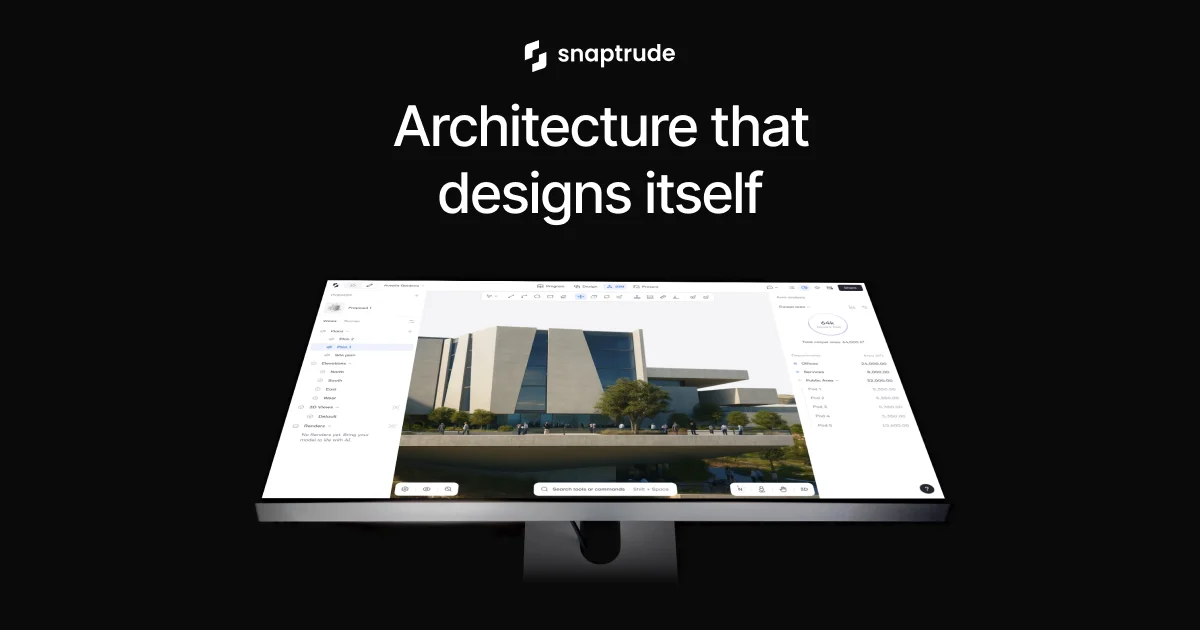
Snaptrude is a cloud-based, AI-powered BIM (Building Information Modeling) platform designed specifically for architects and AEC (Architecture, Engineering, Construction) professionals. It replaces disconnected design tools with a single AI-native workspace that covers the full project lifecycle — from initial brief and site analysis through massing, floor plan design, BIM modeling, and final presentation. The platform offers 10 purpose-built AI agents that handle tasks like zoning research, site constraint analysis, program generation, and massing studies. Users can upload an RFP or project brief, and Snaptrude's AI will generate a detailed building program, auto-create adjacency diagrams based on codes, and assemble a 3D model — all live-linked to a spreadsheet-style program editor. Key capabilities include one-click mass-to-BIM conversion that auto-generates walls, floors, and roofs from early massing models, AI architectural rendering, real-time multiplayer collaboration, and seamless export to Revit (.rvt) and Rhino with no broken parameters or lost materials. The built-in object library and furniture import further speed up design development. Snaptrude is trusted by leading architecture firms and has demonstrated dramatic time savings — what once took 4 days can now be completed in 4 hours. The platform is SOC 2 Type 2 compliant for enterprise-grade security, and offers a free tier for students and educators.
Key Features
- 10 AI Agents for AEC Workflows: Specialized AI agents handle zoning research, site analysis, massing, program generation, adjacency diagrams, and floor plan creation automatically from a project brief or uploaded RFP.
- One-Click Mass to BIM Conversion: Automatically converts early-stage massing models into full BIM models with walls, floors, roofs, and structural elements in a single click.
- Live-Linked Program Editor: Edit your building program in a spreadsheet view and see your 3D model update instantly, keeping design intent and area calculations always in sync.
- Seamless Revit & Rhino Export: Export clean .rvt files with no lost materials or broken parameters, enabling smooth handoffs to downstream BIM workflows.
- Real-Time Collaboration & AI Rendering: Collaborate with teammates, consultants, and clients simultaneously in one model, and generate stunning architectural renderings directly within the platform.
Use Cases
- Rapidly generating a building program and massing model from an uploaded RFP for early-stage project competitions or client pitches.
- Converting conceptual massing studies into full BIM-ready models for detailed design development and coordination with structural and MEP engineers.
- Performing site analysis including zoning research and solar exposure studies to inform design decisions before committing to a building form.
- Collaborating in real time with a distributed team of architects, consultants, and clients on a single shared model with live updates.
- Creating professional architectural presentation sheets with AI-generated renderings, floor plan views, and 3D model exports for client approval.
Pros
- Dramatic Time Savings: Users report reducing multi-day tasks to just hours — one director noted going from 4 days to 4 hours — thanks to AI automation of repetitive design and documentation work.
- End-to-End Workflow in One Tool: Covers the full AEC design process from site analysis and programming through BIM modeling and presentation, eliminating the need for multiple disconnected tools.
- Enterprise-Grade Security: SOC 2 Type 2 compliant, making it suitable for large firms and enterprise clients with strict data security requirements.
- Free for Students & Educators: Snaptrude for Education offers free access to students and educators, lowering the barrier for learning BIM-integrated AI design.
Cons
- Browser-Based Limitations: As a web-first platform, users with very large or complex models may encounter performance constraints compared to locally installed desktop BIM applications.
- Learning Curve for AI-Driven Workflows: Teams accustomed to traditional BIM tools like Revit or ArchiCAD may need time to adapt to Snaptrude's AI-first, prompt-driven design approach.
- Ecosystem Dependency: Deep integration with Revit and Rhino is a strength, but teams using other platforms (e.g., ArchiCAD, Vectorworks) may have more limited interoperability options.
Frequently Asked Questions
What is Snaptrude and who is it for?
Snaptrude is an AI-powered BIM platform designed for architects, architecture firms, and AEC professionals. It combines AI agents for site analysis, programming, massing, and BIM modeling into a single browser-based workspace.
Can I export Snaptrude models to Revit?
Yes. Snaptrude supports direct export to .rvt (Revit) files with preserved materials and parameters, as well as export to Rhino, ensuring clean handoffs to downstream design and engineering workflows.
Is Snaptrude free to use?
Snaptrude offers a free trial and a dedicated free plan for students and educators. Paid plans are available for professional firms and enterprises with expanded features and collaboration capabilities.
How does Snaptrude's AI program generation work?
You upload an RFP or describe your project, and Snaptrude's AI generates a detailed building program including room counts, net areas, and department groupings. This program is live-linked to your 3D model, so edits in the spreadsheet view instantly update the design.
Is Snaptrude secure for use by enterprise architecture firms?
Yes. Snaptrude is SOC 2 Type 2 compliant, meeting enterprise-grade security standards for data protection, making it suitable for large firms and clients with strict compliance requirements.