

About
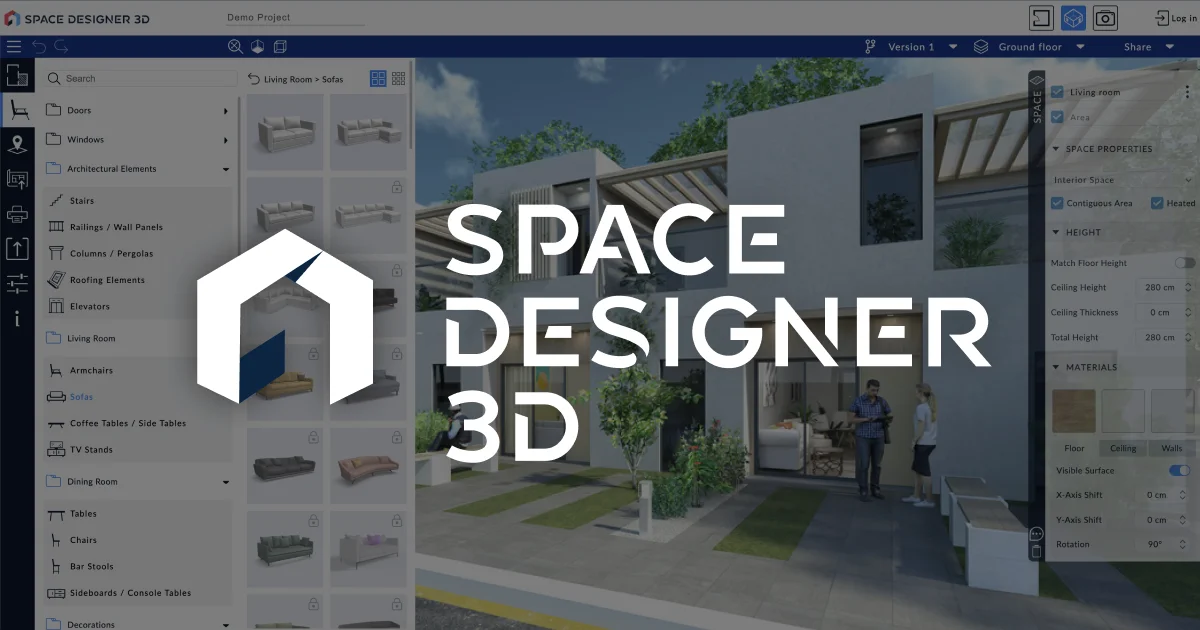
Space Designer 3D is an intuitive, web-based spatial planning and interior design platform that requires no software installation. Users can draw 2D floor plans and seamlessly transition to real-time 3D views, making it easy to visualize and iterate on room layouts, home designs, or commercial spaces directly in a browser. The platform features AI-reinforced rendering that automatically optimizes lighting, materials, and perspectives to produce stunning, presentation-ready images in seconds. An instant area calculator computes measurements and surface areas with a single click, improving plan accuracy for estimates and approvals. Space Designer 3D caters to a broad audience: homeowners planning renovations, interior designers presenting concepts to clients, real estate professionals, architects, and businesses needing branded space visualization tools. Multi-user collaboration features allow teams to share projects and manage roles, while business and enterprise tiers offer custom product catalogs, branding integration, and lead-generation capabilities. With a clean, modern interface praised for its ease of use, the platform is accessible to design novices and professionals alike. Its freemium model means anyone can start designing for free, with advanced features unlocked through paid plans. Whether you're furnishing a single room or planning an entire building layout, Space Designer 3D provides the tools to communicate spatial ideas clearly and efficiently.
Key Features
- 2D-to-3D Instant Transition: Sketch floor plans in 2D and switch to a real-time 3D view instantly, enabling fluid design iteration without switching tools.
- AI-Enhanced Rendering: Automatically generate presentation-ready images with AI-optimized lighting, materials, and camera perspectives in seconds.
- Instant Area Calculator: Compute room areas and measurements automatically with one click for precise estimates, approvals, and client reports.
- Multi-User Collaboration: Share projects with teammates or clients, manage roles, and work together in real time on shared design files.
- Custom Branding & Product Catalogs: Business and enterprise plans allow white-label branding and custom furniture/product catalogs for professional client presentations.
Use Cases
- Homeowners planning a renovation can sketch their floor plan in 2D and preview the finished look in 3D before hiring contractors.
- Interior designers can produce AI-rendered client presentations quickly without needing separate rendering software.
- Real estate agents and developers can create compelling visual walkthroughs of properties to accelerate buyer decisions.
- Retail and hospitality businesses can plan and visualize store or venue layouts to optimize space usage before committing to a build-out.
- Architecture students and educators can rapidly prototype and present spatial concepts directly in a browser without professional CAD licenses.
Pros
- No Installation Required: Fully browser-based with nothing to download or install, making it immediately accessible on any device.
- Beginner-Friendly Interface: Users with no design background consistently report a smooth learning curve thanks to the modern, intuitive UI.
- Free to Start: A free tier lets anyone begin designing without a credit card, with premium features available as needs grow.
- Professional-Grade Visuals: AI rendering produces polished 3D images suitable for client presentations, real estate listings, and architectural proposals.
Cons
- Advanced Features Require Paid Plan: Custom product catalogs, branding, and advanced collaboration tools are locked behind business or enterprise subscriptions.
- Browser Dependency: Being entirely web-based means performance may vary by internet connection speed and browser capabilities, with no offline mode.
- Limited CAD-Level Precision: While great for visualization and planning, it may not fully replace professional CAD software for highly technical architectural drawings.
Frequently Asked Questions
Is Space Designer 3D free to use?
Yes, Space Designer 3D offers a free plan that lets you create floor plans and 3D visualizations without any cost. Advanced features for business and enterprise use are available on paid plans.
Do I need to download any software?
No. Space Designer 3D runs entirely in your web browser with no software download or installation required.
Can I collaborate with others on a project?
Yes. The platform supports multi-user collaboration, allowing you to share projects and assign roles to team members or clients.
What types of projects is Space Designer 3D suited for?
It is well suited for home renovation planning, interior design client presentations, real estate visualization, office space planning, and retail or commercial layout design.
Does it use AI for design?
Yes. Space Designer 3D uses AI to enhance rendered images by automatically optimizing lighting, materials, and perspectives to create professional-quality visuals from your floor plan.