

About
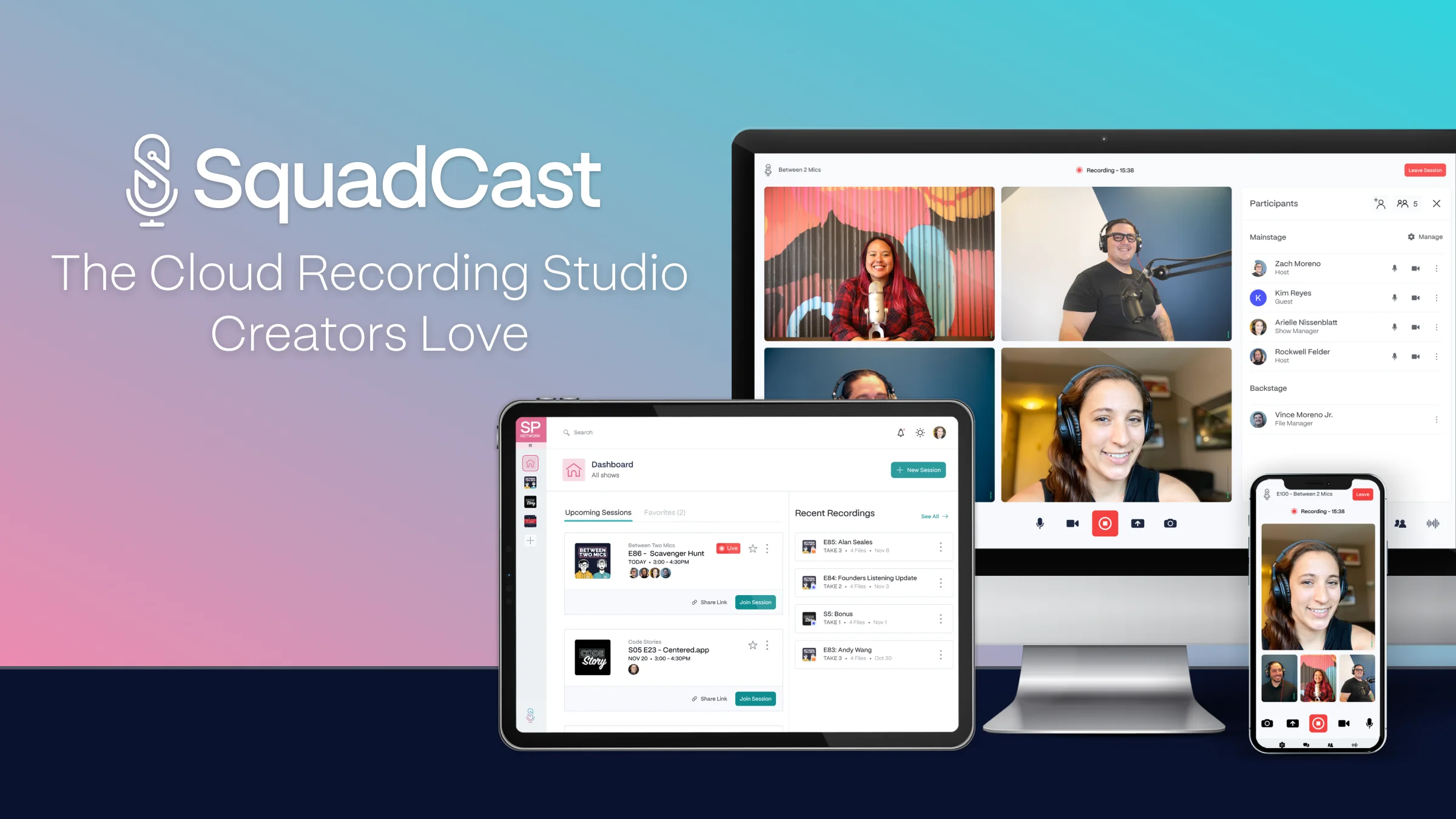
SquadCast by Descript is a cloud-based remote recording studio designed for podcasters, content creators, YouTubers, and audio producers who need professional-quality recordings without a physical studio. The platform operates entirely in-browser—no downloads or installs required—making it simple for guests and hosts alike to join sessions with a single click. Its signature feature, Progressive Upload, uses patented technology to continuously auto-save locally recorded, uncompressed audio and video files to the cloud during the session. This means even a full power outage or internet dropout cannot result in lost recordings. Separate local audio and video tracks eliminate audio drift, a common pain point in remote recording setups. SquadCast supports high-quality audio and video recording with multiple cloud backups, ensuring raw uncompressed files are always protected. Post-production is streamlined through integrations with popular editing tools, and as part of the Descript ecosystem, users get access to powerful editing, transcription, and AI-powered features in one package. Use cases include online podcast recording, YouTube video production, audiobook narration, and professional voiceover work. Integrations and an API allow teams to automate recording workflows. SquadCast is trusted by a large community of podcasters and creators who prioritize reliability, audio fidelity, and ease of use for remote collaboration.
Key Features
- Progressive Upload Technology: Patented auto-save system that continuously uploads locally recorded audio and video to the cloud during the session, preventing any data loss from connectivity issues or power failures.
- Studio-Quality Audio & Video Recording: Captures raw, uncompressed audio and high-definition video files locally for each participant, eliminating audio drift and ensuring crystal-clear recordings.
- Browser-Based, No Install Required: Hosts and guests can join recording sessions with a single click from any browser—no software download or installation needed.
- Multiple Cloud Backups: Cloud backups automatically support recorded content in the event of a lost primary file, providing redundancy and peace of mind.
- Integrations & API: Connect SquadCast with favorite editing and post-production tools, and automate recording workflows through native integrations and a developer API.
Use Cases
- Recording remote podcast interviews with guests anywhere in the world without audio quality loss.
- Producing high-quality YouTube video content with multiple remote participants.
- Narrating and recording audiobooks with studio-quality audio from a home setup.
- Capturing professional voiceovers for commercials, explainer videos, or e-learning courses.
- Automating remote recording workflows for media production teams using SquadCast's API and integrations.
Pros
- Loss-Proof Recording: Progressive Upload ensures recordings are never lost due to internet drops, power outages, or technical failures, making it one of the most reliable remote recording tools available.
- No-Friction Guest Experience: Guests don't need to download anything—just click a link to join, dramatically reducing setup friction for remote interviews and co-hosted shows.
- Descript Ecosystem Integration: Being part of Descript means users get access to AI-powered editing, transcription, and content repurposing tools as part of a unified workflow.
- Separate Local Tracks: Each participant's audio and video is recorded locally and separately, preventing audio sync drift and giving editors full control in post-production.
Cons
- Web-Only Platform: SquadCast is browser-based with no dedicated desktop app, which may limit flexibility for users who prefer native applications or offline workflows.
- Requires Stable Internet for Upload: While recordings are captured locally, reliable internet is still needed for the cloud upload feature to work effectively during and after sessions.
- Pricing Can Add Up: Access to advanced features and higher recording hours may require a paid plan, especially for teams or high-volume creators.
Frequently Asked Questions
Do guests need to download anything to join a SquadCast session?
No. Guests can join any SquadCast recording session directly in their browser with a single click—no downloads, installs, or account creation required.
What happens if the internet drops during a recording?
SquadCast's patented Progressive Upload technology records audio and video locally on each participant's device and continuously auto-saves to the cloud, so even a complete internet outage or power loss won't result in lost content.
What file formats does SquadCast record in?
SquadCast records raw, uncompressed audio files for each participant separately, ensuring the highest possible audio quality for post-production editing.
Is SquadCast only for podcasts?
No. While podcasting is the primary use case, SquadCast also supports YouTube video recording, audiobook narration, professional voiceover recording, and any remote content creation that requires high-quality audio and video.
How does SquadCast integrate with Descript?
SquadCast is now part of Descript, allowing users to record with SquadCast and then seamlessly edit, transcribe, and repurpose their content using Descript's AI-powered editing tools—all within a connected workflow.