

About
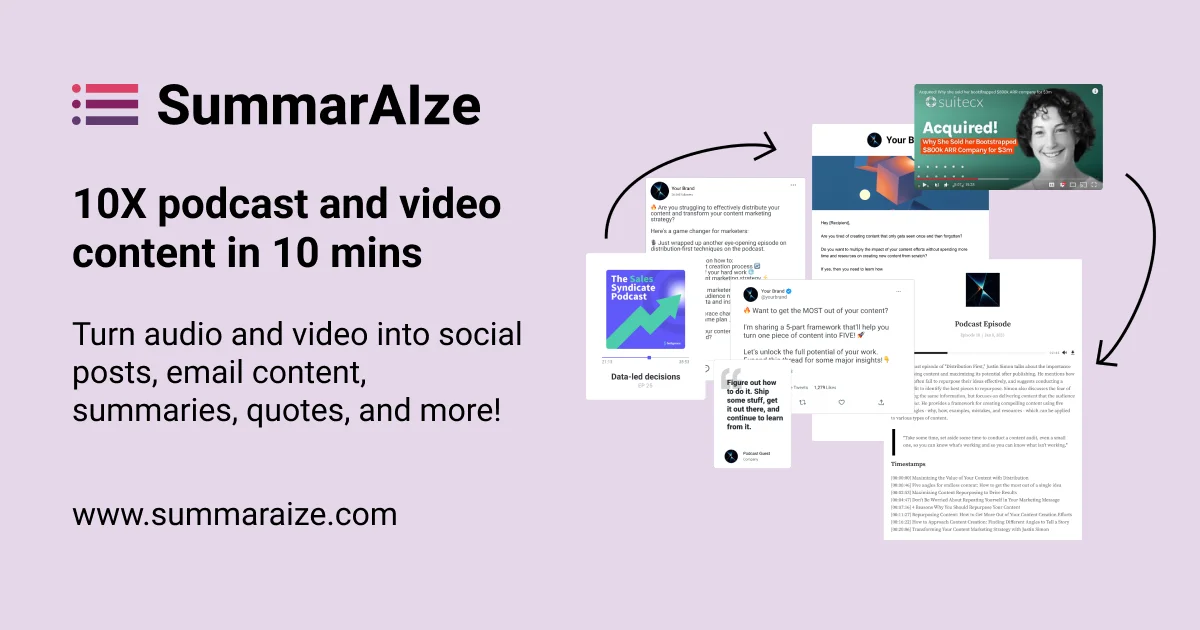
SummarAIze is an AI-driven content repurposing tool designed to help podcasters, video creators, marketers, and agencies multiply the value of their audio and video content. By simply uploading a recording — whether it's a podcast episode, webinar, interview, or Zoom call — the platform automatically generates over 15 ready-to-publish content assets in minutes. The platform supports a wide range of formats including MP3, MP4, M4A, and integrates with sources like YouTube, Google Meet, and Microsoft Teams. Its multilingual support makes it suitable for global content teams. Users can set up Brand Kits that store their tone of voice, target audience, keywords, and stylistic preferences so every generated asset stays on-brand without re-entering context each time. Key output types include LinkedIn, Twitter/X, and Instagram captions; SEO-optimized YouTube titles and descriptions; newsletter and blog post drafts; chapter breakdowns and key-point summaries; full transcripts and subtitles; and timestamped video clip highlights. An interactive "Ask SummarAIze" chat interface lets users refine outputs or request additional variations on demand. SummarAIze is ideal for podcast hosts looking to streamline post-production, marketing teams repurposing webinar content, YouTube creators needing SEO assets, and agencies managing content workflows at scale. It offers a generous free tier of 75 credits with no credit card required, plus flexible paid plans that scale with usage.
Key Features
- Multi-Format Audio & Video Transcription: Supports MP3, MP4, M4A, and integrations with YouTube, Zoom, Google Meet, and Microsoft Teams for seamless ingestion of any recording.
- 15+ Ready-to-Publish Content Assets: Automatically generates social captions, YouTube titles and descriptions, newsletter drafts, blog posts, transcripts, summaries, and timestamped highlights from a single upload.
- Brand Kits: Save your tone of voice, target audience, keywords, and stylistic preferences so every generated asset is consistently on-brand without re-entering context each time.
- Ask SummarAIze Chat Interface: An interactive AI chat that lets users refine outputs, request additional variations, or generate entirely new content assets on demand.
- Custom Templates by Content Type: Create and reuse templates tailored to different formats — podcasts, webinars, interviews — so the output always matches the content's context and goals.
Use Cases
- Podcast hosts automatically generating transcripts, show notes, social captions, and newsletter summaries after each episode recording.
- Marketing teams repurposing webinar recordings into LinkedIn posts, email campaigns, and SEO blog articles to extend content reach.
- YouTube creators producing optimized video titles, descriptions, and cross-platform social snippets from their video content.
- Agencies managing content repurposing workflows for multiple clients, using brand kits and templates to maintain each client's unique voice at scale.
- Corporate communications teams turning internal training sessions or town hall recordings into shareable summaries, highlights, and written recaps.
Pros
- Massive Time Savings: Automates post-production content creation, turning hours of manual work into minutes — especially valuable for recurring podcast or webinar workflows.
- Brand Consistency at Scale: Brand Kits ensure every asset reflects your voice, audience, and style without needing to re-prompt or manually adjust outputs each time.
- Generous Free Tier: 75 free credits with no credit card required makes it easy to evaluate the platform with real content before committing to a paid plan.
- Broad Format & Language Support: Works with multiple audio/video formats and supports multilingual recordings, making it accessible to global content teams and diverse creators.
Cons
- Credit-Based Usage Can Add Up: Heavy users processing long or frequent recordings may exhaust credits quickly, requiring careful plan selection or upgrades.
- AI Output May Need Editing: While outputs are high quality, AI-generated social posts, blogs, and newsletters often still require a human review pass before publishing.
- Web-Only Platform: There is no dedicated mobile app or desktop application, limiting flexibility for users who prefer working outside a browser.
Frequently Asked Questions
What types of content can I upload to SummarAIze?
You can upload podcast episodes, webinar recordings, interviews, Zoom calls, Google Meet sessions, Teams recordings, YouTube videos, and audio files in formats like MP3, MP4, and M4A.
What content assets does SummarAIze generate?
SummarAIze generates over 15 asset types including LinkedIn, Twitter/X, and Instagram captions; YouTube titles and SEO descriptions; newsletter and blog drafts; chapter summaries; full transcripts; subtitles; and timestamped video clip highlights.
How does the Brand Kit feature work?
Brand Kits let you store your tone of voice, target audience, keywords, and stylistic preferences. Once configured, SummarAIze automatically applies them to every generated asset so your content is consistently on-brand.
Is there a free plan available?
Yes. New users receive 75 free credits with no credit card required, giving you enough to test the platform with real recordings before choosing a paid plan.
Does SummarAIze support languages other than English?
Yes, SummarAIze supports multilingual recordings, making it suitable for content creators and teams working in languages beyond English.