

About
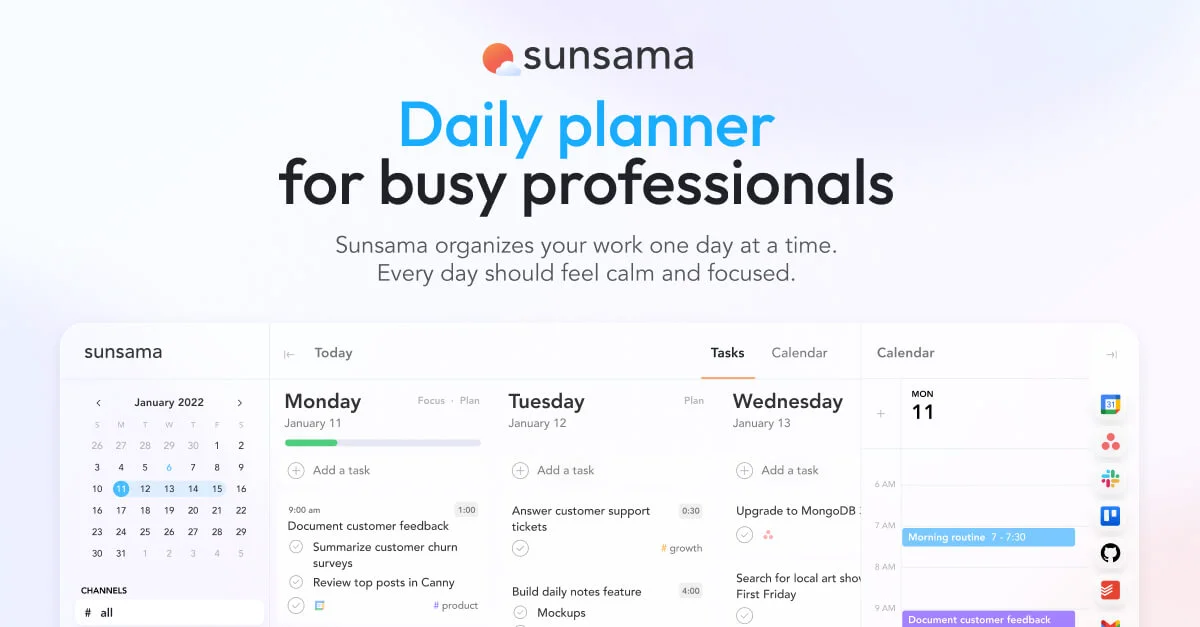
Sunsama is a purpose-built digital daily planner designed to help professionals do meaningful work without burning out. It merges your tasks, calendar events, and project management tools into a single, clear daily view so you always know exactly what to focus on. Each morning, Sunsama guides you through a structured planning ritual: align your goals, prioritize tasks, timeblock your schedule, and set a realistic workload. Throughout the day, it helps you protect focus time, mute distractions, and adjust plans without losing momentum. At the end of the day, it automatically tracks your wins, shows where your time went, and helps you finish on time — without guilt. Sunsama integrates with leading tools like Asana, Trello, Jira, Notion, GitHub, Gmail, Slack, Microsoft Teams, Google Calendar, Outlook, and Apple Calendar. Additional automation is available via a Zapier integration that connects to 9,000+ apps. Built-in features include a Pomodoro timer, weekly objectives tracking, bi-directional calendar sync, and detailed time analytics. Sunsama is ideal for founders, knowledge workers, managers, and anyone who feels overwhelmed by the pace of modern work. It is SOC2 compliant and supports SAML/SSO for enterprise teams, making it easy to get approved at work. A 14-day free trial is available with no credit card required.
Key Features
- Structured Daily Planning: Start each day with an intentional planning ritual: align your goals, prioritize tasks, and set a realistic workload to avoid overwhelm.
- Unified Task & Calendar View: See all your tasks and meetings in one place. Timeblock work directly on your calendar so you always know what fits in your day.
- Deep Tool Integrations: Pull tasks from Asana, Trello, Jira, GitHub, Gmail, Slack, Teams, and more into a single focused daily plan without switching apps.
- Focus & Energy Management: Built-in Pomodoro timers, app muting, and automatic break reminders help you maintain flow and prevent burnout throughout the day.
- Daily & Weekly Analytics: Automatically track your wins, visualize where your time went, and review weekly objectives to continuously improve your productivity.
Use Cases
- A founder uses Sunsama each morning to pull tasks from Linear and Gmail into a single daily plan, timeblock focus sessions, and end work at a consistent time.
- A product manager connects Sunsama to Jira and Google Calendar to see sprint tasks alongside meetings, prioritize daily work, and track weekly objectives.
- A remote knowledge worker uses Sunsama's Pomodoro timer and app-muting features to protect deep work blocks and reduce interruptions from Slack.
- A team lead reviews Sunsama's weekly analytics to understand where time is being spent and adjust workload planning to prevent team burnout.
- A professional overwhelmed by email uses Sunsama's Gmail integration to drag important messages into a task list and ensure follow-ups never fall through the cracks.
Pros
- All-in-one daily workflow: Combines task management, calendar scheduling, and integrations into a single planning experience, reducing the need to juggle multiple tools.
- Burnout prevention built-in: Features like Pomodoro timers, break reminders, and end-of-day shutdown rituals actively encourage sustainable work habits.
- Enterprise-ready: SOC2 compliance and SAML/SSO support make it straightforward to get Sunsama approved within larger organizations.
- Wide integration ecosystem: Connects natively with most popular productivity and project management tools, plus 9,000+ apps via Zapier.
Cons
- No permanent free plan: Sunsama only offers a 14-day free trial, after which a paid subscription is required — which may deter casual or budget-conscious users.
- Primarily web-based: Mobile and desktop app availability is limited compared to some competing productivity platforms, which could restrict on-the-go use.
- Structured workflow may feel rigid: The daily planning ritual and opinionated workflow are a strength for some, but may feel constraining for users who prefer flexible, freeform task management.
Frequently Asked Questions
What is Sunsama?
Sunsama is a digital daily planner that combines task management, calendar scheduling, and integrations with tools like Asana, Jira, Gmail, and Slack into one unified daily planning experience for modern professionals.
Is Sunsama free to use?
Sunsama offers a 14-day free trial with no credit card required. After the trial, a paid subscription is needed to continue using the service.
What tools does Sunsama integrate with?
Sunsama integrates with Google Calendar, Outlook, Apple Calendar, Asana, Trello, Jira, Notion, GitHub, Gmail, Slack, Microsoft Teams, and thousands more via Zapier.
Is Sunsama suitable for enterprise teams?
Yes. Sunsama is SOC2 compliant and offers SAML/SSO on its enterprise tier, making it easy to get approved and deployed within larger organizations.
How does Sunsama help prevent burnout?
Sunsama includes built-in Pomodoro timers, automatic break reminders, workload limits, and an end-of-day shutdown ritual that helps you finish work on time and reflect on what you accomplished.