
About
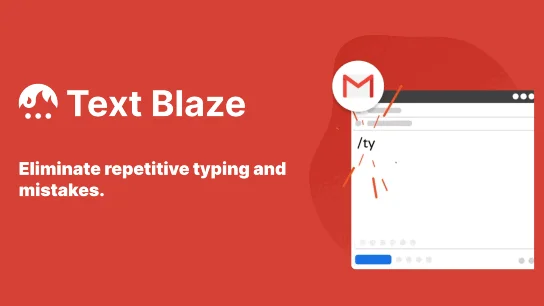
Text Blaze is a productivity-boosting text expansion tool available as a Chrome extension, macOS app, and Windows app. It allows users to save any frequently typed text — responses, greetings, templates, canned replies — as a snippet with a custom shortcut. Typing the shortcut instantly inserts the full snippet anywhere on the web or desktop applications. Beyond simple text insertion, Text Blaze supports powerful dynamic templates with fillable form fields, calculated formulas, simulated clicks, and integrations with third-party websites. This enables users to automate complex repetitive processes, not just typing. For teams, Text Blaze acts as a centralized snippet library — snippets can be shared across colleagues, updated in real time, and collaboratively edited, ensuring consistency in communications. Text Blaze also bundles AI Blaze for AI-assisted writing and editing, and Data Blaze for managing structured data in tables and sheets. Industries served include sales, healthcare, education, recruiting, marketing, and support operations. With over 700,000 users and 1,700+ five-star reviews on the Chrome Web Store, it's a proven solution for professionals who want to slash repetitive work, reduce errors, and communicate faster.
Key Features
- Text Snippets & Shortcuts: Save any text as a reusable snippet and trigger it anywhere with a custom keyboard shortcut, eliminating repetitive typing across all your apps.
- Dynamic Templates with Forms & Formulas: Create intelligent templates with fillable fields, calculated formulas (e.g., auto-compute taxes), and simulated keystrokes to automate complex workflows.
- Team Sharing & Collaboration: Share snippet libraries with your entire team, edit collaboratively, and instantly push updates — ensuring everyone uses the latest, most effective messaging.
- AI Blaze — AI Writing Assistant: Integrated AI writing and editing module that helps users draft, rewrite, and polish content directly within the Text Blaze ecosystem.
- Cross-Platform Support: Works seamlessly as a Chrome extension, macOS app, and Windows app across Gmail, Google Docs, LinkedIn, Salesforce, and virtually any web or desktop application.
Use Cases
- Customer support agents using snippets to instantly insert pre-approved responses and reduce handle time across email and chat platforms.
- Sales teams sharing a centralized library of outreach templates on LinkedIn, Gmail, and Salesforce to ensure consistent, high-converting messaging.
- Healthcare professionals quickly inserting standardized clinical notes, patient instructions, and follow-up messages with a single shortcut.
- Recruiters automating repetitive outreach emails, interview scheduling messages, and offer letter templates to speed up hiring workflows.
- Marketing teams creating dynamic campaign templates with fillable fields for personalization, reducing copy-paste errors and saving hours per week.
Pros
- Works Everywhere: Compatible with virtually every website and app in Chrome, plus native macOS and Windows apps — no switching context required.
- Massive Time Savings: Top users save over 28 hours per month, translating to significant productivity gains and cost savings for individuals and teams alike.
- Powerful Dynamic Templates: Goes far beyond basic text expansion with forms, formulas, integrations, and automation — making it suitable for complex repeatable business processes.
- Free to Start: The Chrome extension is free to add and use, lowering the barrier to entry for individuals wanting to try it before committing to a paid plan.
Cons
- Primarily Chrome-Centric: The core experience is built around the Chrome browser; users on Firefox or other non-Chromium browsers won't have full access to all features.
- Advanced Features Require a Paid Plan: Team collaboration, sharing, and more advanced dynamic template capabilities are locked behind paid tiers, limiting the free plan for power users.
- Learning Curve for Dynamic Templates: While basic snippets are easy to set up, mastering forms, formulas, and automation features requires time and familiarity with the template syntax.
Frequently Asked Questions
What is Text Blaze and how does it work?
Text Blaze is a text expander tool that lets you save frequently typed text as snippets with custom shortcuts. Whenever you type a shortcut in any supported app or website, it instantly expands into the full snippet or template.
Is Text Blaze free to use?
Yes, Text Blaze offers a free Chrome extension with core snippet functionality. Paid plans unlock advanced features like team sharing, collaboration, and more powerful dynamic template capabilities.
Which platforms and apps does Text Blaze support?
Text Blaze works as a Chrome extension, a macOS app, and a Windows app. It is compatible with Gmail, Google Docs, LinkedIn, Salesforce, and virtually any other website or application you use in Chrome.
Can I share snippets with my team?
Yes. Text Blaze supports team sharing and collaboration, allowing you to distribute snippet libraries to colleagues. Any updates you make are instantly reflected for all team members.
What is AI Blaze?
AI Blaze is an integrated AI writing and editing module within the Text Blaze suite. It helps users draft, rewrite, and refine content using AI directly alongside their snippet workflows.