

About
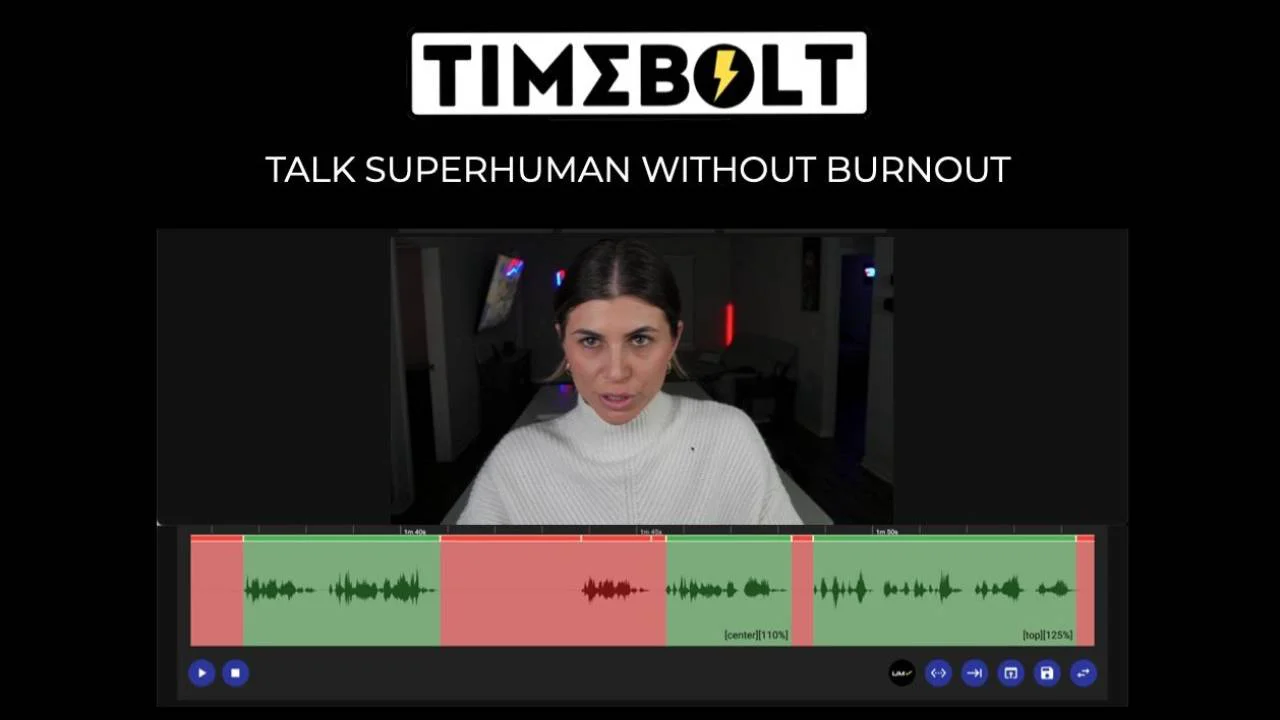
TimeBolt is a desktop-first video editing tool built for content creators, podcasters, marketers, and educators who need to remove silence, filler words, and bad takes at maximum speed. Unlike AI text-based editors that require manual cleanup, TimeBolt uses on-device waveform analysis to detect silence with 0.01-second precision—20× more accurate than transcript-based tools—and processes an hour of footage in just 13 seconds with no cloud upload required. Its AI-powered UMCHECK™ engine removes filler words ("um", "you know"), custom phrases, and bad takes automatically, with 100% detection accuracy and a 98% chance it won't accidentally cut good content. Users get fine-grained padding control to preserve natural breathing room between cuts. TimeBolt also includes a free 4K screen recorder with simultaneous webcam capture, SmartCrop™ auto-framing, and live camera switching. Auto-generated, burn-in styled captions sync perfectly after edits, with SRT export for use in design tools. Exclusive features like Turbo Mode (12% speed compression without voice distortion) and Stitch (highlight reel generator) set it apart from competitors. Export workflows cover Premiere Pro (native extension + XML), DaVinci Resolve, Final Cut Pro (FCPXML), Camtasia, and direct MP4 or SRT output. All processing stays local—no footage ever leaves your machine—making it suitable for regulated enterprise environments. A free trial is available on download.
Key Features
- Waveform-Precision Silence Removal: On-device waveform analysis detects and removes silence with 0.01s precision—20× more accurate than transcript-based tools—processing an hour of video in just 13 seconds.
- AI UMCHECK™ Filler Word & Bad Take Removal: AI-powered engine removes filler words, custom phrases, and bad takes with 100% detection accuracy and 98% confidence it won't cut good content.
- Auto-Generated Captions: Burn-in styled captions that auto-punctuate and sync perfectly after edits, with SRT export. No drift or re-syncing required.
- Free 4K Screen & Webcam Recorder: Built-in screen recorder captures both screen and webcam simultaneously in native 4K with SmartCrop™ auto-framing and live camera switching.
- Multi-Platform Export: Export directly to Premiere Pro (native extension + XML), DaVinci Resolve, Final Cut Pro (FCPXML), Camtasia, MP4, or SRT—all processed locally with no cloud upload.
Use Cases
- YouTubers and video content creators removing silence and filler words to produce polished talking-head videos faster than real-time.
- Podcasters batch-editing long-form audio/video recordings to eliminate dead air, 'ums', and bad takes without manual timeline scrubbing.
- Online educators and course creators recording, cutting, and captioning lessons in a single streamlined workflow.
- Marketers producing high-volume video content for social media who need to minimize post-production time and turnaround.
- Enterprise teams handling regulated or confidential video content who require fully local, no-cloud-upload editing solutions.
Pros
- True Edit-to-Record Speed: Waveform-based cuts require zero manual cleanup, unlike AI text editors that leave hundreds of mistakes per hour requiring manual correction.
- Fully Local Processing: All video processing happens on-device—footage never leaves your machine, making it ideal for privacy-sensitive or regulated enterprise workflows.
- Deep NLE Integration: Native Premiere Pro extension plus XML exports for Final Cut Pro and DaVinci Resolve slot seamlessly into professional editing pipelines.
- All-in-One Capture-to-Caption Workflow: Combines 4K recording, silence/filler removal, and caption generation in a single desktop app, eliminating the need for multiple tools.
Cons
- Desktop-Only Application: TimeBolt is a downloadable desktop app with no web or mobile version, limiting access for users who prefer browser-based workflows.
- Focused on Talking-Head / Podcast Content: Its core automation is optimized for spoken-word video; highly produced or multi-track cinematic content may require additional editing outside the tool.
- Learning Curve for Advanced Features: Features like UMCHECK™, SmartCrop™, and multi-cam XML exports may require initial setup and experimentation to dial in optimal results.
Frequently Asked Questions
How fast does TimeBolt remove silence from video?
TimeBolt processes and removes silence from an hour of video in approximately 13 seconds using on-device waveform analysis, with no cloud upload required.
Does TimeBolt upload my footage to the cloud?
No. All processing is done locally on your machine. Your footage never leaves your device, making TimeBolt suitable for privacy-sensitive or enterprise workflows.
What video editors does TimeBolt integrate with?
TimeBolt integrates with Adobe Premiere Pro (native extension + XML), DaVinci Resolve, Final Cut Pro (FCPXML), and Camtasia. It can also export directly to MP4 or SRT caption files.
What is UMCHECK™ and how does it work?
UMCHECK™ is TimeBolt's AI transcript-powered engine that detects and removes filler words (like 'um' and 'you know'), custom phrases, and bad takes. It claims 100% detection accuracy and a 98% chance of not cutting good content.
Is TimeBolt free to use?
TimeBolt offers a free download and trial. A paid plan is required for full access to all features. Check the Pricing page on timebolt.io for current plan details.


