L
About
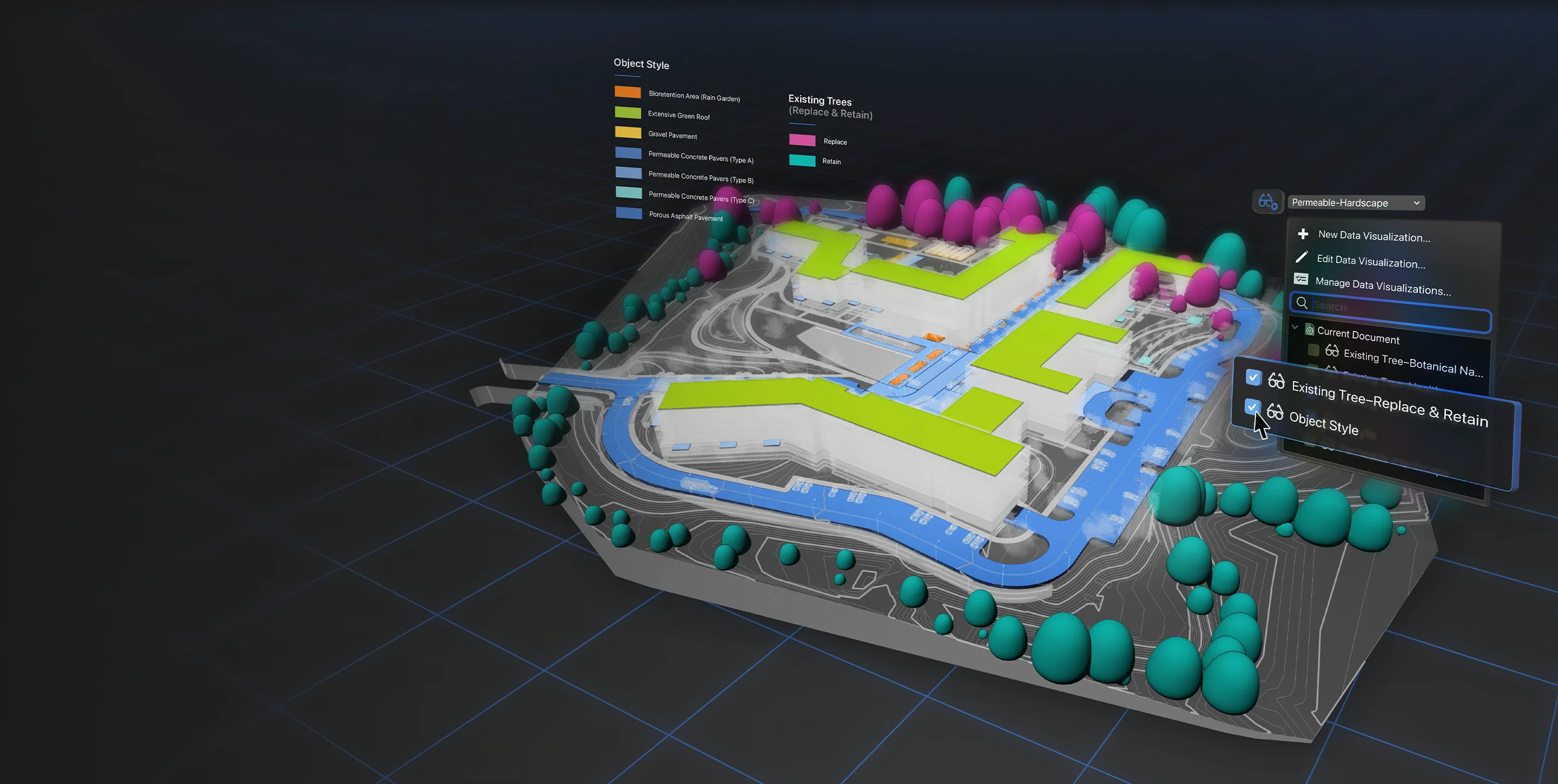
Vectorworks Landmark is a comprehensive 3D landscape design and Building Information Modeling (BIM) platform built specifically for landscape architects, site designers, and land planners. It supports the entire project lifecycle — from early pre-design analysis using GIS, drone data, or field surveys, through schematic design, design development, and final construction document production. The software's BIM engine links drawings, models, schedules, and details so that a change made anywhere is automatically reflected everywhere, reducing manual rework. Designers can calculate construction costs, perform material takeoffs, analyze terrain for cut/fill and drainage, evaluate water budgets, and track sustainability metrics — all within one application. Landmark's smart objects (hardscapes, landscape areas, planting plans) allow users to work conceptually at first and progressively add detail as the design matures. Sheet layers and customizable viewports streamline the creation of construction documents. Collaboration is a core strength: Landmark supports over 20 file formats including AutoCAD, Revit, SketchUp, Rhino, and IFC, enabling open BIM workflows. Emerging technologies such as AR/VR visualization, point cloud import, photogrammetry, and cloud services keep teams ahead of industry trends. Ideal for professional landscape architecture firms, urban design studios, and large-scale site development projects, Vectorworks Landmark is available for macOS and Windows as a full desktop application.
Key Features
- Full BIM Workflow: Link drawings, models, schedules, and details so any change is automatically reflected across the entire project, eliminating manual updates.
- Site Analysis Tools: Analyze terrain for cut/fill, slope, drainage, water budgets, and sun/shade directly within the design environment to make data-informed decisions.
- Multi-Format Collaboration: Import and export over 20 file formats including AutoCAD, Revit, SketchUp, Rhino, IFC, and BCF for seamless collaboration with any project stakeholder.
- Smart Landscape Objects: Work with intelligent objects like hardscapes, planting areas, and irrigation components that carry data and can be progressively detailed as the design evolves.
- AR/VR & Emerging Tech Support: Leverage AR/VR visualization, point cloud import, photogrammetry, and cloud services to present designs and capture real-world site data.
Use Cases
- Landscape architects designing large-scale parks, campuses, or urban plazas from concept through construction documentation
- Site designers performing terrain analysis (cut/fill, drainage, slope) to validate design decisions before breaking ground
- Multidisciplinary project teams needing to collaborate with architects and engineers using Revit or AutoCAD files
- Professionals creating irrigation plans and water budget analyses as part of sustainable landscape projects
- Design firms presenting photorealistic 3D visualizations, AR walkthroughs, or VR experiences to clients during design reviews
Pros
- End-to-end Project Coverage: Supports every phase from pre-design site analysis through construction documentation, eliminating the need to switch platforms.
- Broad File Format Compatibility: With 20+ supported formats, Landmark fits into virtually any multidisciplinary project team's workflow without friction.
- Data-Driven Design Decisions: Built-in cost calculation, material takeoffs, and sustainability tracking give designers actionable intelligence throughout the project.
Cons
- Significant Learning Curve: The depth of features and BIM workflows can require substantial training time, especially for users migrating from simpler CAD tools.
- Premium Pricing: As a professional-grade desktop application, Landmark carries a high licensing cost that may be prohibitive for independent practitioners or small studios.
- Desktop-First Architecture: Core functionality is tied to a desktop install; full cloud-based or browser-based workflows are not yet supported.
Frequently Asked Questions
What types of professionals is Vectorworks Landmark designed for?
Landmark is built for landscape architects, site designers, urban planners, and land development professionals who need an integrated tool for design, documentation, and BIM workflows.
Can Vectorworks Landmark work with files from AutoCAD or Revit?
Yes. Landmark supports over 20 file formats including DWG (AutoCAD), RVT (Revit), SKP (SketchUp), 3DM (Rhino), and IFC, enabling open BIM collaboration with any project team.
Does Landmark support BIM workflows?
Yes. Landmark is a full BIM platform — changes made in one drawing or model are reflected everywhere, and you can generate cost estimates, material takeoffs, and sustainability reports directly from the model.
Is there a free trial available?
Yes, Vectorworks offers a free trial of Landmark so professionals can evaluate the software before purchasing a license.
What platforms does Vectorworks Landmark run on?
Vectorworks Landmark is available as a desktop application for both macOS and Windows. Cloud services are also available for file sharing and collaboration.