
About
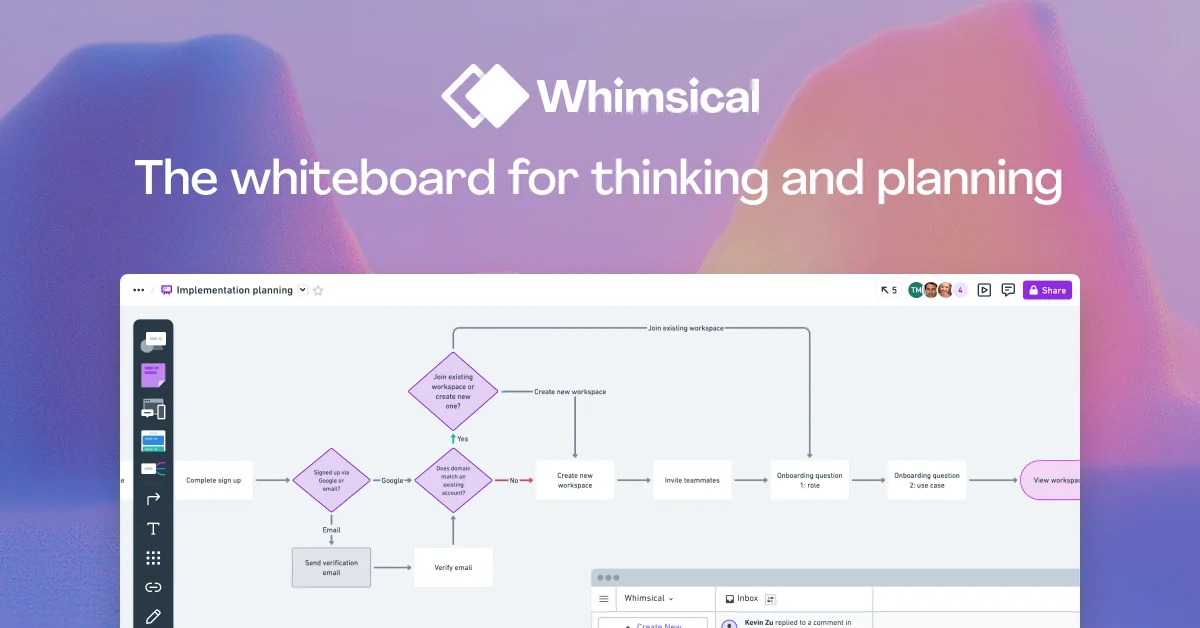
Whimsical is a collaborative visual workspace built for technical teams, designers, and product managers who need to think, plan, and communicate ideas effectively. At its core, Whimsical provides an infinite canvas that supports a wide range of diagram types — including flowcharts, mind maps, wireframes, and free-form boards — all within a single, streamlined interface optimized for speed and flow. With its AI Flowcharts and AI Mind Maps features, Whimsical leverages artificial intelligence to automate the creation of diagrams from text prompts, dramatically reducing the time it takes to turn an idea into a shareable visual. Users can go from raw concept to polished diagram in seconds, making it ideal for brainstorming sessions, product planning, and technical documentation. Whimsical supports real-time multiplayer editing, enabling distributed teams to collaborate simultaneously without interruption. Built-in commenting keeps conversations contextual and focused, while version history allows teams to track changes and revert to earlier states. The platform also includes an expert template library, image and video embedding, and integrations with popular tools to fit seamlessly into existing workflows. Whimsical is particularly well-suited for product teams exploring UX flows, engineers mapping system architectures, and anyone who needs to communicate complex ideas clearly. Available on web, macOS, and Windows, Whimsical offers a free tier to get started, with paid plans for advanced features and larger teams.
Key Features
- AI Flowcharts & Mind Maps: Use AI to automatically generate flowcharts and mind maps from text prompts, cutting diagram creation time from minutes to seconds.
- Infinite Canvas: Work on an unbounded whiteboard that supports diagrams, wireframes, boards, and free-form content all in one place.
- Real-Time Multiplayer Editing: Collaborate simultaneously with teammates on the same canvas with live cursors and instant sync, no conflicts or lag.
- Wireframing with Drag-and-Drop: Build product wireframes quickly using a library of UI components with intuitive drag-and-drop interactions.
- Version History & Templates: Access previous board versions and restore them anytime, plus jump-start work with an expert-curated template library.
Use Cases
- Product managers mapping out user flows and feature requirements before development begins.
- Engineering teams creating system architecture diagrams and technical documentation collaboratively.
- UX designers rapidly prototyping wireframes and iterating on product ideas with drag-and-drop components.
- Remote teams conducting visual brainstorming sessions using AI-generated mind maps on a shared infinite canvas.
- Startups onboarding new hires by visually documenting processes, workflows, and team structures with shareable boards.
Pros
- Fast & Focused Interface: Whimsical is purpose-built for speed, keeping users in a state of flow without the bloat of general-purpose design tools.
- AI Accelerates Ideation: AI-powered diagram generation lets teams go from concept to shareable visual in seconds, boosting brainstorming efficiency.
- All-in-One Visual Workspace: Combines flowcharts, mind maps, wireframes, and whiteboards into a single cohesive tool, eliminating the need for multiple apps.
- Strong Collaboration Features: Multiplayer editing, contextual comments, and version history make it easy for distributed teams to work together.
Cons
- Limited Advanced Design Capabilities: Whimsical is optimized for planning and diagramming — it lacks the high-fidelity design features found in tools like Figma.
- Free Tier Restrictions: The free plan has limitations on the number of files and collaborators, which may push growing teams toward paid plans quickly.
- Export Options Are Basic: Exporting diagrams to third-party formats or integrating with certain tools may require workarounds compared to more developer-focused alternatives.
Frequently Asked Questions
What is Whimsical used for?
Whimsical is used to create visual diagrams, flowcharts, mind maps, and wireframes for product planning, brainstorming, and team communication. It's especially popular among product teams and engineers.
How does Whimsical AI work?
Whimsical's AI features let you describe what you want in plain text, and the tool automatically generates a flowchart or mind map. This speeds up the ideation and documentation process significantly.
Is Whimsical free to use?
Yes, Whimsical offers a free tier to get started. Paid plans are available for teams that need more files, advanced features, and additional collaborators.
What platforms does Whimsical support?
Whimsical is available as a web app and as a desktop application for macOS and Windows.
Can multiple people edit a Whimsical board at the same time?
Yes, Whimsical supports real-time multiplayer editing, allowing teams to collaborate simultaneously on the same canvas with live updates.