

About
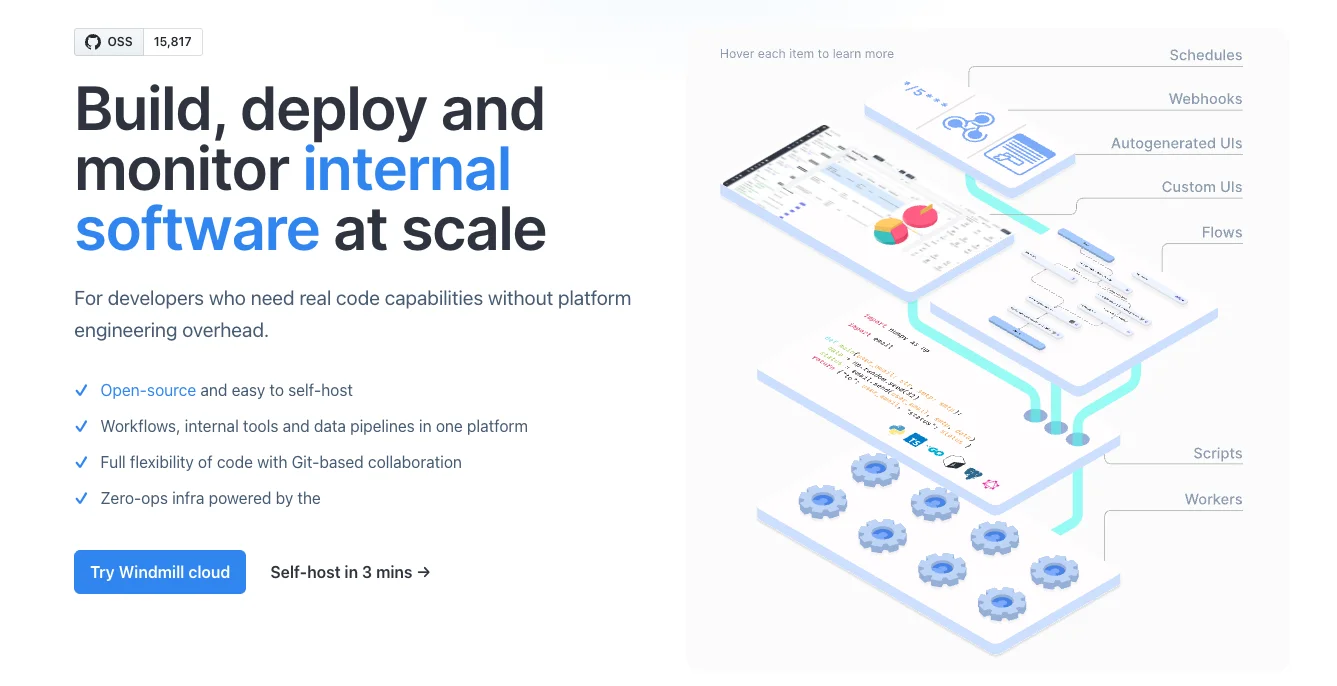
Windmill is an open-source workflow engine designed for developers who need the full flexibility of code without the burden of platform engineering. Trusted by 4,000+ organizations, it enables teams to build mission-critical internal tools, data pipelines, and automation workflows that integrate directly with existing stacks and resources. Developers can write scripts in 20+ languages—including Python, TypeScript, and Go—with full LSP support, auto-generated UIs, and managed dependencies. Scripts can be orchestrated into high-performance flows with sub-20ms overhead, or used to power full-stack internal applications. The platform supports both a Web IDE and a local development experience via CLI and VS Code extension, with AI-assisted coding rules for Cursor and Claude. Windmill is engineered to be the fastest workflow orchestrator in the industry, scaling from a single-node VPS to 1,000-node Kubernetes clusters with auto-scaling and dedicated worker groups. It offers Git-based collaboration with workspace forks, built-in diffs, and strict audit trails before merging to production. For observability, every job execution is tracked with real-time logs and I/O, with instant Slack or email alerts for failures and metrics export to OpenTelemetry and Prometheus. Enterprise features include granular RBAC, SSO, secret management, and comprehensive audit logs with air-gapped support for regulated industries. With 100+ built-in integrations (PostgreSQL, Snowflake, Kafka, and more), Windmill eliminates the need for custom SDKs or proprietary lock-in.
Key Features
- Multi-Language Script Engine: Write scripts in 20+ languages including Python, TypeScript, and Go with full LSP support, auto-generated UIs, and managed dependencies—instantly turning them into API endpoints or event hooks.
- High-Performance Workflow Orchestration: Orchestrate scripts into production-grade flows with sub-20ms overhead, making Windmill one of the fastest workflow orchestrators available—scalable from single-node VPS to 1,000-node Kubernetes clusters.
- Git-Based Collaboration & Local Dev: Work locally with your favorite editor, CLI, and VS Code extension. Sync changes via Git with workspace forks, built-in diffs, and audit trails before merging to production.
- AI-Assisted Development: Leverage AI assistance directly within workflows and take advantage of AI-assisted coding rules for Cursor and Claude to accelerate script and flow development.
- Enterprise Security & Observability: Granular RBAC, SSO, secret management, comprehensive audit logs, real-time job monitoring, Slack/email alerts, and OpenTelemetry/Prometheus metrics export for full operational visibility.
Use Cases
- Building and automating internal business tools that connect to databases, APIs, and SaaS platforms without custom backend infrastructure.
- Orchestrating complex data pipelines across sources like PostgreSQL, Snowflake, and Kafka with real-time monitoring and failure alerting.
- Replacing brittle cron jobs and shell scripts with managed, observable, version-controlled workflows that scale on Kubernetes.
- Enabling platform engineering teams to provide self-serve internal tooling portals to non-engineering stakeholders via auto-generated UIs.
- Running AI agent workflows and LLM-assisted automation pipelines in a secure, self-hosted environment with enterprise compliance requirements.
Pros
- Truly Open Source with No Vendor Lock-In: Windmill is fully open-source and self-hostable; your code uses standard languages with no proprietary SDKs, meaning you can run it locally, generate it with LLMs, or port it anytime.
- Exceptional Performance at Scale: Engineered as one of the fastest job orchestrators in the industry, it handles demanding workloads without bottlenecks and auto-scales across Kubernetes and Docker environments.
- 100+ Built-In Integrations: Enterprise-grade connectors for PostgreSQL, Snowflake, Kafka, and 100+ other services are built in, eliminating the need to build and maintain your own integration glue.
- Developer-First Experience: Full local dev workflow with CLI, VS Code extension, and AI-assisted rules for modern AI editors makes it feel native to existing developer toolchains.
Cons
- Steep Learning Curve for Non-Developers: Windmill is built for developers and requires coding knowledge; non-technical users may find the platform challenging compared to no-code alternatives.
- Self-Hosting Requires Infrastructure Management: While self-hosting is straightforward, teams without DevOps experience may still need to manage upgrades, backups, and infrastructure configuration over time.
- Enterprise Features Behind a Paid Tier: Advanced capabilities like granular RBAC, SSO, air-gapped deployments, and dedicated support require the Enterprise Edition, which adds cost for larger organizations.
Frequently Asked Questions
Is Windmill truly open source?
Yes. Windmill is open source and available on GitHub. You can self-host it on your own infrastructure with no proprietary SDKs or vendor lock-in. An Enterprise Edition with additional security and support features is also available.
What programming languages does Windmill support?
Windmill supports 20+ languages including Python, TypeScript, Go, and more—all with full LSP support, auto-generated UIs, and managed dependencies out of the box.
How does Windmill compare to other workflow orchestrators like Airflow or Temporal?
Windmill is engineered for speed (sub-20ms overhead), provides a full Web IDE and local dev experience, supports internal app building alongside workflows, and requires zero DevOps glue—making it more developer-friendly and full-featured for internal tooling use cases.
Can I use Windmill with AI coding tools like Cursor or Claude?
Yes. Windmill provides AI-assisted coding rules specifically designed for Cursor and Claude, enabling AI-accelerated script and workflow development within your existing AI coding workflow.
What does the cloud version offer versus self-hosting?
Windmill Cloud provides a fully managed experience with no infrastructure management required. Self-hosting gives you full data sovereignty and can be set up in about 3 minutes. Both options support the same core feature set, with the Enterprise Edition adding advanced security and compliance features.