

About
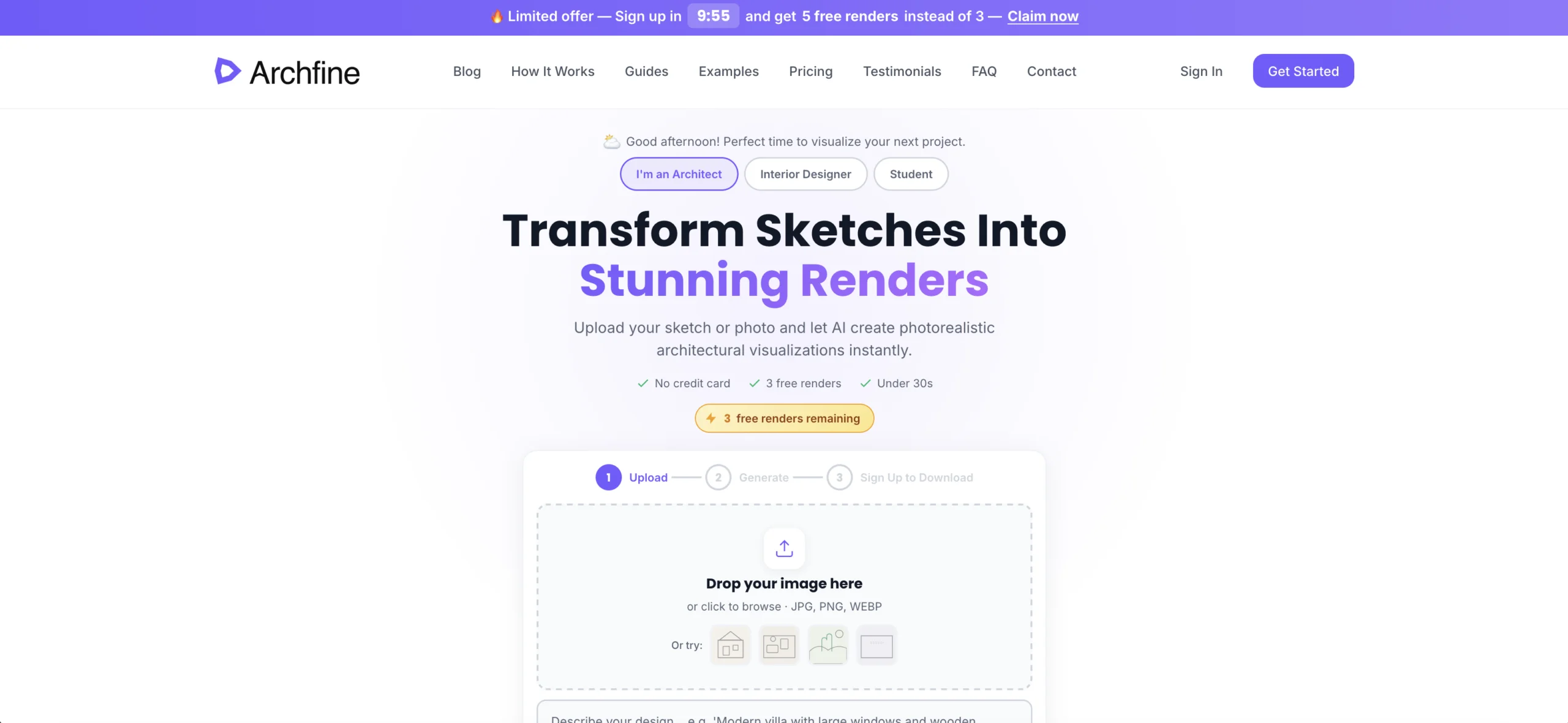
Archfine AI is a browser-based architectural rendering platform that harnesses generative AI to turn rough sketches, hand-drawn plans, CAD drawings, and 3D model screenshots into stunning photorealistic visualizations — all in under 30 seconds. Where traditional rendering workflows with software like V-Ray or Lumion can take hours and require expert-level skills, Archfine reduces the process to a simple three-step flow: upload an image, describe your vision with a text prompt, and download the resulting HD or 4K render. The platform supports a wide range of use cases including exterior and interior renders, landscape design, kitchen and bathroom redesigns, facade transformations, office layouts, and furniture staging in empty spaces. It is compatible with exports from SketchUp, Revit, AutoCAD, Rhino, ArchiCAD, Blender, 3ds Max, and many more professional tools — no plugins required. Archfine is trusted by over 12,000 architects and design professionals, including teams at Gensler, HOK, Zaha Hadid Architects, BIG, and Foster+Partners. Pricing starts from $0.33 per render, compared to the $200–$500+ cost per render typically associated with traditional methods. A free account provides three HD renders with no credit card required, while a Pro plan offers unlimited 4K renders. Archfine is ideal for architects needing fast client presentation visuals, interior designers exploring concepts, real estate teams staging properties, and design students showcasing their work.
Key Features
- Sketch & Photo to Photorealistic Render: Upload any hand-drawn sketch, CAD export, photo, or 3D model screenshot and receive a photorealistic architectural visualization in under 30 seconds.
- Text Prompt Styling: Describe your desired style, materials, mood, and lighting via a text prompt — or let the AI decide — to fine-tune the look of your render.
- Broad Software Compatibility: Works directly with exports from SketchUp, Revit, AutoCAD, Rhino, ArchiCAD, Blender, 3ds Max, and more — no plugins or additional setup required.
- HD & 4K Download Options: Free accounts can download renders in HD, while Pro users access 4K resolution output suitable for high-end client presentations and print materials.
- Multiple Visualization Modes: Supports exteriors, interiors, landscapes, kitchens, bathrooms, offices, facade redesigns, furnished rooms, and CAD/blueprint-to-render transformations.
Use Cases
- Architects quickly generating photorealistic client presentation renders from SketchUp or Revit exports without needing rendering expertise.
- Interior designers visualizing room redesigns, furniture layouts, and material choices from reference photos or hand-drawn plans.
- Architecture and design students producing professional-quality project visuals for portfolios and academic presentations.
- Real estate developers and agents creating compelling property marketing visuals from floor plans or 3D model screenshots.
- Design teams rapidly iterating on exterior facade or landscape concepts during early project phases without lengthy rendering setup.
Pros
- Dramatically Faster Than Traditional Rendering: Generates renders in under 30 seconds — up to 720x faster than V-Ray and far quicker than Lumion or Enscape — saving hours of work per project.
- No Technical Expertise Required: Unlike V-Ray or Lumion, Archfine requires no lighting setup, scene configuration, or rendering knowledge — just upload and describe your vision.
- Affordable Pricing: Starting at $0.33 per render with a free tier included, it delivers a 95% cost reduction compared to traditional rendering pipelines or hiring visualization specialists.
- Trusted by Top-Tier Architecture Firms: Used by professionals at Gensler, HOK, Zaha Hadid Architects, BIG, and Foster+Partners, demonstrating real-world reliability in demanding professional contexts.
Cons
- Limited Free Renders: The free account provides only 3 renders in HD; heavy users or teams will need to upgrade to a paid plan for unlimited access.
- Output Quality Depends on Input: Renders are only as informative as the uploaded image — very rough or ambiguous sketches may produce less accurate or detailed results.
- Less Parametric Control Than Traditional Software: Compared to V-Ray or Lumion, there is less granular control over lighting physics, material properties, and camera optics for highly precise technical visualizations.
Frequently Asked Questions
How fast does Archfine AI generate a render?
Archfine generates photorealistic renders in under 30 seconds, making it dramatically faster than traditional rendering tools like V-Ray (4–8 hours) or Lumion (20+ minutes).
What file formats does Archfine support?
Archfine accepts JPG, PNG, WEBP, SVG, DWG, and DXF files. You can upload screenshots or exports from SketchUp, Revit, AutoCAD, Rhino, ArchiCAD, Blender, 3ds Max, and other tools.
Is there a free plan, and do I need a credit card?
Yes. You can try a free demo with 1 blurred render, and creating a free account gives you 3 HD renders at no cost. No credit card is required to get started.
Do I need to install any plugins or software?
No. Archfine is entirely browser-based. Simply export or screenshot your design from your preferred CAD or 3D tool and upload it directly — no plugins or integrations needed.
What types of architectural renders can Archfine produce?
Archfine supports a wide range of render types including exterior and interior views, landscape design, kitchen and bathroom redesigns, facade redesigns, office layouts, blueprint-to-render, section renders, and furnished space visualizations.