

About
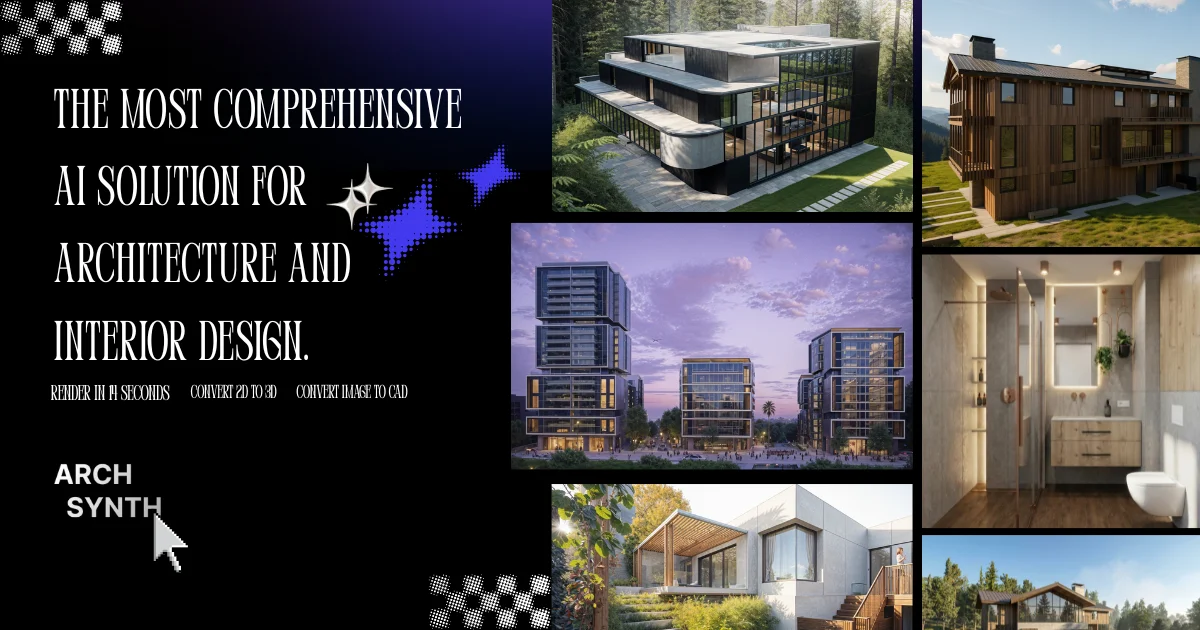
Archsynth is a cutting-edge AI platform purpose-built for architecture and interior design professionals. At its core, it transforms rough sketches into polished, photorealistic renders in as little as 14 seconds, allowing designers to iterate at the speed of their ideas. Beyond sketch-to-render, Archsynth offers an extensive feature set that rivals—and often exceeds—what multiple specialized tools provide individually. Key capabilities include image-to-3D model conversion (compatible with Sketchup, Rhino, Revit, and 3ds Max), text-to-image generation, AI-powered inpainting and generative fill, photo enhancement, interior design visualization, virtual staging, AI landscaping, tileable texture generation, and even image-to-video. It also offers unique features not found elsewhere, such as moodboard-based generation, color preservation from input images, and an image-analyzing AI assistant. Designed for students, freelance architects, and professional design studios alike, Archsynth consolidates what would typically cost $500+/month across multiple AI tools into a single Student plan at $10/month or Pro plan at $24/month, with pay-per-generation options starting at $0.049. The platform is trusted by users at prestigious global institutions and has processed over 15.6 million renders, making it one of the most comprehensive and cost-effective AI solutions in the architecture and design space.
Key Features
- Sketch to Render: Convert hand-drawn architectural sketches into photorealistic renders in as little as 14 seconds using advanced AI image generation.
- Image to 3D Model: Generate detailed 3D architectural models from 2D images, exportable for use in Sketchup, Rhino, Revit, 3ds Max, and more.
- Virtual Staging & Interior Design: Instantly stage and visualize interior spaces with AI, including furniture placement, material choices, and lighting simulation.
- Tileable Texture Generation: Create diverse, seamlessly tileable textures and patterns for 3D models in seconds using AI-powered generation.
- AI Image Assistant: Upload any image and ask questions—Archsynth's built-in AI assistant analyzes and provides insights about your designs instantly.
Use Cases
- Architects rapidly converting hand-drawn concept sketches into client-ready photorealistic renders during early design phases.
- Interior designers visualizing and virtually staging rooms with different furniture layouts, materials, and lighting before committing to final designs.
- Architecture students creating polished presentation visuals from rough sketches without expensive software or lengthy render times.
- Design studios generating 3D models from 2D drawings for use in Sketchup, Rhino, or Revit, reducing manual 3D modeling time significantly.
- Real estate developers and agents using AI-powered virtual staging and landscaping visuals to market properties before construction is complete.
Pros
- All-in-one design toolkit: Replaces $500+/month worth of separate AI tools with a single subscription covering rendering, 3D modeling, virtual staging, textures, video, and more.
- Extremely fast generation: Produces high-quality renders in as little as 14 seconds, enabling rapid design iteration without long processing delays.
- Affordable pricing tiers: Accessible to students and professionals alike, with plans starting at $10/month or pay-per-generation from $0.049.
- Unique architecture-specific features: Offers specialized tools like image-to-CAD and moodboard-based generation that aren't available in general-purpose AI platforms.
Cons
- Pay-per-generation costs can add up: Heavy users working at scale may find per-generation pricing accumulates quickly outside of flat-rate subscription plans.
- Primarily web-based: Lacks native desktop or mobile apps, requiring a stable internet connection for all generation tasks.
- Output quality depends on input sketch quality: Poorly defined or ambiguous sketches may yield inconsistent or unexpected render results, requiring additional iterations.
Frequently Asked Questions
How fast does Archsynth generate renders?
Archsynth can transform sketches into photorealistic renders in as little as 14 seconds, making it one of the fastest AI rendering tools available for architecture.
What file formats are compatible with Archsynth's 3D models?
3D models generated by Archsynth can be exported and used in popular design software including Sketchup, Rhino, Revit, and 3ds Max.
What are the pricing plans?
Archsynth offers a Student plan at $10/month and a Pro plan at $24/month, both including all features. Pay-per-generation is also available starting at $0.049 per render. A 7-day money-back guarantee is included.
Can Archsynth generate images from text descriptions?
Yes, Archsynth supports text-to-image generation in addition to sketch-to-render, allowing designers to visualize ideas purely from written prompts.
Is Archsynth suitable for students and beginners?
Absolutely. Archsynth offers an affordable Student plan and an intuitive interface designed for both professionals and those newer to architectural visualization.