
About
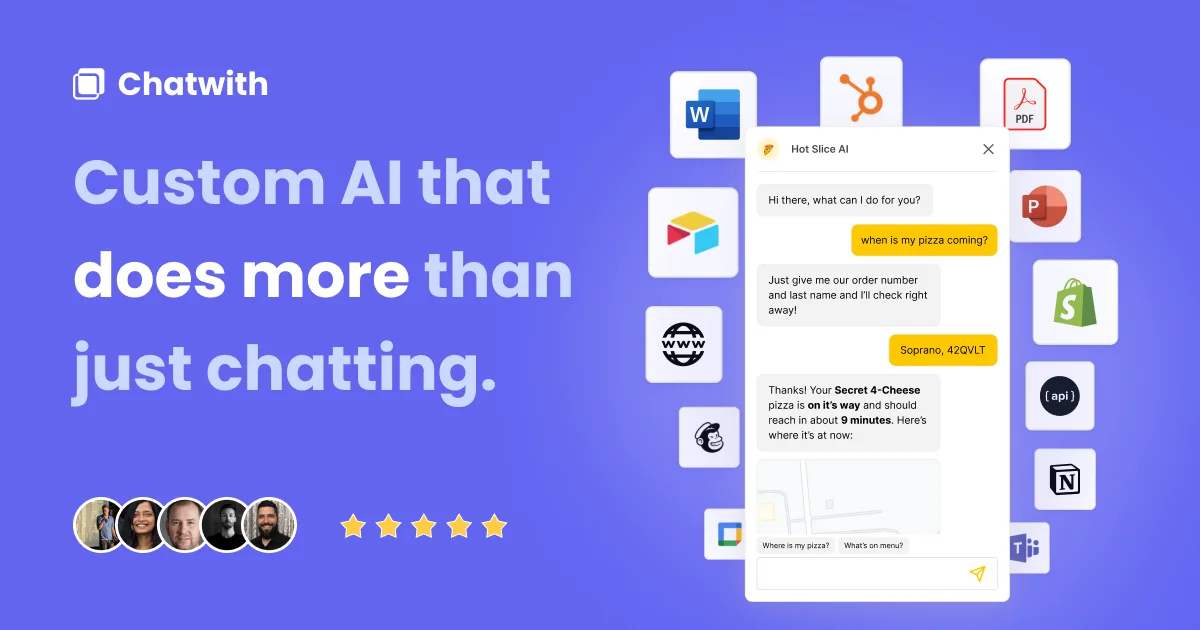
Chatwith is a no-code platform that enables businesses and agencies to build custom AI chatbots powered by ChatGPT and trained on their own data. Simply point the platform at your website, upload files (PDF, DOCX, TXT, and more), or link YouTube videos, and Chatwith trains a chatbot that can accurately answer customer questions around the clock. The platform offers deep integration capabilities, connecting to over 5,000 apps via Make.com, Zapier, or ActivePieces, as well as custom APIs — enabling the chatbot to check live inventory, generate documents, collect leads, and perform tasks on behalf of users or customers. OpenAI Function Calling is supported for advanced agent workflows. Customization is extensive: match your brand with custom colors, logos, avatars, themes, and voice. Deploy as a corner popup bubble or an embedded chat widget, or share via a custom-domain link. The chatbot also integrates natively with Slack, WhatsApp, and Telegram. Built for AI agencies, Chatwith provides full white-label support with a branded dashboard, role-based team access, and a client guest portal. Analytics and conversation logs give actionable insights into customer behavior. With support for 95+ languages, Chatwith helps businesses serve a global audience. Compatible with Shopify, WordPress, Framer, Webflow, and more, it powers use cases from e-commerce support to real estate lead generation.
Key Features
- Train on Your Own Data: Ingest your website content, PDFs, DOCX, TXT files, and YouTube videos to train a chatbot that accurately answers customer questions 24/7.
- 5,000+ App Integrations: Connect the chatbot to external apps and APIs via Make.com, Zapier, or ActivePieces so it can fetch live data and perform real-world actions.
- Full White-Label for Agencies: Rebrand the entire dashboard and chatbot widget under your own domain and logo, with role-based access for team members and clients.
- 95+ Language Support: Automatically detect and respond in over 95 languages, allowing businesses to serve a global customer base without manual translation.
- Conversation Analytics & Exports: Review all chatbot conversations, track trends with charts and notifications, and export logs or share them via Webhooks and a client portal.
Use Cases
- E-commerce stores using a Shopify-integrated chatbot to handle order status inquiries, product questions, and returns 24/7 without human agents.
- SaaS companies embedding a knowledge base assistant trained on their documentation to deflect support tickets and onboard new users faster.
- Real estate agencies deploying a lead generation bot that qualifies prospects, answers property FAQs, and books viewings directly through the chat widget.
- AI agencies building branded chatbots for multiple clients using white-label features and reselling them under their own brand.
- Global businesses leveraging 95-language support to provide localized customer service across international markets without separate translation workflows.
Pros
- Zero Coding Required: Deploy a fully functional AI chatbot on any popular website builder with a single line of code — no developer needed.
- Extensive Integration Ecosystem: Seamless connectivity with thousands of apps and custom APIs enables powerful automation well beyond standard FAQ bots.
- Agency-Ready White-Labeling: Built-in white-label features, usage-based pricing, and client management tools make it ideal for reselling to clients.
- Multi-Channel Deployment: Beyond website widgets, the chatbot can be deployed on Slack, WhatsApp, and Telegram with minimal setup.
Cons
- Advanced Features Require Paid Plans: Capabilities like custom domains, white-labeling, and higher message volumes are locked behind paid tiers.
- Dependent on OpenAI Infrastructure: The platform relies on OpenAI's models, so performance and costs are tied to third-party API availability and pricing changes.
- Learning Curve for Complex Integrations: Setting up advanced GPT Actions or multi-step automations via APIs may require familiarity with tools like Make.com or Zapier.
Frequently Asked Questions
How does Chatwith train the chatbot on my data?
Chatwith crawls your website URL and/or processes uploaded files (PDF, DOCX, TXT) and YouTube video transcripts to create a knowledge base. The chatbot uses this to answer customer questions accurately.
Can I integrate the chatbot with my existing tools?
Yes. Chatwith supports 5,000+ integrations via Make.com, Zapier, and ActivePieces, plus direct API connections, allowing the bot to perform tasks like checking inventory or submitting forms.
Is there a free plan available?
Yes, Chatwith offers a free chatbot creation option. Paid plans unlock higher message limits, custom domains, white-labeling, and advanced analytics.
Which website platforms does Chatwith support?
Chatwith works with all major website builders including Shopify, WordPress, Framer, Webflow, and any site that allows custom HTML — simply paste one line of code.
Can agencies resell Chatwith chatbots to clients?
Absolutely. Chatwith is built for AI agencies with full white-label support, custom domain dashboards, usage-based pricing, and role-based client access management.