

About
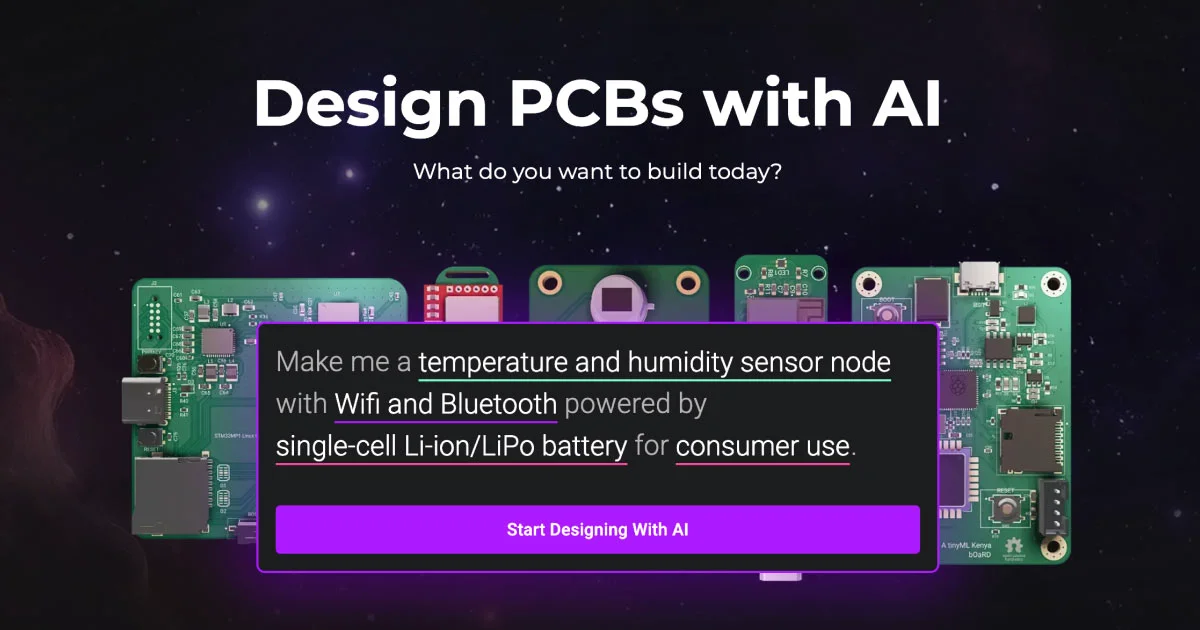
Flux is an AI-powered, browser-based PCB design platform built for modern hardware engineers. Unlike traditional desktop EDA tools, Flux runs entirely in the browser and integrates a powerful AI Copilot that can autonomously plan and execute design workflows — from generating schematics and netlists to reviewing designs and parsing datasheets. The platform supports a wide range of use cases: auto-laying out PCB components, researching and selecting parts from major manufacturers (Texas Instruments, STMicroelectronics, Analog Devices, NXP, Microchip, and more), generating firmware code, and running AI-assisted design reviews. Engineers can describe what they want to build in natural language and Flux's AI will scaffold the architecture, suggest components, and produce a starting design. Flux includes a rich library of reference designs, manufacturer templates, component templates, and modules for popular microcontrollers like ESP32, STM32, Raspberry Pi, Arduino, and others. The Copilot Presets feature enables repeatable prompt workflows for common design patterns such as power modules, motor drivers, wireless connectivity (Wi-Fi, BLE, LoRaWAN, Zigbee), and USB-C interfaces. Flux is ideal for hardware startups, freelance PCB designers, and enterprise engineering teams looking to dramatically shorten the design cycle. With a community tier for individuals and an Enterprise plan for teams, Flux scales from solo makers to large organizations.
Key Features
- AI Copilot for PCB Design: Describe your project in natural language and the AI Copilot will plan, explain, and execute full design workflows — from schematic generation to layout — inside the browser-based eCAD.
- AI-Generated Netlists & Auto-Layout: Automatically generate netlists and component placement layouts using AI, dramatically reducing time spent on repetitive manual design tasks.
- Component Research & Datasheet Parsing: Research parts from major manufacturers and let AI parse datasheets to extract key specs, reducing the need to manually review lengthy technical documents.
- Firmware Code Generation & Debugging: Use AI to generate firmware code for your microcontroller-based designs and assist with testing and debugging embedded software.
- Rich Reference Library & Templates: Access a growing library of reference designs, manufacturer templates, component templates, and prebuilt modules for popular microcontrollers like ESP32, STM32, and Raspberry Pi.
Use Cases
- A hardware startup founder describes a low-power IoT sensor node in plain English and Flux generates the full schematic, BOM, and PCB layout in minutes.
- An embedded engineer uses the Copilot to parse datasheets for a new microcontroller and auto-generate the initialization firmware code.
- A PCB designer leverages Flux's AI Auto-Layout feature to automatically place and route components for a compact motor driver board.
- An engineering team uses Flux's AI Design Review to catch common mistakes and verify design rules before sending a board to fabrication.
- A developer builds a wireless product using Flux's prebuilt Wi-Fi, BLE, and USB-C modules, then customizes the design using the browser-based eCAD editor.
Pros
- Fully Browser-Based: No installation required — Flux runs entirely in the browser, making it accessible from any machine and enabling easy collaboration and sharing.
- End-to-End AI Assistance: The AI Copilot covers the entire design workflow from research and architecture through layout, firmware, and design review, reducing context-switching for engineers.
- Extensive Component & Manufacturer Support: Deep integration with major manufacturers (TI, STMicro, Analog Devices, NXP, Microchip) and a large library of reference designs and modules accelerates time to prototype.
Cons
- Limited Offline Access: As a browser-based tool, Flux requires an internet connection and may not suit engineers who need to work offline or in air-gapped environments.
- Enterprise Features Behind Paywall: Advanced collaboration and team features are locked behind the Enterprise tier, which may be cost-prohibitive for small teams or independent freelancers.
- Niche Use Case: Flux is purpose-built for PCB and hardware design, so it won't appeal to or benefit software-only developers or non-hardware engineering workflows.
Frequently Asked Questions
What is Flux and who is it for?
Flux is a browser-based electronic CAD (eCAD) platform with a built-in AI Copilot. It's designed for hardware engineers, PCB designers, firmware developers, hardware startups, and enterprise engineering teams who want to design circuits and PCBs faster using AI automation.
Do I need to install any software to use Flux?
No. Flux runs entirely in the browser — there is no desktop software to install. You can start designing immediately after signing up from any modern web browser.
What can the Flux AI Copilot do?
The Copilot can generate netlists and schematics, auto-layout PCB components, research and recommend parts from major manufacturers, parse datasheets, generate firmware code, perform AI design reviews, and assist with testing and debugging.
What microcontrollers and manufacturers does Flux support?
Flux has prebuilt modules and templates for ESP32, STM32, Raspberry Pi, MSP430, ESP8266, and Arduino microcontrollers. It also has manufacturer-specific templates and component libraries for Texas Instruments, STMicroelectronics, Analog Devices, NXP, Microchip, and Seeed Studio.
Is Flux free to use?
Flux offers a free community tier for individual users and an Enterprise plan for teams and organizations. The Enterprise plan includes advanced collaboration features and dedicated support. Specific plan limits are available on the Flux pricing page.