
P
About
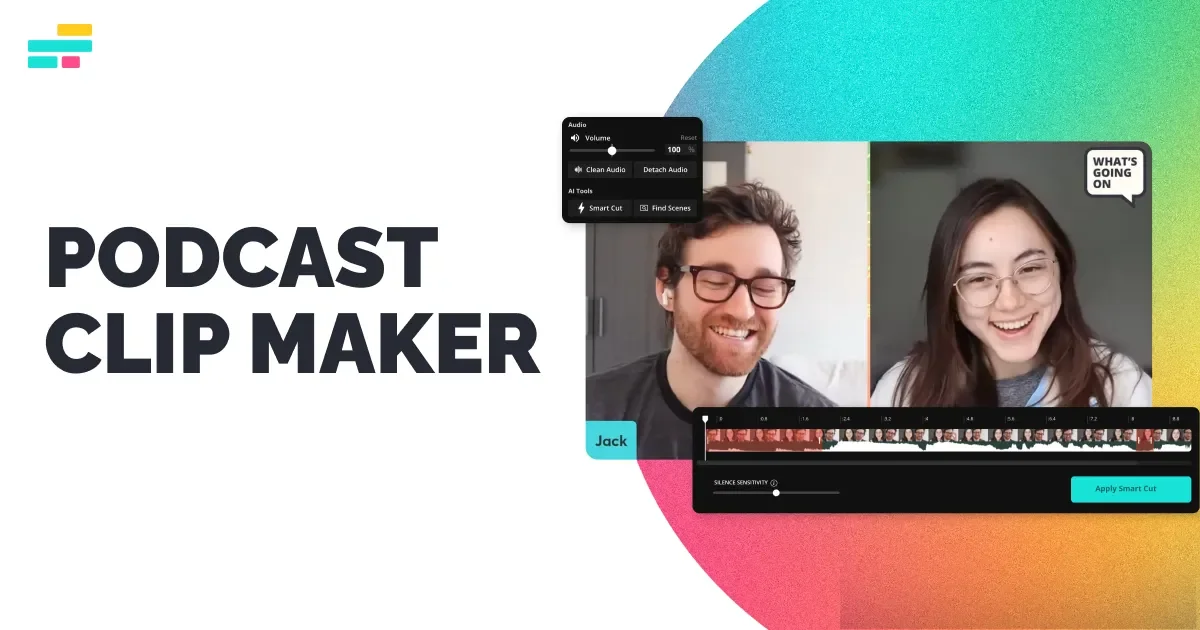
Kapwing Podcast AI is an AI-powered podcast clip maker designed to help content creators, marketers, and podcast producers repurpose long-form audio and video podcast episodes into high-impact short clips. By simply uploading a file or pasting a link from platforms like Apple Podcasts, YouTube Podcasts, Amazon Music, Google Podcasts, or iHeartRadio, users can automatically detect the most compelling moments and generate share-ready clips in minutes. The tool uses AI to stitch together related segments, remove filler content, and assemble teaser trailers, ad spots, social media snippets, or blog embeds — all without manual editing. Users can specify preferences via an AI chatbot interface, choosing clip length and aspect ratio for any platform. Custom social media aspect ratios, preset styles, colors, and logo overlays make it easy to brand clips for TikTok, Instagram Reels, Facebook, and more. Kapwing Podcast AI is part of a broader suite of tools including subtitle generation, audio cleanup, translation into 40+ languages, B-Roll generation, and a full video editor. It's ideal for podcast teams looking to maximize reach and save hours of post-production work. Freemium access makes it accessible for individuals and growing teams alike, while enterprise plans cater to marketing and training departments.
Key Features
- Auto Clip Generation: AI automatically detects the most engaging moments in a podcast episode and assembles them into polished short clips — no manual editing needed.
- Multi-Platform Import: Import podcast episodes directly from Apple Podcasts, YouTube Podcasts, Amazon Music, iHeartRadio, Google Podcasts, and more via URL or file upload.
- Social Media Aspect Ratios: Instantly resize clips to fit TikTok, Instagram Reels, YouTube Shorts, Facebook, and other platforms with one-click aspect ratio presets.
- AI Chatbot Customization: Use a conversational AI chatbot to specify clip length, style, content focus, and other preferences for fully customized output.
- Subtitle & Audio Enhancement: Automatically add captions, clean up background noise, and apply branded styles and logos to make clips publication-ready.
Use Cases
- A podcast producer uploads a 60-minute episode and uses Kapwing AI to automatically generate 10 short highlight clips for TikTok and Instagram Reels.
- A marketing team repurposes company podcast interviews into branded video snippets for use in newsletters, blog embeds, and social media ad campaigns.
- An independent podcaster with no video editing experience creates polished YouTube Shorts from full episodes without any manual cutting or trimming.
- A content agency batch-processes multiple client podcast episodes weekly, using Kapwing to deliver captioned, resized clips across multiple social platforms.
- A media brand translates podcast clips into 40+ languages using Kapwing's dubbing feature to expand reach to international audiences.
Pros
- Free to Start: Kapwing offers a free tier that lets users generate and download podcast clips without a subscription, lowering the barrier to entry.
- Saves Hours of Editing: AI automation eliminates the need to manually scrub through episodes, split audio, and cut clips — dramatically speeding up content repurposing workflows.
- All-in-One Platform: Beyond clip making, Kapwing includes subtitles, audio cleanup, translation, B-Roll generation, and a full video editor in one browser-based tool.
- Broad Platform Support: Supports imports from nearly every major podcast platform, making it easy to work with existing published content.
Cons
- Freemium Limitations: Free users may encounter watermarks, export limits, or restricted access to advanced features, requiring an upgrade for professional use.
- Web-Only: Kapwing runs entirely in the browser with no desktop app, which may be limiting for users who need offline access or process large video files frequently.
- AI Clip Quality Varies: Automatically selected clips may not always match editorial standards, requiring occasional manual review and adjustment.
Frequently Asked Questions
What podcast platforms does Kapwing support for importing episodes?
Kapwing supports imports from Apple Podcasts, YouTube Podcasts, Google Podcasts, Amazon Music, iHeartRadio, and more. You can paste a link or upload an audio/video file directly.
Is Kapwing Podcast AI really free?
Yes, Kapwing offers a free tier that lets you generate and download podcast clips. However, some advanced features and higher-quality exports may require a paid subscription.
What social media platforms are supported for clip output?
Clips can be formatted for TikTok, Instagram Reels, YouTube Shorts, Facebook, and other platforms using built-in aspect ratio presets.
Can I customize which moments the AI selects for clips?
Yes. You can use Kapwing's AI chatbot interface to specify what type of content you want highlighted, the desired clip length, and stylistic preferences.
Does Kapwing add subtitles to podcast clips automatically?
Yes, Kapwing includes an automatic subtitler that can add captions to your clips in the browser, making them accessible and optimized for silent autoplay on social platforms.