

About
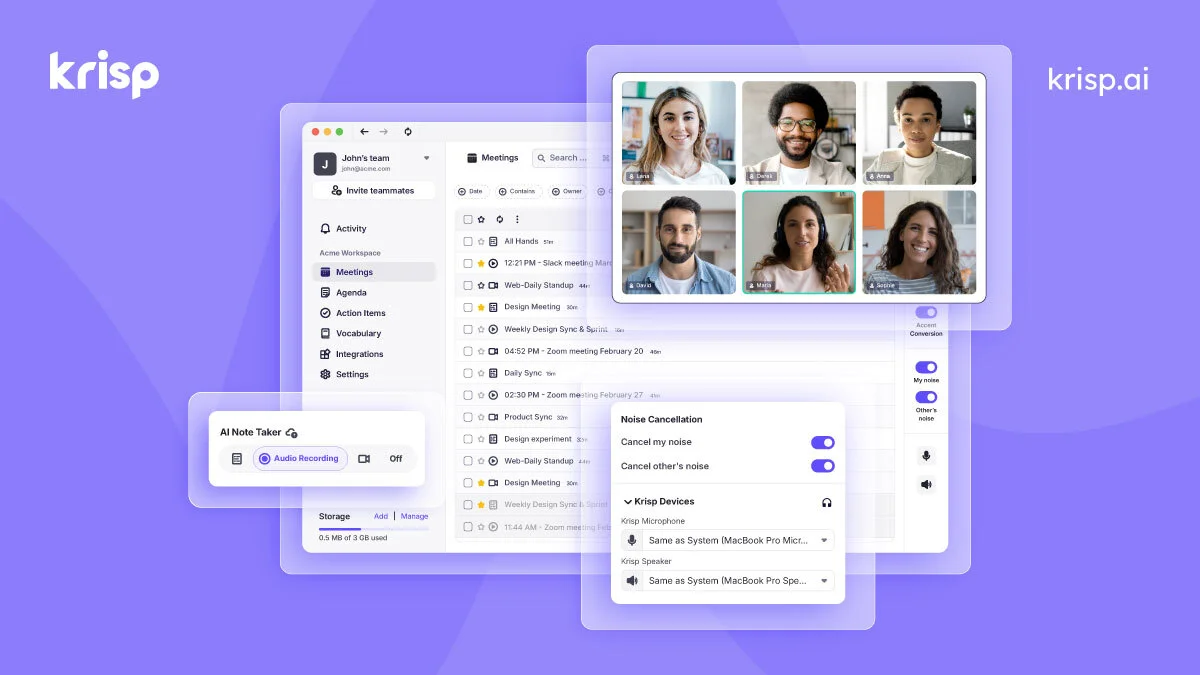
Krisp is an AI-powered audio enhancement platform designed to deliver crystal-clear communication in any environment. It sits between your device and your conferencing app to filter out distractions in real time — removing background noise, nearby voices, and room echoes from both your microphone and speaker feeds. Users can choose to cancel their own background noise, cancel noise coming from other participants, or both, making it equally powerful in home offices, coffee shops, and busy call centers. Beyond noise cancellation, Krisp doubles as an AI Meeting Assistant, offering automatic transcription, recording, and AI-generated meeting summaries so nothing gets missed. The platform also features Accent Conversion and Voice Translation for call center agents, enabling more effective cross-language and cross-accent communication in real time. For developers and enterprises, Krisp offers an AI Voice SDK with models for voice isolation, turn-taking optimization, noise removal, and voice translation — enabling these capabilities to be embedded directly into products. The platform serves a wide range of users, from individual remote workers and small teams (available free, no credit card required) to large enterprises and call center operations seeking speech analytics, agent assist tools, and compliance monitoring.
Key Features
- AI Background Noise Removal: Removes background noise from both inbound and outbound audio streams, delivering distraction-free, crystal-clear calls from any environment.
- Background Voice Cancellation: Isolates the active speaker's voice and eliminates all other nearby voices and conversations, ideal for open offices and call centers.
- Echo Cancellation: Eliminates room and acoustic echoes regardless of environment — office, coffee shop, or crowded call center.
- AI Meeting Assistant: Automatically records, transcribes, and generates AI-powered summaries of meetings and calls so you never miss key information.
- Accent Conversion & Voice Translation: Real-time accent conversion and voice-to-voice translation for call center agents, enabling clearer and more effective cross-language communication.
Use Cases
- Remote workers taking video calls from noisy home or public environments who need professional-sounding audio.
- Call center agents using noise cancellation and accent conversion to communicate more clearly with customers across different regions.
- IT consultants and MSPs who frequently run client calls and need reliable, distraction-free audio.
- Meeting-heavy professionals who use AI transcription and summarization to capture action items without manual note-taking.
- Developers building voice AI agents or communication products who need to embed high-quality noise cancellation and voice processing via the AI Voice SDK.
Pros
- Works Across All Apps: Krisp integrates seamlessly with any conferencing or communication app by acting as a virtual microphone and speaker, requiring no per-app setup.
- Bidirectional Noise Control: Users can cancel their own noise, the other participants' noise, or both — offering flexible control depending on the situation.
- Free Tier Available: Individual users and small teams can get started for free with no credit card required, lowering the barrier to entry significantly.
- Enterprise-Grade Features: Offers speech analytics, compliance monitoring, agent assist, and an AI Voice SDK for businesses that need deep integration and scalability.
Cons
- Requires Desktop App Installation: Krisp must be downloaded and installed on Mac or Windows; there is no purely browser-based version for end users.
- Enterprise Features Behind Demo: Advanced call center and enterprise capabilities require booking a demo rather than self-serve sign-up, slowing adoption for larger teams.
- Free Plan Has Usage Limits: The free tier includes usage caps on noise cancellation minutes, which may be restrictive for heavy daily users.
Frequently Asked Questions
How does Krisp noise cancellation work?
Krisp installs a virtual microphone and speaker on your device. When you select these as your audio input/output in any conferencing app, Krisp processes your audio in real time — filtering out background noise, voices, and echoes using AI before the sound reaches the other party.
Does Krisp work with Zoom, Teams, Google Meet, and other apps?
Yes. Krisp works with virtually all conferencing and communication apps because it operates at the system level as a virtual audio device, not as a plugin specific to any one platform.
Is Krisp free to use?
Krisp offers a free plan for individuals and small teams with no credit card required, though it includes usage limits. Paid plans and enterprise tiers unlock unlimited usage and additional features like meeting summaries and accent conversion.
Can Krisp cancel noise from other meeting participants too?
Yes. Krisp lets you cancel noise coming from other participants in addition to your own background noise. You can switch between modes — or enable both — at any time during a call.
What is the Krisp AI Voice SDK?
The AI Voice SDK allows developers to embed Krisp's voice models — including noise cancellation, voice isolation, turn-taking, accent conversion, and voice translation — directly into their own products and AI voice agent pipelines via an API.