

About
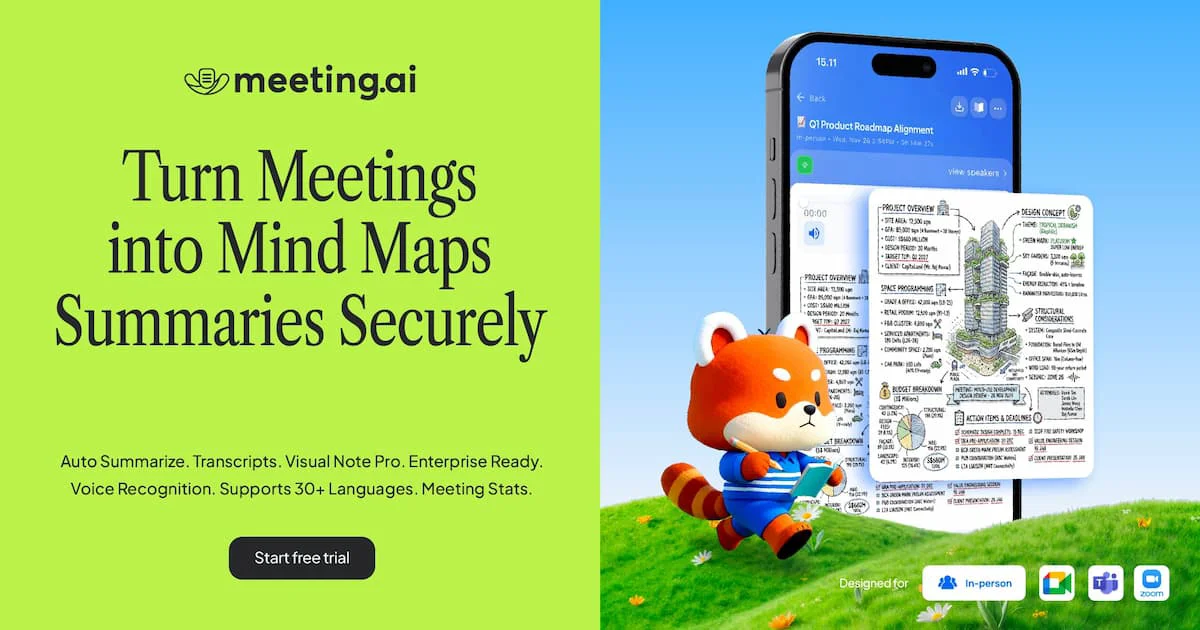
Meeting.ai is a comprehensive AI meeting companion designed to eliminate manual note-taking by automatically converting meetings into clear, structured outputs. Unlike traditional transcription tools, Meeting.ai goes further by generating visual mind maps and hand-drawn-style diagrams that make complex discussions easier to understand and recall. The platform supports every meeting format — from live in-person sessions and online video calls to uploaded audio or video recordings from Google Drive. Its high-accuracy multilingual transcription engine handles diverse accents and language switches, making it especially valuable for international and Southeast Asian teams. Key capabilities include automatic speaker identification, real-time AI-powered summaries, extraction of key decisions and action items, and an Ask AI feature that lets users query meeting content directly without leaving the app. Meeting statistics such as speaking time per participant add another layer of accountability. Meeting.ai is available on web, iOS, and Android, with notes and mind maps synced seamlessly across devices. Secure sharing via link or email, along with export options in PDF, image, and text formats, makes it easy to distribute outputs to stakeholders. With over 500,000 users, it serves teams in product planning, client presentations, candidate interviews, design workshops, and daily standups — making it a versatile tool for professionals who need more than just a transcript from their meetings.
Key Features
- Visual Mind Maps: Automatically converts meeting content into clear, visual mind maps and hand-drawn-style diagrams that make ideas easier to understand and remember.
- Multilingual Transcription: Delivers high-accuracy transcription supporting multiple languages and diverse accents, with automatic speaker identification for every participant.
- AI-Powered Summaries & Action Items: Generates concise meeting summaries highlighting key points, decisions made, and action items so teams can act immediately after a meeting.
- Ask AI About Your Meetings: Lets users query meeting content, clarify jargon, or refine notes using a built-in AI chat interface without leaving the app.
- Flexible Meeting Formats: Works with live in-person meetings, Zoom, Google Meet, Microsoft Teams calls, and uploaded audio or video recordings from Google Drive.
Use Cases
- Team standups where managers need a quick recap of blockers, progress updates, and action items assigned to each team member.
- Product planning sessions where visual mind maps help stakeholders align on roadmap priorities and key decisions.
- Client presentations and business meetings where accurate multilingual transcription ensures nothing is missed across language barriers.
- Candidate interviews where HR teams need structured notes on each applicant without the distraction of manual note-taking.
- Design workshops and brainstorming sessions where visual mind maps capture the flow of ideas in a format that is easy to revisit and share.
Pros
- Visual Output Beyond Transcripts: The mind map and visual note format sets Meeting.ai apart from standard transcription tools, making meeting content far more digestible.
- Broad Language & Accent Support: Near 99% accuracy across multiple languages and accents makes it highly reliable for global and multilingual teams.
- Cross-Platform Accessibility: Available on web, iOS, and Android with automatic sync, ensuring notes are accessible anywhere and on any device.
- Versatile Meeting Compatibility: Supports virtually every meeting scenario including live, online, and recorded formats — no workflow changes required.
Cons
- Free Tier Limits: The 7-day free trial suggests ongoing use requires a paid subscription, which may be a barrier for individual or budget-conscious users.
- Dependent on Audio Quality: Like all transcription tools, accuracy can decline with poor microphone quality, heavy background noise, or highly technical jargon.
- Visual Notes May Require Review: Auto-generated mind maps may need manual refinement for highly nuanced or context-heavy discussions to ensure accuracy.
Frequently Asked Questions
What types of meetings does Meeting.ai support?
Meeting.ai works with in-person meetings, online video calls on Zoom, Google Meet, and Microsoft Teams, as well as uploaded audio and video recordings from Google Drive.
How accurate is the transcription?
Meeting.ai claims up to 99% transcription accuracy and is specifically praised for handling multiple languages and diverse accents, making it especially useful for international teams.
Can I share meeting notes with others?
Yes. Notes can be securely shared via link or email, and exported in PDF, image, or text formats for easy distribution to team members or stakeholders.
Is Meeting.ai available on mobile?
Yes. Meeting.ai is available on iOS and Android in addition to the web, and all notes and mind maps are automatically synced across devices.
Does Meeting.ai offer a free plan?
Meeting.ai offers a 7-day free trial. After the trial period, a paid subscription is required to continue using the full feature set.