

About
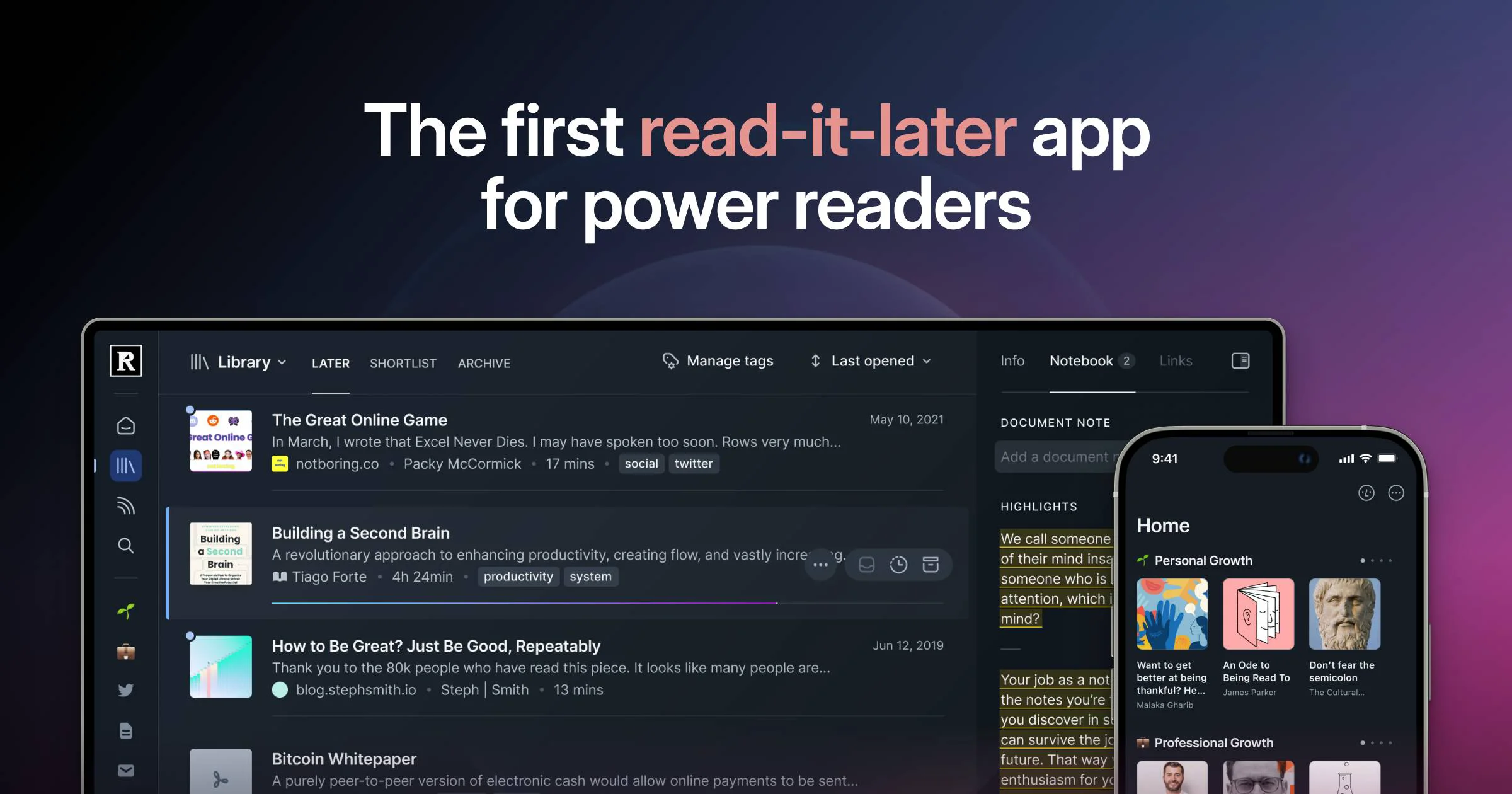
Readwise Reader reimagines the read-it-later category by treating annotation as a core feature rather than an afterthought. Instead of juggling Pocket, Instapaper, a newsletter inbox, an RSS reader, and a PDF viewer, Reader collapses all of these into one blazingly fast, beautifully designed app. Key capabilities include a browser extension for real-time web highlighting, RSS subscription management, PDF and EPUB uploads, YouTube video transcript highlighting, and Twitter thread compilation into long-form articles. Every highlight can be enriched with tags, notes, and images—on any device. The app is deeply integrated with the original Readwise experience: highlights surface automatically in the Daily Review, which uses spaced repetition to help users actually remember what they read. Highlights also auto-export to connected note-taking tools such as Notion, Obsidian, and Evernote, fitting seamlessly into existing knowledge management workflows. Readwise Reader is ideal for researchers, writers, founders, students, and anyone who consumes large volumes of online content and wants to build a durable, searchable knowledge base from it. With its unified inbox approach and powerful search, it is especially well-suited for professionals who previously relied on multiple specialized tools to manage their reading pipeline.
Key Features
- Unified Reading Inbox: Consolidates web articles, RSS feeds, newsletters, PDFs, EPUBs, YouTube transcripts, and Twitter threads into a single distraction-free reading environment.
- First-Class Highlighting & Annotation: Highlight text, images, tables, and rich content on any device with support for tags and inline notes—treated as a primary feature rather than an afterthought.
- Spaced-Repetition Daily Review: The integrated Readwise Daily Review resurfaces your best highlights at scientifically optimized intervals so you actually retain what you read.
- Browser Extension for Web Highlighting: Annotate any webpage on the open web in real time using the Reader browser extension, without saving the page first.
- Note-Taking App Sync: Automatically exports enriched highlights to Notion, Obsidian, Evernote, and other tools, keeping your knowledge base always up to date.
Use Cases
- Researchers and academics aggregating papers, articles, and PDFs into a single annotated knowledge base for literature reviews.
- Writers and content creators saving reference articles and newsletter inspiration with highlights that sync to Notion or Obsidian for later use.
- Founders and professionals managing high-volume information diets by replacing separate RSS readers, newsletter inboxes, and PDF apps with one tool.
- Students highlighting textbook PDFs and online lecture materials, then using the Daily Review to retain key concepts before exams.
- Podcast listeners and YouTube learners capturing transcript highlights from video content to build searchable notes from audio-visual media.
Pros
- Replaces Multiple Apps: Eliminates the need for separate RSS readers, newsletter inboxes, PDF viewers, and read-it-later apps, reducing context-switching dramatically.
- Exceptional Highlight Workflow: Annotations are a first-class feature with tagging, notes, image highlights, and cross-device sync—far more powerful than competitors.
- Durable Knowledge Retention: Spaced-repetition Daily Review and seamless export to note-taking apps ensure highlights are revisited and actually internalized over time.
- Beautiful, Fast UI: Praised by users as the 'Superhuman of reading'—the interface is polished, responsive, and purpose-built for heavy reading sessions.
Cons
- Requires Readwise Subscription for Full Value: Deep integration with the original Readwise app (Daily Review, note-taking sync) requires a paid Readwise subscription on top of Reader access.
- Steeper Learning Curve: The breadth of features—RSS management, multiple content types, tagging systems—can feel overwhelming for casual readers compared to simpler alternatives.
- Limited Offline Support: Offline reading capabilities are less robust than some dedicated apps, which can be a drawback for users frequently without internet access.
Frequently Asked Questions
What is Readwise Reader?
Readwise Reader is a read-it-later and digital reading app that unifies web articles, newsletters, RSS feeds, PDFs, EPUBs, YouTube transcripts, and Twitter threads in one place, with powerful highlighting and annotation tools.
How does Reader differ from Pocket or Instapaper?
Unlike Pocket or Instapaper, Reader supports a much wider range of content types (PDFs, EPUBs, YouTube, RSS, newsletters), offers first-class annotation features, and deeply integrates with the Readwise spaced-repetition system and note-taking app exports.
Does Readwise Reader have a free plan?
Yes. Readwise Reader offers a free beta tier so users can get started without a credit card. A paid subscription unlocks full features, including unlimited highlights and the Readwise Daily Review integration.
Which note-taking apps does Reader sync with?
Reader syncs highlights and annotations to Notion, Obsidian, Evernote, Roam Research, and several other popular knowledge management tools via the Readwise export system.
Is there a browser extension for Readwise Reader?
Yes. The Reader browser extension lets you save pages and highlight directly on any website in real time, without leaving the page you're reading.