
About
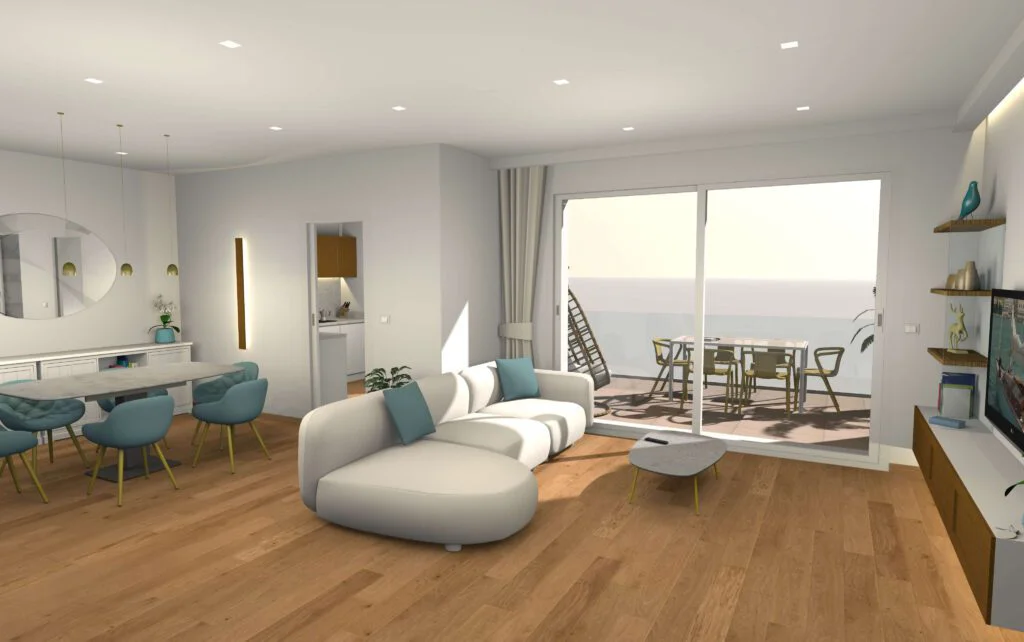
Sweet Home 3D is a powerful yet accessible interior design application distributed under the GNU General Public License. It enables users to create accurate 2D floor plans by drawing walls, doors, and windows, then instantly switch to a 3D view to explore and decorate their space. The software ships with over 10,000 pre-built 3D furniture and object models, along with more than 400 textures, covering every room and style imaginable. Users can arrange and customize furniture, apply wall colors and flooring, adjust lighting, and generate high-quality 3D photo and video renderings — all within a single application. The interface is designed to be intuitive and requires no prior design experience, making it equally suitable for homeowners planning a renovation, interior decorators prototyping layouts, and architecture students learning spatial design. Sweet Home 3D is available for download on Windows, macOS, and Linux desktops, as well as iOS and Android mobile devices. It can also be used entirely online through any WebGL-compatible browser with no installation required. The project is actively maintained, available in 29 languages, and supported by a community of contributors on SourceForge. Plugins and tools extend its capabilities further for power users.
Key Features
- 2D Floor Plan Editor: Draw precise floor plans by placing walls, doors, windows, and rooms with an intuitive drag-and-drop interface.
- Real-Time 3D Visualization: Instantly switch between 2D plan view and an interactive 3D walkthrough of your designed space.
- 10,000+ Furniture & Object Models: Access a massive built-in library of 3D furniture, appliances, and décor items, supplemented by community-contributed models.
- 3D Photo & Video Rendering: Generate photorealistic still images and video fly-throughs of your interior designs for presentations or sharing.
- Cross-Platform & Browser Support: Run natively on Windows, macOS, Linux, iOS, and Android, or use the app directly in any WebGL browser with no installation.
Use Cases
- Homeowners planning a renovation or remodel can visualize room layouts and furniture arrangements before making any purchases.
- Interior designers can rapidly prototype and present design concepts to clients using photorealistic 3D renders.
- Real estate agents and property developers can create compelling virtual walkthroughs to showcase properties.
- Architecture and interior design students can practice spatial planning and 3D visualization without any software costs.
- DIY enthusiasts can plan IKEA-style furniture arrangements, kitchen layouts, or full home designs in an approachable free tool.
Pros
- Completely Free & Open Source: Licensed under the GNU GPL with no paywalls, subscriptions, or feature locks — the full experience is free forever.
- Massive Asset Library: Over 10,000 3D models and 400 textures included out of the box, covering virtually every interior design need.
- No Design Experience Required: The intuitive interface makes it accessible to beginners while still offering depth for more advanced users.
- Broad Platform Availability: Works on all major desktop and mobile operating systems, plus entirely in the browser — no barriers to getting started.
Cons
- Dated User Interface: The UI feels older compared to modern commercial tools like SketchUp or Planner 5D, which may deter some users.
- Limited Advanced Rendering: While rendering quality is solid for a free tool, it doesn't match the photorealistic output of professional rendering software.
- No Cloud Storage or Collaboration: Projects are saved locally with no built-in cloud sync or real-time collaboration features for teams.
Frequently Asked Questions
Is Sweet Home 3D really free?
Yes, Sweet Home 3D is completely free and open source, distributed under the GNU General Public License. There are no paid tiers, subscriptions, or hidden charges.
Can I use Sweet Home 3D without installing anything?
Yes, Sweet Home 3D can be used directly in any modern browser that supports WebGL, with no download or installation required.
What platforms does Sweet Home 3D support?
Sweet Home 3D is available for Windows, macOS, Linux, iOS, and Android, as well as in-browser via WebGL.
How many 3D models and textures are included?
The full download includes over 10,000 3D furniture and object models plus more than 400 textures, covering a wide range of styles and room types.
Can I import my own 3D models into Sweet Home 3D?
Yes, Sweet Home 3D supports importing custom 3D models in OBJ and other supported formats, and the community provides additional models through its online catalog.