

About
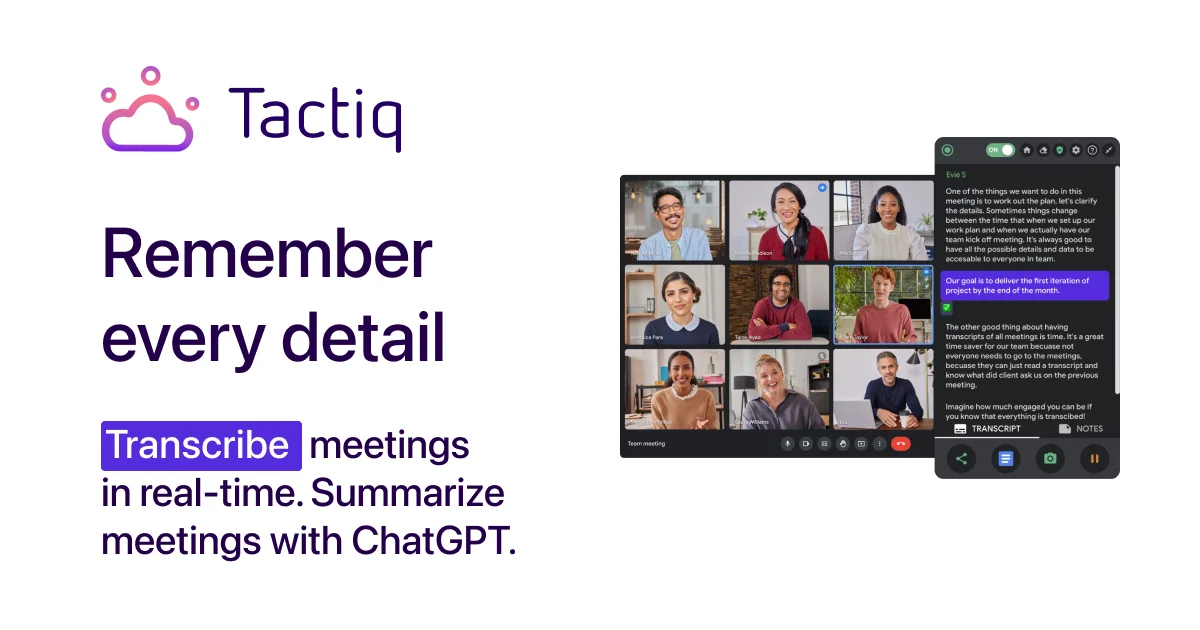
Tactiq is an AI-powered meeting assistant designed to help professionals get more out of every meeting. Unlike traditional transcription tools, Tactiq works without sending a bot into your call — it quietly captures live transcriptions through a lightweight Chrome extension while you stay focused on the conversation. Once a meeting ends, Tactiq's AI engine can generate one-click summaries, extract action items, and answer custom questions about the meeting content. Users can create reusable AI prompts tailored to their workflow, turning every call into structured, actionable knowledge. Tactiq integrates deeply with popular productivity and CRM tools, including Slack, Notion, Linear, and HubSpot, enabling teams to automatically share meeting insights, create project issues, or sync CRM updates directly from transcript data. Workflow automations can be shared across teams for consistent, scalable meeting output. With over 1 million Chrome extension installs, a 4.8-star rating, and support for 60+ languages, Tactiq is trusted by 10,000+ companies worldwide. It's ideal for sales teams, customer success managers, remote teams, and enterprise organizations that want to eliminate manual note-taking and ensure every meeting produces clear follow-through. Tactiq offers a free tier with core transcription features and paid plans that unlock advanced AI workflows and enterprise capabilities.
Key Features
- Bot-Free Live Transcription: Transcribes meetings in real time via a Chrome extension — no bot joins the call, keeping meetings natural and privacy-friendly.
- AI Meeting Summaries & Action Items: Generates concise meeting summaries and extracts actionable tasks with a single click, saving hours of manual note-taking.
- Custom AI Prompts: Create and reuse custom AI prompts to extract specific insights, draft follow-up emails, or answer bespoke questions from any transcript.
- Workflow Integrations: Automatically push meeting insights to Slack, Notion, Linear, and HubSpot to keep teams aligned and CRMs up to date without extra effort.
- 60+ Language Support: Transcribes and processes meetings in over 60 languages, making it suitable for global and multilingual teams.
Use Cases
- Sales teams automatically syncing call notes and follow-up tasks to HubSpot CRM after every customer meeting.
- Remote engineering teams creating Linear issues directly from sprint planning or bug triage meeting transcripts.
- Customer success managers generating instant meeting summaries to share with clients and internal stakeholders after onboarding calls.
- Executives reviewing AI-generated summaries of back-to-back meetings in seconds instead of re-reading lengthy notes.
- Multilingual global teams transcribing and summarizing international calls in their native languages with 60+ language support.
Pros
- No Intrusive Bot: Works silently via a Chrome extension without adding a bot participant, preserving the natural flow of conversations.
- Powerful Integrations: Deep integrations with Slack, HubSpot, Linear, and Notion enable seamless automated workflows directly from meeting transcripts.
- Broad Language Coverage: Supports 60+ languages, making it accessible to international teams and non-English-speaking organizations.
- High User Trust: Over 1 million installs and a 4.8-star Chrome Web Store rating reflect strong user satisfaction and reliability.
Cons
- Chrome-Only Extension: The core product requires Google Chrome, limiting use for teams on Firefox, Safari, or other browsers.
- Platform Dependency: Only works with Google Meet, Zoom, and Microsoft Teams — users on other conferencing platforms are not supported.
- Advanced Features Behind Paywall: AI workflows, team sharing, and enterprise features require a paid subscription, restricting power users on the free tier.
Frequently Asked Questions
Does Tactiq send a bot to join my meetings?
No. Tactiq works entirely through a Chrome extension and does not add any bot participant to your calls, keeping meetings private and uninterrupted.
Which video conferencing platforms does Tactiq support?
Tactiq currently supports Google Meet, Zoom, and Microsoft Teams.
How many languages does Tactiq support?
Tactiq supports transcription and AI processing in over 60 languages, catering to multilingual and global teams.
What tools can Tactiq integrate with?
Tactiq integrates with Slack, Notion, Linear, and HubSpot, allowing you to automatically share meeting insights, create tasks, and update CRM records from transcripts.
Is Tactiq free to use?
Yes, Tactiq offers a free Chrome extension with core transcription features. Paid plans unlock advanced AI workflows, team sharing, and enterprise-grade capabilities.