

About
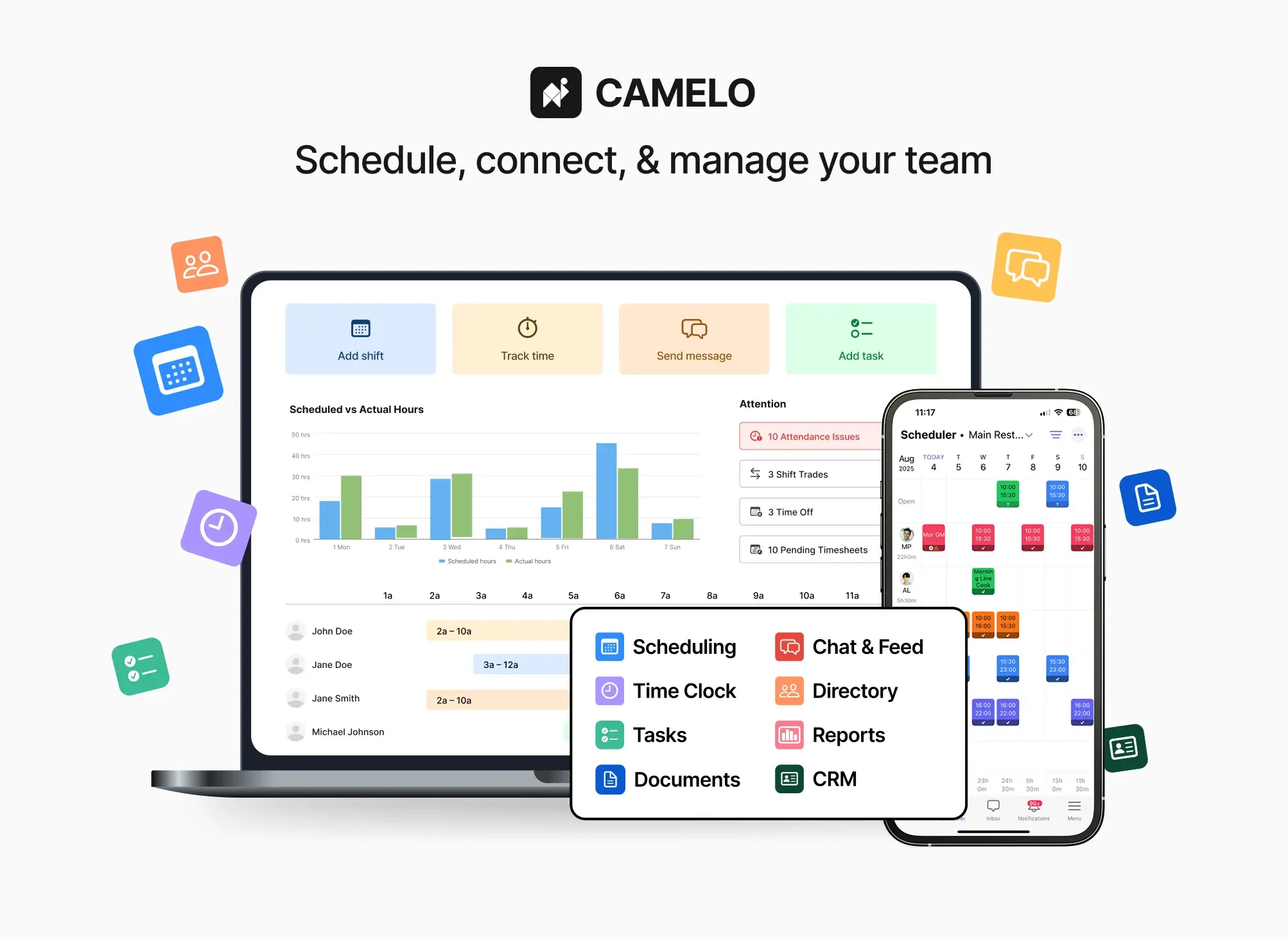
Camelo is an all-in-one workforce management solution designed for shift-based businesses and teams of all sizes. It brings together employee scheduling, time clock tracking, automated timesheets, and team communication into a single, easy-to-use platform accessible from any device, anywhere. With Camelo's scheduling tool, managers can drag and drop shifts, use reusable templates, and instantly notify employees of changes. Employees can pick up open shifts, swap shifts with coworkers, and submit availability—all subject to manager approval for full control. The time clock feature allows employees to clock in and out using GPS location verification, geo-fencing, photo capture, or Wi-Fi, ensuring accurate attendance tracking and compliance. Worked hours automatically flow into timesheets that can be reviewed, approved, and exported for payroll processing, eliminating manual data entry. Camelo's built-in communication tools keep the entire team in sync with direct messages, group chats, topic-based channels, and company-wide announcements. Real-time notifications for new schedules, shifts, and tasks ensure nothing falls through the cracks. Additional features include task assignment and progress tracking, time-off request management, and real-time visibility into team activities. Camelo is ideal for restaurants, retail stores, healthcare providers, hospitality businesses, and any organization managing hourly or shift workers. With a 14-day free trial and no credit card required, teams can get started immediately.
Key Features
- Drag-and-Drop Shift Scheduling: Build and manage work schedules effortlessly with drag-and-drop tools, reusable shift templates, and instant automated notifications to employees.
- GPS-Verified Time Clock: Employees clock in and out using GPS location, geo-fencing, photo verification, or Wi-Fi, ensuring accurate and fraud-resistant attendance records.
- Automated Timesheets & Payroll Export: Worked hours automatically populate timesheets that managers can review, approve, and export, simplifying payroll processing and reducing manual errors.
- Built-In Team Communication: Keep teams connected with direct messages, group chats, topic-based channels, and company-wide announcements—all in one place.
- Shift Flexibility & Self-Service: Employees can pick up open shifts, swap shifts with colleagues, and submit time-off requests or availability updates, all pending manager approval.
Use Cases
- A restaurant manager builds weekly staff schedules, sends instant notifications to servers and kitchen staff, and exports approved timesheets directly to payroll at the end of the pay period.
- A retail chain with multiple locations uses GPS-verified clock-ins to ensure employees are on-site before their shift begins, reducing time theft and buddy punching.
- A healthcare facility allows nurses to view open shifts and self-schedule based on their availability, reducing the administrative burden on shift coordinators.
- A cleaning company with remote teams uses Camelo's built-in chat channels to communicate job updates, share task checklists, and track task completion in real time.
- A hospitality business manages seasonal staff fluctuations by enabling employees to swap shifts easily and receive instant push notifications whenever schedules change.
Pros
- Truly All-in-One Platform: Combines scheduling, time tracking, timesheets, communication, and task management so managers don't need to juggle multiple tools.
- Works on Any Device: Accessible from web, iOS, and Android, making it easy for both office managers and on-the-go employees to stay connected.
- No Credit Card Free Trial: A full-featured 14-day free trial lets teams evaluate the platform without any financial commitment upfront.
- Real-Time Visibility: Managers get live insight into team availability, time-off requests, task progress, and attendance from a single dashboard.
Cons
- Full Features Require Paid Plan: After the 14-day trial, access to advanced features depends on a paid subscription, which may be a barrier for very small or budget-conscious teams.
- Not Purpose-Built for AI Automation: Camelo focuses on workforce management workflows rather than AI-driven insights or predictive scheduling, limiting advanced automation capabilities.
- May Exceed Needs of Tiny Teams: The breadth of features could feel like overkill for solo operators or very small teams that only need basic scheduling.
Frequently Asked Questions
Is Camelo really free?
Camelo offers a free 14-day trial of all features with no credit card required. After the trial, you'll need to choose a paid plan to continue using the platform.
What industries is Camelo best suited for?
Camelo is ideal for any shift-based business, including restaurants, retail stores, healthcare facilities, hospitality venues, cleaning services, and other industries that rely on hourly or rotating-shift workers.
How does the time clock feature prevent time fraud?
Employees can be required to clock in with GPS location verification, geo-fencing (must be within a defined area), photo capture, or a specific Wi-Fi network, making it difficult to falsify attendance records.
Can employees manage their own schedules?
Yes. Employees can view their schedules, pick up open shifts, swap shifts with coworkers, and submit availability or time-off requests—all subject to manager approval.
Does Camelo integrate with payroll systems?
Camelo automates timesheet generation from clock-in/out data, and managers can review, approve, and export timesheets for use in payroll processing. Direct integrations with specific payroll software may vary.