

About
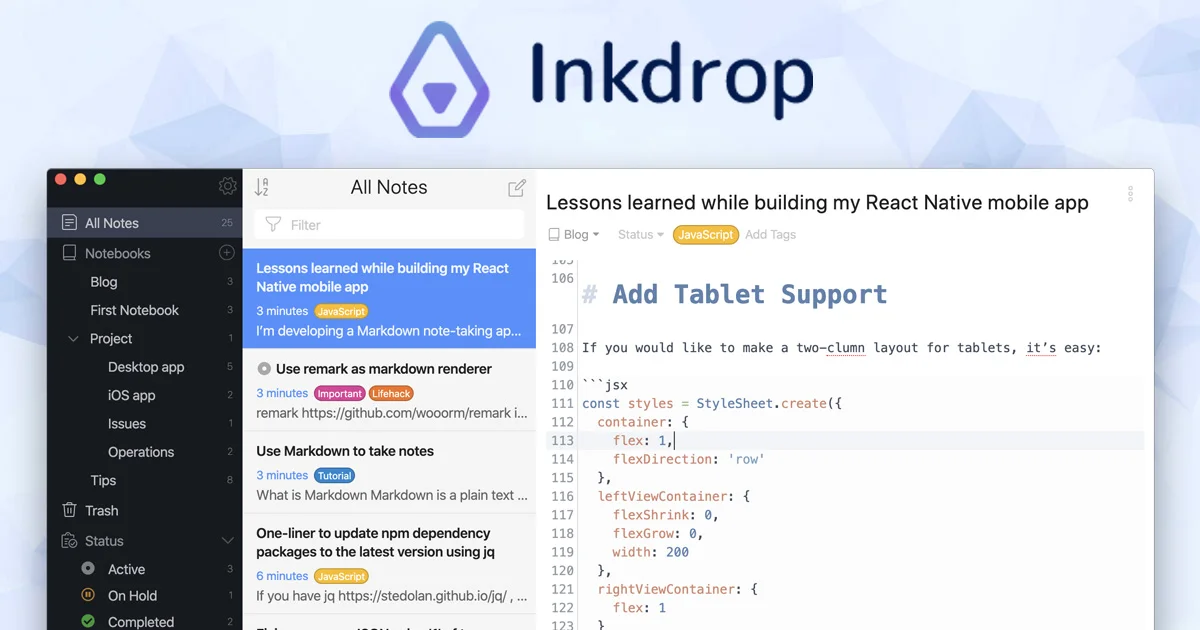
Inkdrop is a developer-centric note-taking application built around a powerful, versatile Markdown editor. Designed to reduce friction in day-to-day tech workflows, it supports multi-language syntax highlighting, multi-cursor editing, line numbers, and invisible character display right out of the box. Notes are organized using nestable notebooks, tags, pin-to-top, and a dedicated workspace view, making it easy to manage large knowledge bases without losing context. Inkdrop runs on five platforms—macOS, Windows, Linux, iOS, and Android—with fully encrypted data synchronization across all devices. Offline access ensures you can read and write notes at any time, with or without an internet connection. The app is highly customizable: choose from a library of beautiful themes, tweak the UI with CSS, and extend functionality through 100+ community plugins covering math rendering (KaTeX), diagrams (Mermaid), table of contents, and more. Keymaps are fully configurable, with native support for Vim, Emacs, and Sublime Text bindings. For knowledge collection, browser extensions for Chrome and Firefox let you clip articles directly into Inkdrop, and Kindle highlight importing is also supported. Speed-focused integrations with Alfred and Raycast enable lightning-fast note retrieval. Inkdrop's standout AI feature is its MCP (Model Context Protocol) server, which allows AI assistants to search your notes, understand their context, and generate new notes grounded in your existing knowledge base—making it a genuinely AI-ready personal knowledge tool for developers.
Key Features
- Robust Markdown Editor: Supports GitHub-flavored Markdown plus extensions like KaTeX math, Mermaid diagrams, and TOC, with multi-cursor editing, syntax highlighting for many languages, and customizable keybindings including Vim and Emacs modes.
- AI Integration via MCP Server: An included MCP server lets AI assistants search your notes, understand their context, and generate new notes grounded in your existing knowledge base.
- Powerful Organization Tools: Nestable notebooks, tags, pin-to-top, workspace views, note status tracking, and task progress views help you keep large note collections structured and quickly findable.
- 100+ Plugins & Full Customizability: Extend Inkdrop with a rich plugin ecosystem, customize the look with themes or raw CSS, and adapt keymaps to match your preferred editing style.
- Cross-Platform with Encrypted Sync: Available on macOS, Windows, Linux, iOS, and Android with end-to-end encrypted cloud sync and full offline read/write access.
Use Cases
- Developers maintaining personal knowledge bases of code snippets, technical documentation, and project notes.
- Programmers using Vim or Emacs keybindings who want a distraction-free Markdown writing environment.
- Tech learners and students collecting and organizing notes from articles, tutorials, and Kindle highlights.
- Software teams or indie developers using AI assistants that need contextual access to existing notes via the MCP server.
- Content creators and technical writers who need rich Markdown rendering including math, diagrams, and code blocks.
Pros
- Developer-First Design: Built specifically for tech workflows with code highlighting, Vim/Emacs keybindings, and deep extensibility that generic note apps can't match.
- Genuine AI Readiness: The MCP server integration enables AI tools to interact meaningfully with your notes, enabling context-aware generation and search beyond simple keyword lookup.
- Strong Offline Support: Notes are always accessible and writable offline, so ideas are never blocked by connectivity.
- Extensive Plugin Ecosystem: With 100+ plugins covering everything from math rendering to web clipping, Inkdrop can be tailored precisely to your workflow.
Cons
- Paid-Only After Trial: There is no permanent free tier; after the 30-day trial, a subscription at $8.31/month (annual) is required, which may deter casual users.
- Developer-Focused Niche: The Markdown-centric interface and developer-oriented features may feel overly technical for non-developer users seeking a simpler note-taking experience.
- Independent Ecosystem: As an indie-developed product, it lacks native integrations with popular productivity platforms like Notion, Slack, or Zapier out of the box.
Frequently Asked Questions
What platforms does Inkdrop support?
Inkdrop is available on five platforms: macOS, Windows, Linux, iOS, and Android. Browser extensions for Google Chrome and Firefox are also available for web clipping.
How does Inkdrop's AI integration work?
Inkdrop includes an MCP (Model Context Protocol) server that allows compatible AI assistants to search your notes, understand their context, and create new notes based on your existing content.
Is there a free version of Inkdrop?
Inkdrop offers a 30-day free trial with no credit card required. After the trial, it is a paid subscription at $8.31/month when billed annually.
Can I use Inkdrop offline?
Yes. Inkdrop fully supports offline use—you can read and write notes at any time without an internet connection, and changes sync automatically when you reconnect.
How customizable is Inkdrop?
Inkdrop is highly customizable. You can install 100+ plugins, choose or create themes, tweak the UI with custom CSS, and configure keymaps including Vim, Emacs, and Sublime Text bindings.