
About
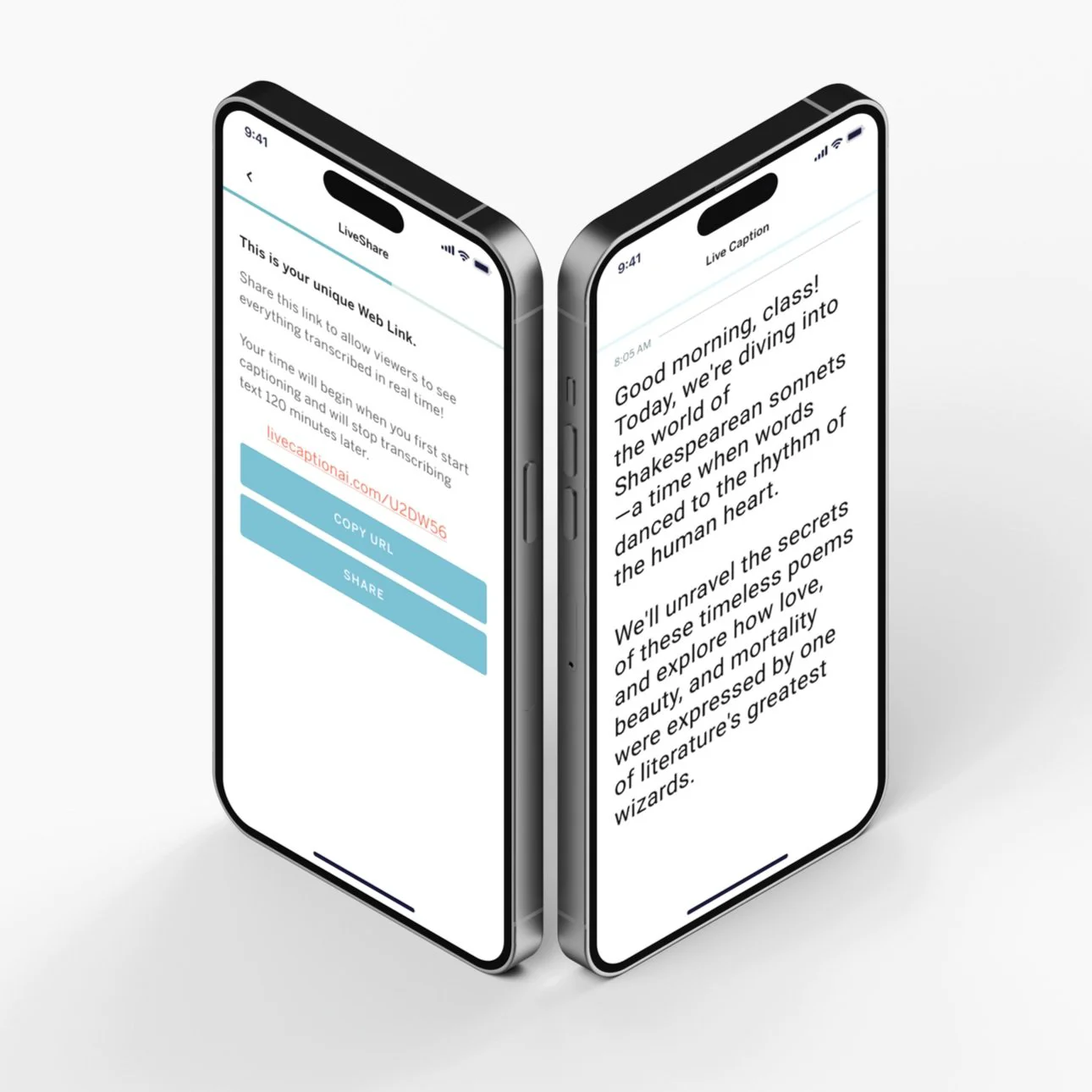
Live Caption AI is a hardware-free live captioning solution that enables real-time speech transcription and broadcasting directly from a mobile device. By plugging into a soundboard via a TRRS adapter, the app processes audio on-device using specialized AI models and instantly streams captions to a private or public URL — all with under two seconds of latency. Attendees can view live captions on any smartphone or tablet browser simply by scanning a QR code, with no app download required. Unlike generic speech-to-text tools that struggle with professional terminology, Live Caption AI offers toggleable specialized models for medical, financial, and technical domains, dramatically improving transcription accuracy for conferences, seminars, and industry events. The platform supports multiple speaker detection, language switching, variable text size and color, and transcript saving with tagging. Pricing is flexible: a $3.99/month subscription covers personal and regular-use scenarios with a free 30-minute trial; single-event passes are available for $2.99 (30 min) and $9.99 (2 hours). It's ideal for AV and church tech teams needing fast ADA-compliant setups, event planners seeking accessible experiences without expensive stenographers, and content creators wanting an instant live text feed for their AI-powered workflows.
Key Features
- Broadcast Captioning (BYOD): Stream live captions to a unique URL that any attendee can access on their own phone or tablet via browser — no app or specialized hardware required.
- Specialized AI Models: Toggle domain-specific models for Medical, Financial, or Technical contexts to accurately transcribe complex industry jargon that generic speech-to-text engines miss.
- On-Device Processing with Sub-2s Latency: Audio is processed directly on the device and pushed via ultra-fast WebSockets, delivering captions to viewers in under two seconds.
- Multiple Speaker Detection: Automatically detects and differentiates between multiple speakers, keeping captions clear and attributed during panels, Q&As, and multi-presenter events.
- Transcript Saving & Tagging: Captions are saved with tagging support, making it easy to search, reference, and share transcripts after the event ends.
Use Cases
- AV teams and church tech crews setting up ADA-compliant captioning for sanctuaries or auditoriums in minutes using only a phone and a mixer connection.
- Event planners making conferences, seminars, and live events accessible to attendees with hearing loss or non-native speakers without hiring stenographers.
- Medical and legal conference organizers requiring accurate transcription of complex professional terminology during presentations and panel discussions.
- Podcasters and video content creators generating a live text stream of their recordings to feed directly into AI-powered content workflows.
- Hybrid event coordinators providing synchronized captions for both in-person overflow rooms and remote participants joining via video conferencing platforms.
Pros
- No Expensive Hardware Required: Replaces $5,000+ hardware encoders with a smartphone and a TRRS adapter, making professional live captioning accessible to any budget.
- Audience Needs No App: Viewers simply scan a QR code to read captions in any browser, removing all friction for attendees.
- Flexible Pricing for Any Use Case: Offers a free trial, affordable monthly subscription, and one-time event passes, so users only pay for what they need.
- Domain-Specific Accuracy: Specialized AI models ensure accurate transcription of medical, legal, and technical terminology that general-purpose tools frequently get wrong.
Cons
- Requires Physical Audio Connection: A TRRS adapter is needed to connect to a soundboard, which may not be practical for all setups or remote-only scenarios.
- Broadcast Links Sold Separately: The monthly subscription covers personal captions, but broadcast caption links for audience viewing are an additional purchase, which can add up for frequent events.
- Mobile-Dependent Processing: The solution relies on a smartphone for on-device processing, meaning battery life and device performance can affect reliability during long sessions.
Frequently Asked Questions
Do attendees need to download an app to view captions?
No. Attendees simply scan a QR code or visit the provided URL to view live captions in any web browser on their smartphone or tablet — no app download is required.
How do I connect Live Caption AI to my soundboard?
Plug your mixer's output directly into your mobile device using a TRRS adapter. Compatible adapters include the iRig 2 and the Rode SC4.
What specialized AI models are available?
Live Caption AI offers toggleable specialized models for Medical, Financial, and Technical domains to improve accuracy with industry-specific terminology.
What are the pricing options?
There is a free 30-minute trial, a $3.99/month subscription for personal and regular use, a $2.99 Quick Meeting Pass (30 min), and a $9.99 Event Session Pass (2 hours). Broadcast caption links are sold separately.
How much latency should I expect for live captions?
Live Caption AI delivers captions with less than two seconds of latency, from your soundboard to your audience's devices, using ultra-fast WebSocket streaming.