

About
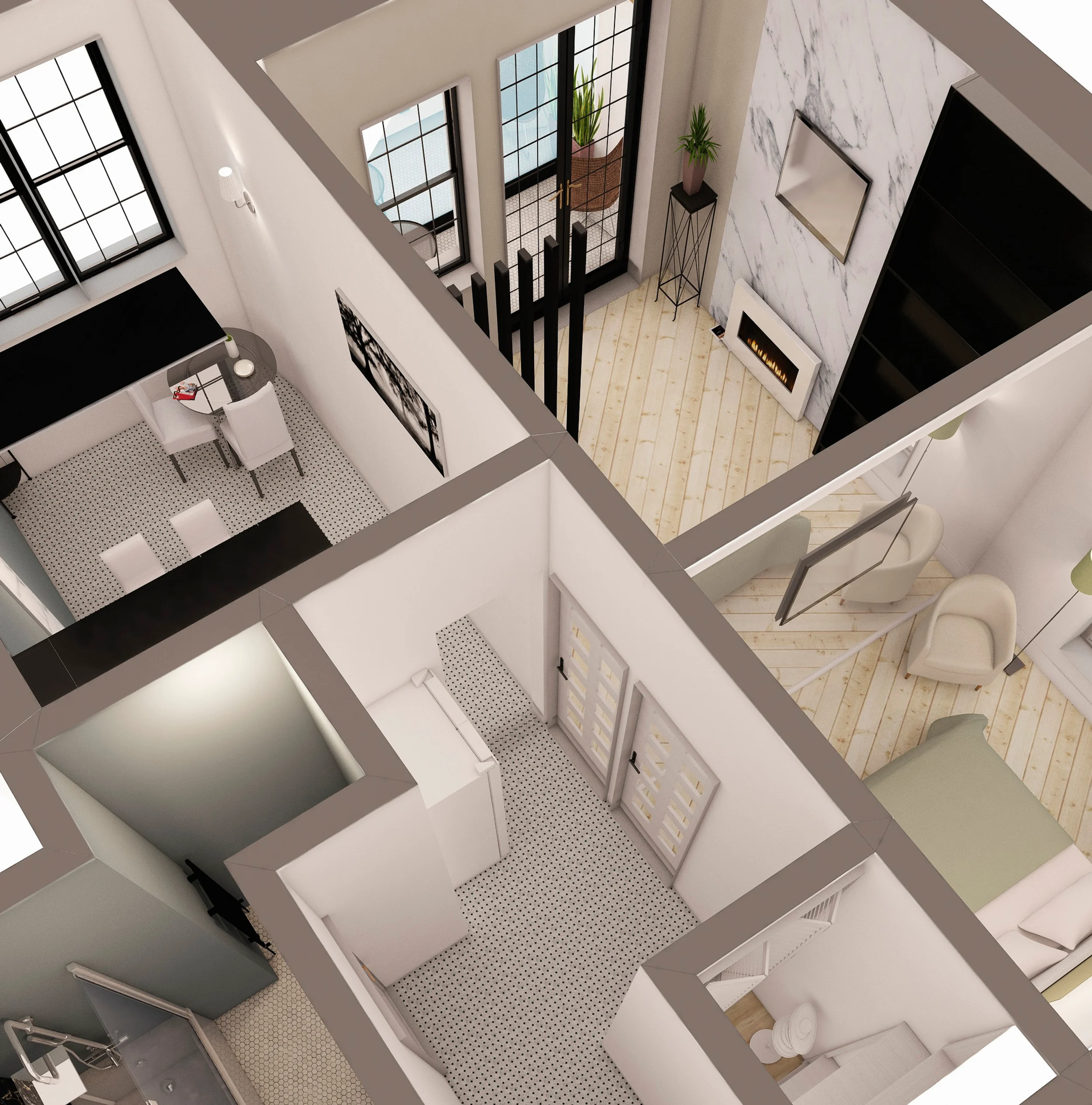
HomePlanner is a comprehensive interior design and room planning app trusted by over 20 million active users worldwide. It empowers homeowners, designers, and real estate professionals to dream, plan, and visualize beautiful spaces with ease. Users can create precise 2D and 3D floor plans with millimeter-accurate measurements, covering multi-level homes with full control over walls, roofs, stairs, and arches. The app's AR/LiDAR room scanner lets you generate an accurate floor plan simply by pointing your phone camera — no tape measure needed. With a library of 400,000+ items from 30,000+ top brands including Wayfair, Ashley Furniture, and more, users can drag and drop furniture to check fit before purchasing, avoiding costly mistakes. Customization goes deep — swap wall colors, flooring materials, fabrics, and tiles with a single tap, choosing from thousands of real-world finishes. AI features elevate the experience further: upload a photo to restyle a room in one of 20 popular design styles (Scandinavian, Mid-Century, etc.), or chat with the AI design assistant for layout advice, color palette suggestions with hex codes, space-optimization tips, and budget-friendly shopping lists. Professional-grade 4K photo rendering and 360° panoramas make client presentations polished and compelling. Renovation reports in PDF format include floor plans, wall measurements, and itemized shopping lists. Available on iOS, Android, Windows, and web, HomePlanner is ideal for homeowners planning renovations, interior designers, real estate agents, retailers, and schools.
Key Features
- 2D & 3D Floor Plan Builder: Design precise multi-room layouts with millimeter-accurate measurements, including walls, roofs, stairs, and arches in both 2D and 3D views.
- AR/LiDAR Room Scanner: Instantly generate accurate floor plans by pointing your phone camera at a room — no manual measuring required.
- 400,000+ Branded Product Library: Browse and place true-to-scale furniture and décor from 30,000+ top brands including Wayfair and Ashley Furniture, with new items added weekly.
- AI Room Restyling & Design Assistant: Upload a photo to restyle your room in 20+ popular design styles, or chat with the AI assistant for layout advice, color palettes, and shopping lists.
- Professional 4K Rendering & Renovation Reports: Export photorealistic 4K images, 360° panoramas, and detailed PDF renovation reports with floor plans, measurements, and itemized shopping lists.
Use Cases
- Homeowners planning a room renovation can scan their space, test furniture layouts, and visualize new décor styles before making any purchases.
- Interior designers can create photorealistic 4K renderings and professional PDF renovation reports to present to clients.
- Real estate agents and developers can use 3D floor plans and styled room visualizations to showcase properties more compellingly to buyers.
- Retailers can leverage the White Label solution to offer customers an interactive product visualization tool within their own brand experience.
- Students and schools can use HomePlanner to learn interior design fundamentals through hands-on 2D/3D planning and AI-guided design exercises.
Pros
- Massive, True-to-Scale Product Library: With 400,000+ store-accurate items from real-world brands, users can confidently plan purchases and avoid sizing mistakes before buying.
- AI-Powered Design Assistance: The integrated AI assistant and room restyler make professional interior design accessible to beginners without any design training.
- Cross-Platform Availability: Available on iOS, Android, Windows, and web, enabling seamless design work across devices for both personal and professional use.
- All-in-One Design Workflow: From room scanning and floor planning to rendering and renovation reporting, HomePlanner covers the full interior design process in a single app.
Cons
- Advanced Features Behind Paywall: Premium rendering, professional exports, and certain AI features likely require a paid plan, limiting the full experience for free users.
- Learning Curve for Complex Projects: While beginner-friendly, designing multi-level homes with detailed architectural elements may take time to master for non-designers.
- Brand Library Skews Toward Select Retailers: While extensive, the product library may not include all regional or niche furniture brands, potentially limiting choices for some users.
Frequently Asked Questions
What is HomePlanner used for?
HomePlanner is an interior design app for creating 2D and 3D floor plans, visualizing room layouts with real-world furniture, and getting AI-powered design recommendations for home renovations or décor projects.
Does HomePlanner use AI?
Yes. HomePlanner includes an AI design assistant that provides layout advice, color palette suggestions, and shopping lists, as well as an AI room restyler that transforms photos of your space into 20+ popular interior design styles.
Can I scan my room with HomePlanner?
Yes. HomePlanner uses AR and LiDAR technology to scan your room via your phone camera and automatically generate an accurate 2D and 3D floor plan — no manual measuring needed.
Is HomePlanner free to use?
HomePlanner offers a free version with core features. A paid plan unlocks additional capabilities such as advanced rendering, professional exports, and expanded design tools.
What platforms is HomePlanner available on?
HomePlanner is available on iOS, Android, Windows, and as a web app, so you can design across all your devices seamlessly.