
About
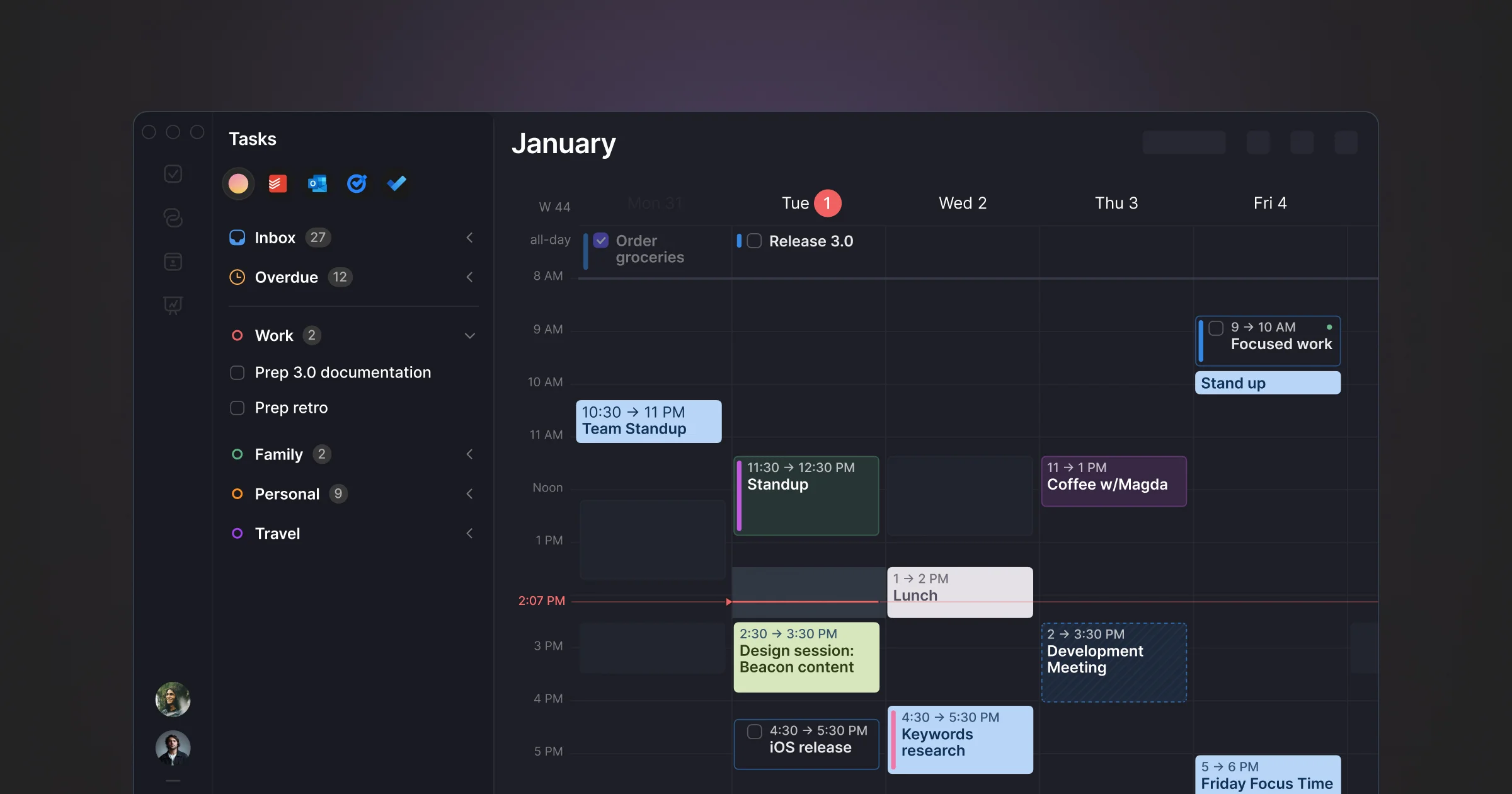
Morgen is a comprehensive AI-powered daily planning application designed to help individuals and teams take control of their time. By bringing together calendars from Google, Outlook, Apple, and Fastmail alongside tasks from Notion, ClickUp, Linear, and Todoist, Morgen eliminates the chaos of switching between apps and missing deadlines. At the heart of Morgen is its AI Planner, which intelligently prioritizes your to-dos, evaluates your capacity, and highlights tasks at risk of being late. Using a feature called Frames, users can template their ideal week to guide the AI in generating personalized daily plans — which can be accepted, adjusted, or overridden at any time. Morgen also excels at calendar automation: it can sync events across calendars to prevent double-bookings, auto-block travel time based on location and mode of transport, and add buffer time around meetings for intentional recovery. Built-in scheduling links let users share real-time availability for external bookings, while team availability views surface recommended meeting windows that respect colleagues' focus blocks. The app is available on Windows, Mac, Linux, web, iOS, and Android, making it one of the most cross-platform calendar and planning tools available. It is ideal for busy professionals, team leads, and high-performers who need a reliable, intelligent system for managing both deep work and collaborative commitments without sacrificing control over their day.
Key Features
- AI Planner: Automatically prioritizes your tasks, evaluates daily capacity, flags at-risk deadlines, and reschedules work in real-time when conflicts arise.
- Frames: Template your ideal week to guide the AI Planner. Preview AI-generated recommendations on your calendar and accept, move, or resize tasks before confirming.
- Unified Calendar & Task Management: Consolidate calendars from Google, Outlook, Apple, and Fastmail alongside tasks from Notion, ClickUp, Linear, and Todoist in one unified view.
- Calendar Automations: Automatically sync events across calendars, block travel time based on location and transport mode, and add buffer time around meetings to prevent overruns.
- Built-in Scheduling Links & Team Availability: Share personalized booking links with real-time availability checks, and view colleagues' calendars to find meeting windows that won't disrupt their focus time.
Use Cases
- Professionals managing overlapping work and personal calendars who need a single source of truth for their schedule and task backlog.
- Team leads coordinating meeting times across distributed teams while protecting individual focus blocks for deep work.
- Project managers tracking task deadlines from tools like Linear or ClickUp directly on their calendar to avoid missing deliverables.
- Freelancers and consultants sharing scheduling links with clients and automatically blocking travel or prep time around appointments.
- Remote workers using AI-assisted time blocking to structure their day, adapt to schedule disruptions, and maintain sustainable work rhythms.
Pros
- Truly cross-platform: Available on Windows, Mac, Linux, web, iOS, and Android — one of the broadest platform coverages among calendar and planning tools.
- Deep integrations with popular tools: Natively connects to Notion, ClickUp, Linear, Todoist, Google Calendar, Outlook, Apple Calendar, and more, making it a genuine hub for all work contexts.
- AI that respects user control: The AI Planner offers recommendations rather than forcing automation — users can preview, adjust, and confirm all suggestions before anything is scheduled.
- Powerful calendar automation: Travel time blocking, buffer time, and cross-calendar sync reduce manual overhead and help maintain an accurate picture of real availability.
Cons
- Learning curve for full setup: Getting the most out of Morgen requires connecting multiple accounts, configuring Frames, and tuning automations — which can take significant initial setup time.
- Advanced features gated behind paid plans: AI Planner, team availability, and automation features are likely limited or unavailable on the free tier, making the full experience a paid commitment.
- May feel like overkill for simple use cases: Users with only one calendar and a simple to-do list may find Morgen's feature depth more than they need compared to lighter-weight planning apps.
Frequently Asked Questions
What is Morgen and who is it for?
Morgen is an AI-powered daily planner designed for busy professionals, team leads, and high-performers who manage multiple calendars and task lists. It unifies scheduling, task management, and AI-assisted planning into one app.
Which task managers and calendars does Morgen integrate with?
Morgen integrates with Notion, ClickUp, Linear, and Todoist for tasks, and supports Google Calendar, Outlook, Apple Calendar, Fastmail, and other CalDAV-compatible calendars.
What are Frames in Morgen?
Frames are templates that define your ideal weekly schedule — for example, deep work in the morning and meetings in the afternoon. The AI Planner uses Frames as guidance when generating daily scheduling recommendations.
Does Morgen work on Linux?
Yes. Morgen is available on Windows, Mac, Linux, web, iOS, and Android — making it one of the few premium productivity and calendar apps with native Linux support.
Is Morgen free to use?
Morgen offers a free plan that requires no credit card to get started. A paid plan unlocks advanced features including the full AI Planner, team features, and calendar automations.