

About
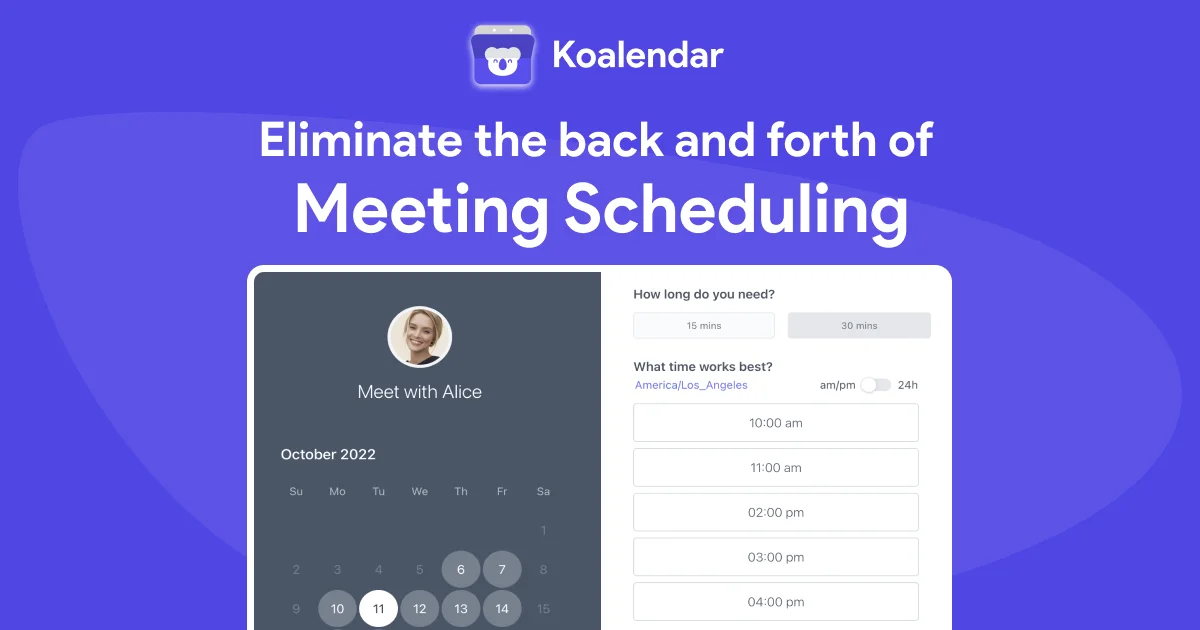
Koalendar is a comprehensive scheduling software designed to eliminate the back-and-forth of booking meetings. With Koalendar, users can create customizable, branded booking pages and share a single link that works for any scheduling scenario—from one-on-one appointments to group classes and team interviews. The platform syncs in real time with Google Calendar, Outlook, and iCloud, automatically detecting time zones and preventing double bookings. Clients see up-to-date availability without any manual effort from the host. Koalendar includes automated email and SMS reminders to reduce no-shows, follow-up messages, and prefilled booking fields for faster scheduling. For service providers who charge for their time, Koalendar offers built-in Stripe integration (on paid plans) to accept payments and deposits directly at the point of booking. Custom booking forms allow hosts to collect relevant client information before meetings, and booking pages can be embedded directly into websites. Admin controls let managers centralize scheduling rules and oversee team calendars from one dashboard. Koalendar's free forever plan includes unlimited bookings and scheduling links with no credit card required. The Pro plan unlocks payments, advanced customization, and more. It serves a wide range of industries including beauty and wellness, education, healthcare, professional services, and local businesses—making it one of the most versatile and accessible scheduling tools available.
Key Features
- Customizable Booking Pages: Create branded booking pages with custom meeting durations, group booking support, and a single shareable link for any use case.
- Multi-Calendar Sync: Connect Google Calendar, Outlook, and iCloud in seconds for real-time availability updates and automatic time zone detection for guests.
- Automated Reminders & Notifications: Send email and SMS reminders before meetings and automated follow-up messages to reduce no-shows and keep scheduling smooth.
- Payment Collection via Stripe: Accept payments and deposits directly at booking through a built-in Stripe integration, with automatic receipts sent to clients.
- Custom Booking Forms & Website Embed: Collect client information before meetings with custom forms, and embed your booking page directly into any website.
Use Cases
- Coaches and consultants creating branded booking pages to let clients self-schedule paid sessions with automatic reminders.
- Teachers and trainers setting up group booking pages for online classes with calendar sync and participant notifications.
- Sales teams sharing scheduling links to book demos and discovery calls, eliminating email back-and-forth.
- Small businesses and service providers (salons, clinics, fitness studios) managing appointments and collecting deposits at booking.
- HR and recruiting teams scheduling candidate interviews across multiple time zones with automated confirmations and reminders.
Pros
- Free Forever Plan: Unlimited bookings and scheduling links at no cost, with no credit card required—genuinely useful even on the free tier.
- Quick Setup: First booking page is ready in minutes; no technical skills needed to get started and share links immediately.
- Automatic Calendar Sync: Real-time sync across Google, Outlook, and iCloud prevents double bookings and handles time zone differences automatically.
- Versatile Use Cases: Covers everything from sales calls and coaching sessions to classes, interviews, and room reservations in a single platform.
Cons
- Payments Require Paid Plan: Stripe payment collection and monetization features are locked behind the Pro plan, limiting revenue generation for free users.
- Limited AI Capabilities: Koalendar lacks AI-powered scheduling optimization or smart suggestions, relying on traditional rule-based availability logic.
- Advanced Features Gated: Deeper customization, admin controls, and certain integrations may require upgrading, which could be a barrier for budget-conscious teams.
Frequently Asked Questions
Is Koalendar really free forever?
Yes, Koalendar offers a free forever plan that includes unlimited booking pages and scheduling links with no credit card required. You can upgrade to the Pro plan if you need features like payment collection or advanced customization.
Which calendars does Koalendar sync with?
Koalendar syncs in real time with Google Calendar, Microsoft Outlook, and iCloud. Events are added instantly and availability is updated across all connected devices.
Can I accept payments through Koalendar?
Yes, Koalendar integrates with Stripe to allow you to collect payments and deposits at the time of booking. This feature is available on paid (Pro) plans and automatically sends receipts to clients.
Can I embed Koalendar on my website?
Yes, Koalendar provides an embed option that lets you place your booking page directly on your website, giving visitors a seamless way to schedule without leaving your site.
Is Koalendar suitable for teams and businesses?
Absolutely. Koalendar includes admin controls for centralizing scheduling rules and managing team calendars, making it suitable for sales teams, customer service, recruiting, and a wide variety of business use cases.